Google Search Console: How to Get Your Website on Google Search (Complete Guide)
Creating a professional website is not enough. You also want people to find your website on Google Search. Every website owner, blogger, and business owner wants their website to reach more people and appear in relevant search results.
This is where Google Search Console (GSC) can help.
Google Search Console is a free tool from Google that helps you understand how your website performs in Google Search. You can check whether Google can find and index your pages, see which search keywords bring people to your website, and identify possible indexing problems.
Whether you are a student, entrepreneur, business owner, blogger, freelancer, employee, or website owner, this guide will help you understand Google Search Console in simple English.
In this article, we will learn how to set up Google Search Console, add and verify a website, submit a sitemap, request indexing for new articles, check important reports, and fix common indexing problems with practical examples.
What Is Google Search Console?
Google Search Console (GSC) is a free tool that helps website owners monitor and understand their website’s performance in Google Search.
With Google Search Console, you can check whether Google has indexed your website pages, discover which search queries show your website in Google Search results, and identify possible problems that may affect your pages.
For example, suppose you have a website called The Tech Earth and publish an article titled “What Is Artificial Intelligence?”
You can use Google Search Console to check whether Google has indexed that article and see which search queries show it in Google Search results.
What Can You Do with Google Search Console?
You can use Google Search Console to:
Check whether Google can access and crawl your website pages.
Check how your website appears in Google Search.
See how many pages Google has indexed.
Discover which search queries show your website in search results.
Check clicks, impressions, click-through rate (CTR), and average position.
Find possible indexing and technical problems.
Monitor your website’s search performance over time.
Important Note: Adding your website to Google Search Console does not guarantee first-page rankings. GSC helps you identify problems and understand your website’s performance. You must use this information to improve your website, content, and SEO.
How Does Google Search Console Work?
To understand how your website appears on Google, you need to know three important terms: Crawling, Indexing, and Ranking.
1. What Is Crawling?
Crawling is the process in which Google discovers and tries to access your website pages using automated systems called Googlebot.
Example: You publish a new article on your website. Googlebot may discover the article and try to access its content.
2. What Is Indexing?
Indexing is the process in which Google analyzes a page and may add it to its search index.
Example: Google processes your new article and adds it to its index. The article may then become eligible to appear in Google Search results.
However, Google does not index every page.
3. What Is Ranking?
Ranking refers to the position of a webpage in Google Search results for a particular search query.
Example: Someone searches for “What Is Google Search Console?” and your article appears in the fifth position. This means your article is ranking at position five for that search query at that time.
Remember These Three Terms
Crawling: Google discovers and accesses your page.
Indexing: Google may add your page to its search index.
Ranking: Google determines where your page appears among relevant search results.
Important: Google Search Console helps you monitor these processes, but it cannot guarantee that every page will be indexed or rank at the top of Google Search.
How to Create a Google Search Console Account
Follow these simple steps to set up Google Search Console for your website.
Step 1: Open the Official Website
Visit the official Google Search Console website:
https://search.google.com/search-console
Sign in using your Google account.
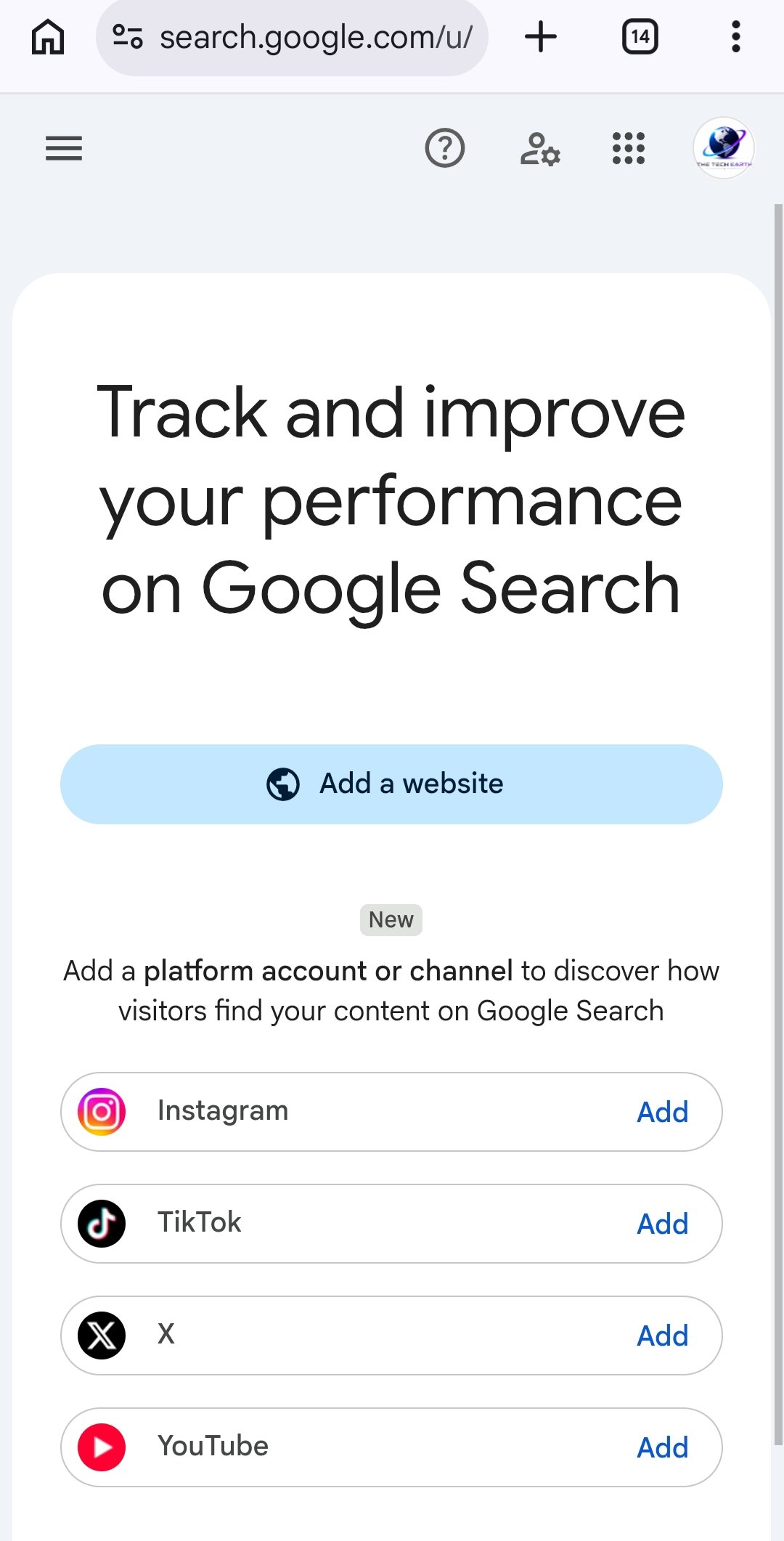
Step 2: Add Your Website
After opening Google Search Console, you will see an option to add a property. A property represents the website you want to monitor.
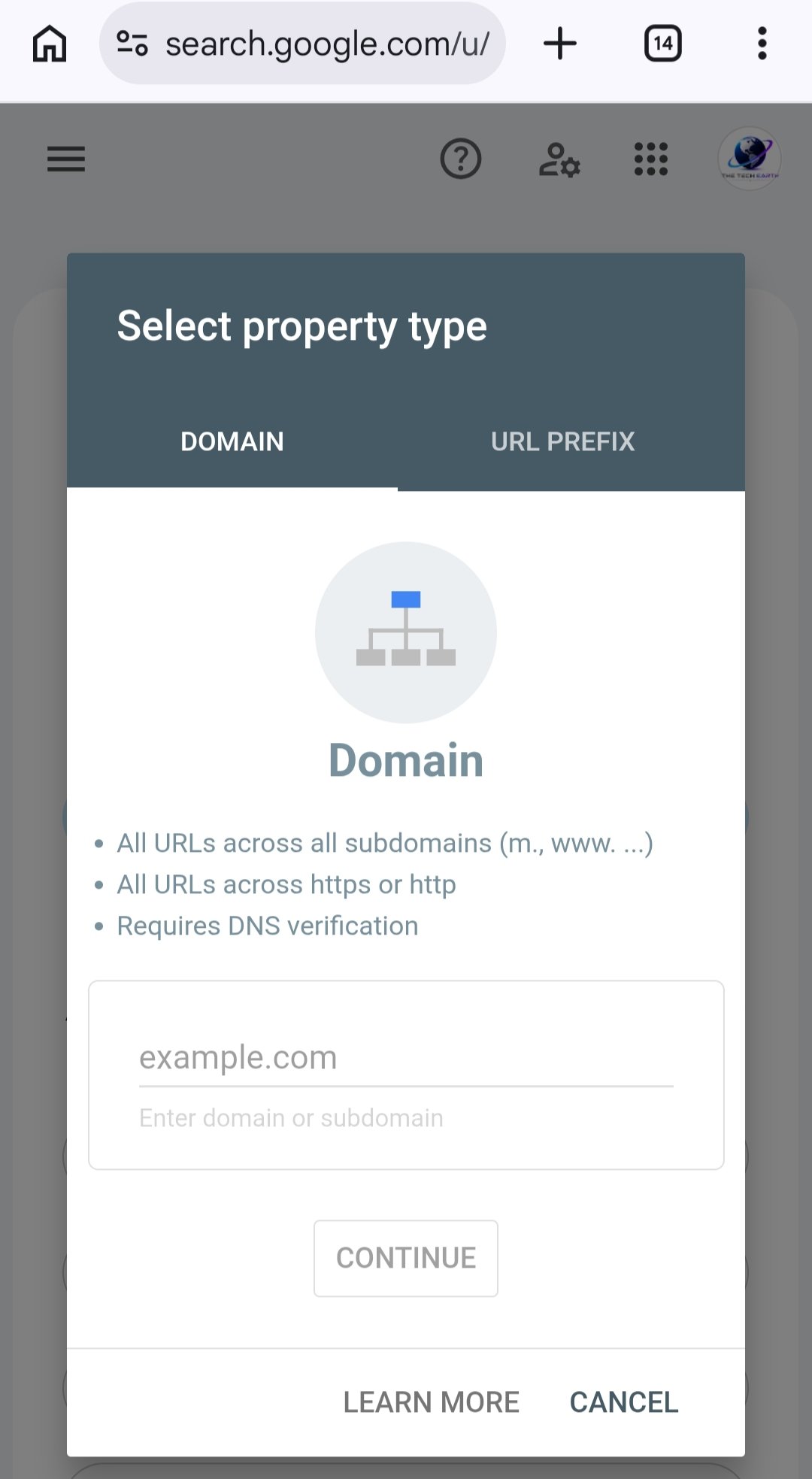
You will find two options: Domain and URL Prefix.
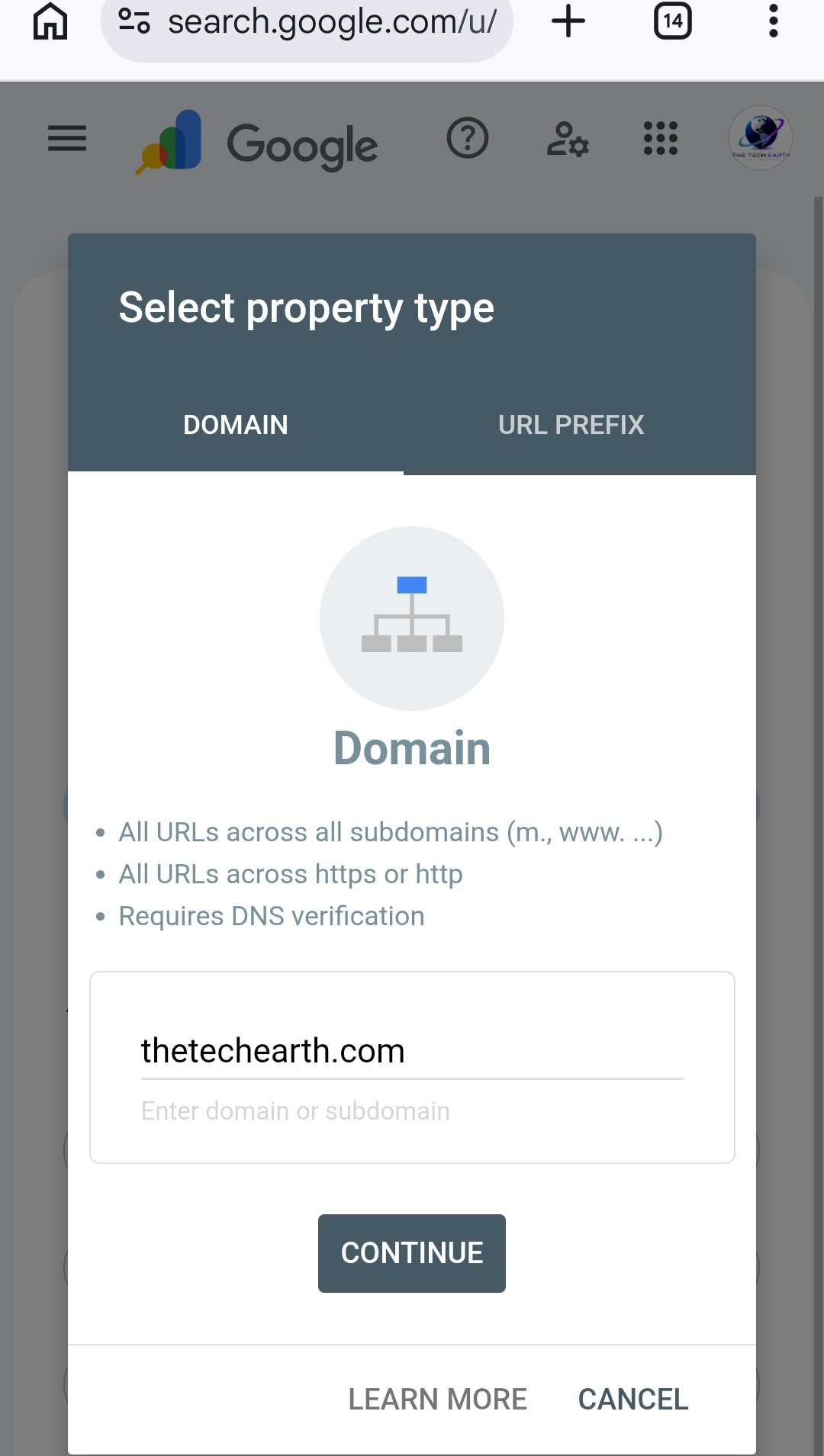
Option 1: Domain
Choose this option if you want to monitor your entire domain, including its subdomains and different protocols.
Click Continue and follow the available verification instructions.
Depending on your setup, verification methods may include an HTML file, an HTML tag, or another supported method.
Which Option Should You Choose?
Both options can be useful, but they work differently.
Domain: Covers the entire domain, including its subdomains and HTTP/HTTPS versions. DNS verification is required.
URL Prefix: Covers only the exact URL prefix you enter. Other URL versions or subdomains may need separate properties.
My suggestion: If you can access your domain’s DNS settings, choose the Domain option. If you prefer another available verification method, URL Prefix may be suitable.
You do not need to add both options to get started. Choose the one that suits your needs.
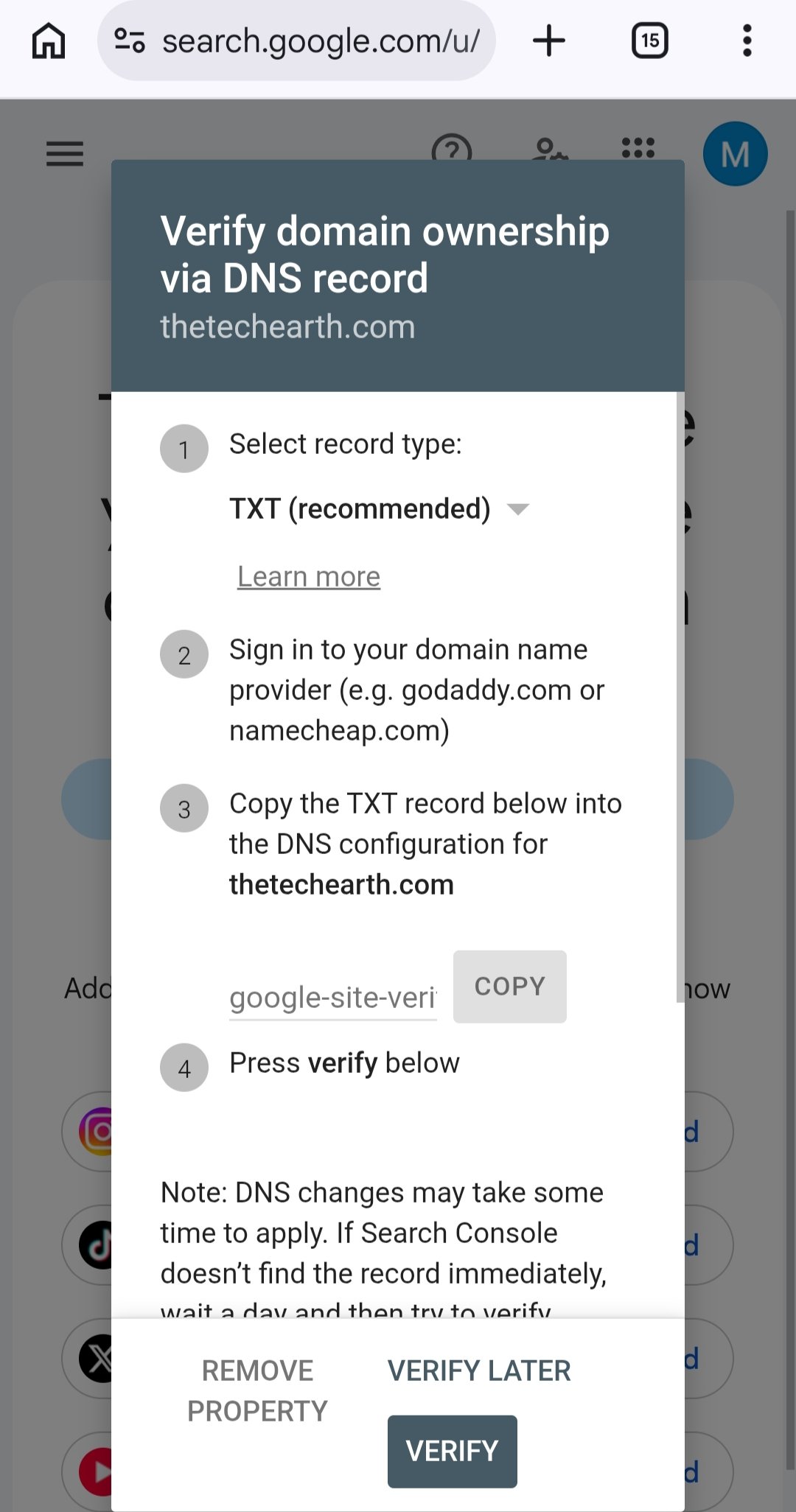
Step 3: Verify Your Website
Website verification confirms to Google that you have permission to manage the website property.
If you selected the Domain option, follow these steps:
Copy the TXT record provided by Google Search Console.
Open your domain provider’s DNS settings, such as Hostinger or GoDaddy.
Add the TXT record exactly as instructed.
Save the DNS changes.
Return to Google Search Console and click Verify.
DNS changes may take some time to become available. If verification fails, check that you added the record correctly and try again later.
Once your website is verified, you can start using Google Search Console to monitor its search performance.
How to Submit a Sitemap in Google Search Console
A sitemap is a file that lists important URLs on your website. It helps Google discover your website pages.
The sitemap URL depends on your website platform and settings.
WordPress Website
If you use WordPress with the Rank Math SEO plugin, your sitemap will commonly be available at:
https://thetechearth.com/sitemap_index.xml
Replace thetechearth.com with your own domain.
Open the sitemap URL in your browser to check whether it works.
Shopify Website
Shopify automatically generates a sitemap for your online store.
Your sitemap URL is usually:
https://yourstore.com/sitemap.xml
Replace yourstore.com with your own store domain.
Note: Which Sitemap Should You Submit?
WordPress with Rank Math:sitemap_index.xml
Shopify:sitemap.xml
Check that the sitemap URL works before submitting it.
Steps to Submit Your Sitemap
Open Google Search Console.
Select your verified website.
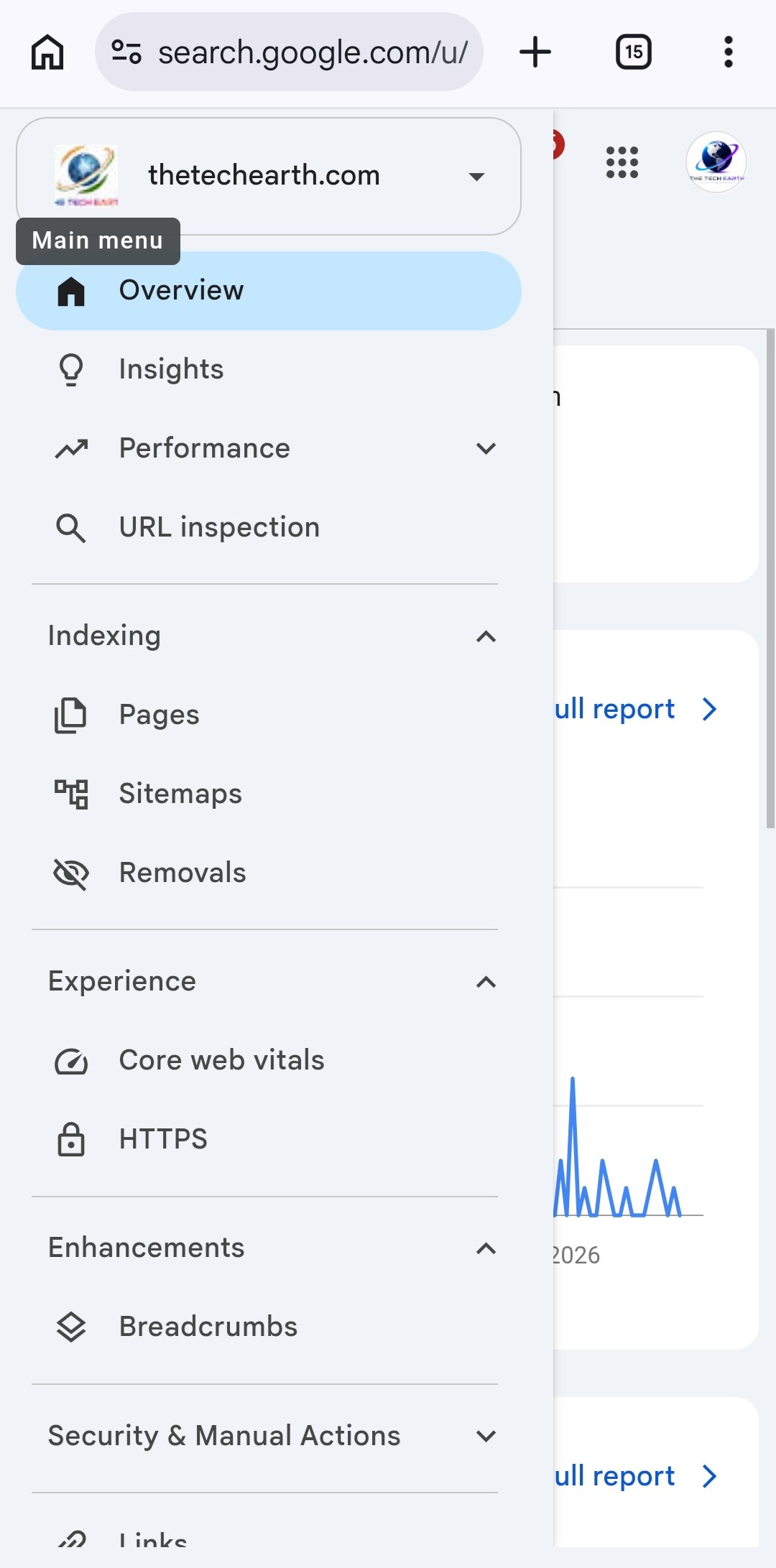
Click Sitemaps in the left-side menu.
Find the Add a new sitemap field.
Enter the correct sitemap path.
Click Submit.
Check the submission status and fix any errors if necessary.
Submitting a sitemap helps Google discover your pages, but it does not guarantee that every page will be indexed.
How to Get a New Blog Post Indexed by Google
After publishing a new article, you can use Google Search Console to check its indexing status and request indexing.
Follow these steps.
Step 1: Publish Your Article
First, publish your article on your website.
Make sure the article opens without requiring a login and that you have not accidentally blocked search engines from indexing it.
Step 2: Open the URL Inspection Tool
Open Google Search Console and select your website.
At the top of the page, you will find the URL Inspection field.
Copy the complete URL of your published article and paste it into this field.
After entering the URL, Google Search Console will show information about the page.
If the page is already indexed, you may see a message such as “URL is on Google.”
If the page is not indexed, you may see “URL is not on Google” along with additional information about its status.
Do not worry immediately. First, read the information shown in the report.
Step 4: Request Indexing
If the page is accessible and eligible for indexing, click Request Indexing when the option is available.
Google will process your request. You may see a confirmation message such as “Indexing requested.”
This does not mean the page has already been indexed. Google still needs to crawl and evaluate it.
Step 5: Check Your Article Again
After some time, return to URL Inspection and check the page’s status again.
You do not need to submit the same request repeatedly every day.
For important new articles, you can use URL Inspection to check their status and request indexing when appropriate.
Remember: Requesting indexing does not guarantee that Google will index your article or show it at the top of search results.
Important Features of Google Search Console
Google Search Console provides several reports that help you understand your website’s search performance.
1. Performance Report
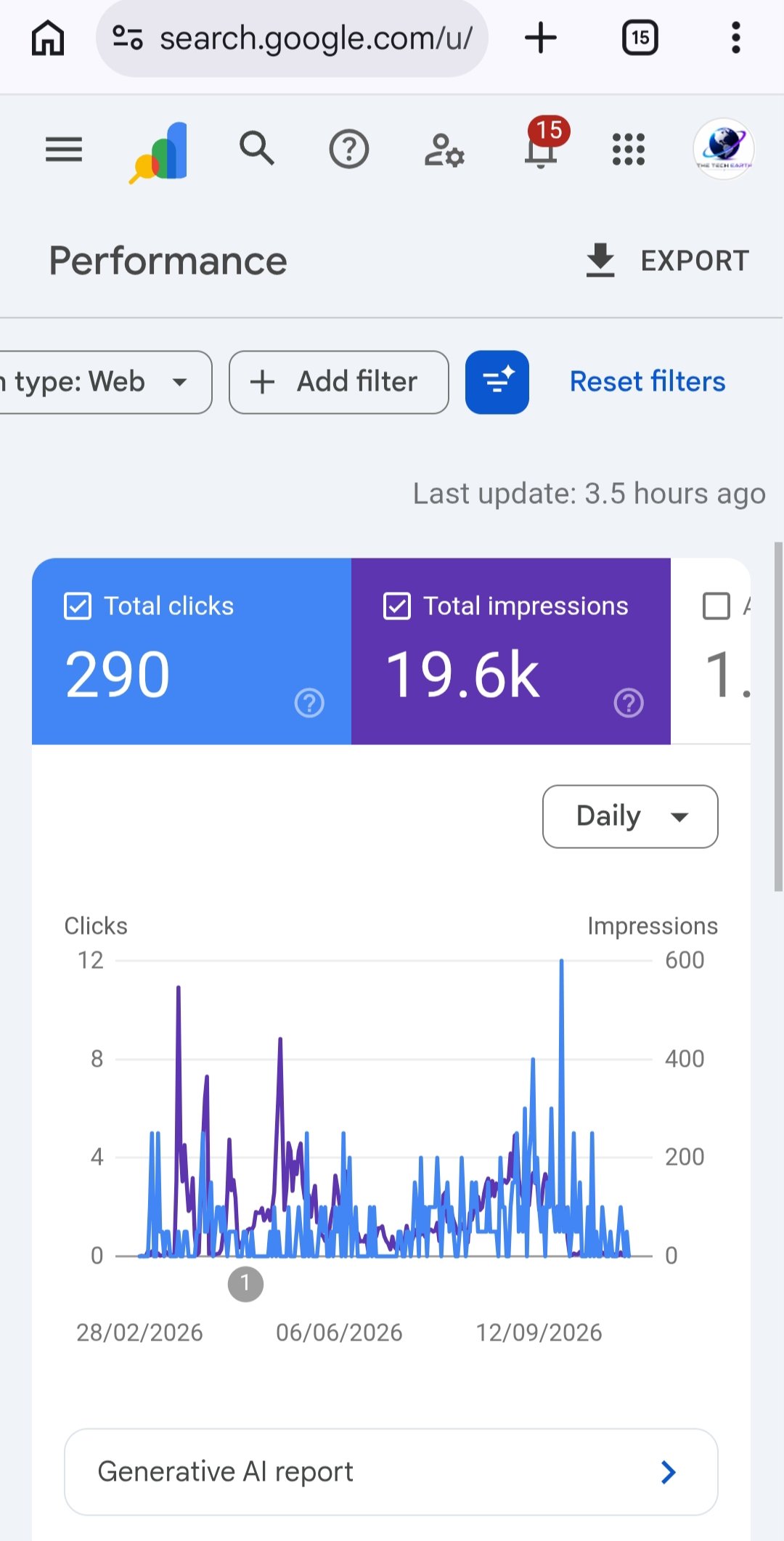
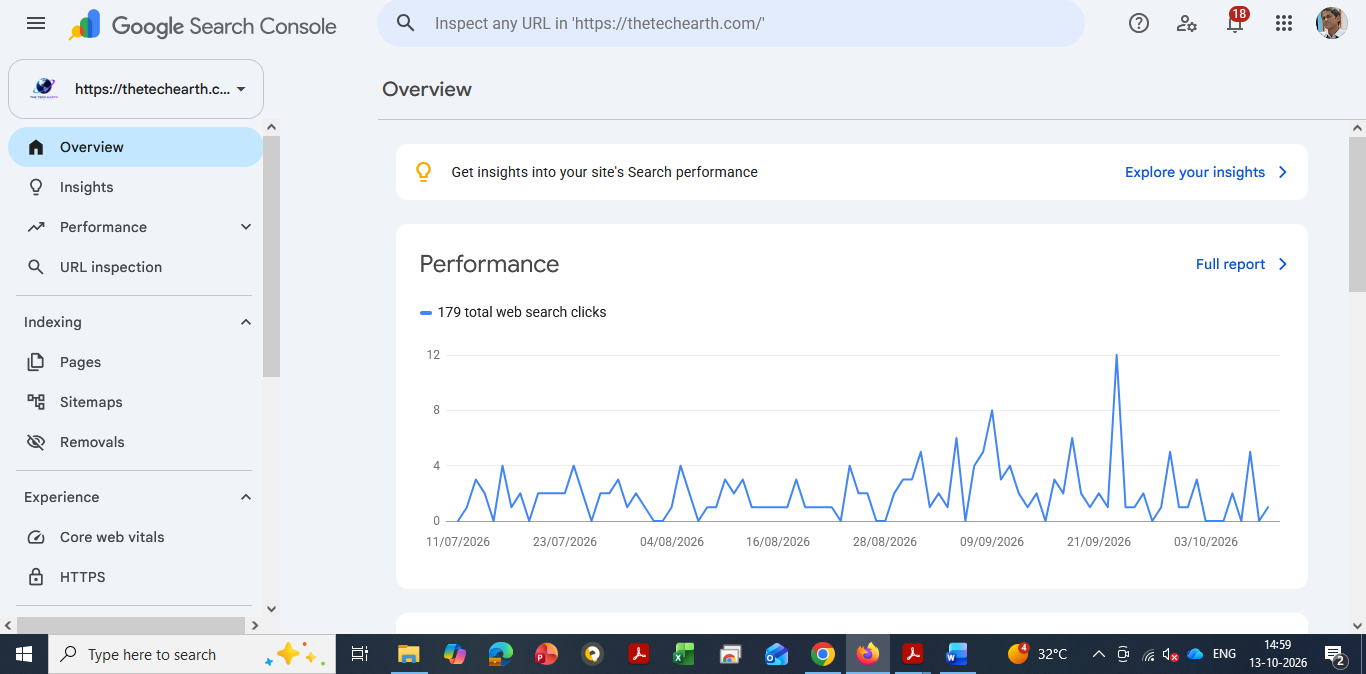
The Performance report shows how your website performs in Google Search.
You can check the following information:
Clicks: How many times users clicked your website in Google Search results.
Impressions: How many times your website appeared in Google Search results.
CTR: The percentage of impressions that resulted in clicks.
Average Position: The average position of your website’s search results for the queries included in the report.
You can also analyze data by search queries, pages, countries, and devices.
2. URL Inspection Tool
This tool helps you check the indexing status of a specific URL and understand whether Google has indexed it.
It can also provide information about the indexed version of a page and allow you to test the live URL.
3. Page Indexing Report
This report helps you understand which pages Google has indexed and which pages are not indexed.
It may also show reasons why some pages have not been indexed.
Remember that not every non-indexed page has an error. For example, redirected pages, duplicate URLs, and pages intentionally marked as noindex may not need to be indexed.
4. Sitemaps Report
This report shows information about your submitted sitemaps.
You can check their processing status and identify sitemap-related problems.
5. Links Report
The Links report provides information about links Google has discovered for your website.
It includes internal links between your own pages and external links from other websites.
You can use this information to better understand how your website pages are connected.
What to Do If Your Article Is Not Indexed by Google
If your article is not appearing in Google Search after publication, check the following points.
1. Check URL Inspection
Enter the article URL in Google Search Console and review its indexing status.
2. Make Sure the Page Is Accessible
Check that your article opens properly and does not show a server error or require visitors to log in.
3. Check the Noindex Setting
If you want Google to index your article, make sure you have not accidentally added a noindex directive.
4. Add Internal Links
Link your article from relevant category pages and other related articles on your website.
This helps readers and search engines discover your content.
5. Publish Helpful Content
Write original, useful content that answers the reader’s question clearly.
Avoid copying other websites or repeating keywords unnecessarily.
6. Check Your Sitemap
Make sure your sitemap is accessible and includes the important pages you want Google to discover.
7. Give Google Time
Indexing does not always happen immediately. Some pages may take days or longer to be indexed.
A delay does not automatically mean that something is wrong with your website.
How to Improve Website Traffic Using Google Search Console
Google Search Console does not directly increase your website traffic. However, its reports can help you make better SEO decisions.
For example, suppose one of your articles receives many impressions but very few clicks.
You can review its title and search queries to understand whether the title clearly explains what the article offers and matches the user’s search intent.
You can also identify search queries that already bring impressions to your website and use them to plan related, helpful articles.
Review your search performance regularly and improve your content where needed.
Avoid keyword stuffing and clickbait titles. Focus on useful content that answers the reader’s question.
Performance Dashboard – Google Search Console
Frequently Asked Questions (FAQs)
1. Is Google Search Console free?
Yes. Google Search Console is a free tool provided by Google.
2. Can Google Search Console make my website rank on Google?
No. Search Console helps you monitor search performance and identify possible problems, but it cannot guarantee rankings.
3. How long does it take for an article to get indexed?
There is no fixed time. Some pages may be indexed quickly, while others may take days or weeks, or may not be indexed at all.
4. Why are my pages not indexed even after submitting a sitemap?
Submitting a sitemap helps Google discover your pages, but it does not guarantee indexing. Check the page’s accessibility, content, duplication, and indexing settings.
5. Should I request indexing for every new article?
You can use URL Inspection for important new or updated pages. However, repeatedly submitting the same request does not guarantee faster indexing.
Conclusion
Google Search Console is a useful free tool for bloggers, businesses, and website owners who want to understand their website’s performance in Google Search.
It helps you check indexing status, submit sitemaps, analyze search queries, monitor clicks and impressions, and identify possible website problems.
If you want to grow your website, review your Search Console data regularly and use it to improve your content and SEO.
Remember: Good SEO takes time. Focus on helpful content, a well-organized website, and regular improvements instead of expecting instant rankings.
How to Start Your Own Business: 6 Startup Ideas for Beginners
Starting your own business can be an exciting way to become financially independent and build a successful career. But the most important question is: When should you start, and how do you find the right business idea?
A startup is a new business that aims to solve a problem, meet a customer need, or provide a useful product or service. Anyone can work towards becoming a successful entrepreneur by understanding people’s problems, researching the market, and offering the right solutions.
If you want to start your own business but do not have a clear idea or enough money to invest, do not worry. In today’s digital world, you can start many online businesses with little or no initial investment, depending on your skills and the services you offer.
When Should You Start Your Own Business?
The best time to start learning about business is today. You do not need to wait until you have a lot of money or years of experience. Start small, learn new skills, and take practical steps towards your goal.
If you already have a job, you can start your business part-time while continuing to earn a salary. Once your business generates stable income and you have enough savings, you can consider working on it full-time.
If you are a student, you can start learning digital skills and working on small projects while studying. This can help you gain experience, find customers, and prepare for your future career.
Running your own business can offer greater flexibility and income potential, but success is not guaranteed. It requires patience, hard work, continuous learning, and a good understanding of your customers.
Here are six business ideas you can explore to get started.
1. Blogging and Content Writing
If you enjoy technology, education, business, or any other subject and like writing about it, blogging can be a good business idea.
You can create your own website and publish useful articles that answer people’s questions. Over time, you can explore different ways to earn money, such as:
Google AdSense: Earn revenue from eligible advertisements displayed on your website.
Affiliate Marketing: Earn commissions by recommending products or services through affiliate links.
Sponsored Posts: Get paid to publish suitable promotional content for businesses.
Content Writing Services: Write articles and blog posts for other website owners and charge them for your work.
If you want to earn money sooner, you can begin by offering content writing services to businesses while developing your own blog.
For example, you can write SEO – friendly articles for technology websites, online stores, or small businesses. You can charge clients based on the length, quality, and complexity of the content.
Remember that earning from your own blog usually takes time. Consistently publishing original, helpful content can improve your chances of building an audience and generating income.
2. Website Development Services
Today, businesses of all sizes need websites to promote their products, explain their services, and reach customers online. This creates opportunities for people who can build and maintain websites.
You can learn platforms such as WordPress, Shopify, and Wix to offer website development services without necessarily becoming an advanced programmer.
There are two common types of business websites:
E-commerce Websites
These websites allow customers to browse products, add items to their shopping carts, and place orders online.
For example, a clothing business may need a Shopify store to sell clothes directly to customers.
Service-Based Websites
These websites present a company’s services, experience, contact information, and previous projects. Customers can learn about the business and contact the company to request services.
For example, a digital marketing agency may need a WordPress website to showcase its services and attract new clients.
You can earn money by building websites, redesigning existing websites, adding new features, and providing ongoing maintenance.
Some clients may pay an advance before work begins, depending on the project agreement. However, your earnings will depend on your skills, project quality, pricing, and ability to find customers.
Tip: Start by learning WordPress and Shopify properly. Build a few sample websites for your portfolio, then approach small businesses and offer your services.
3. E-commerce Management Services
Online shopping has created opportunities not only for sellers but also for people who help businesses manage their online stores.
If you learn how e-commerce platforms work, you can provide services to sellers who need help managing their products and orders.
You can learn to work with platforms such as Amazon, Flipkart, and Meesho.
Your services may include:
Creating and optimising product listings.
Writing SEO-friendly product titles and descriptions.
Uploading product images and updating product information.
Managing orders, inventory, and returns.
Analysing sales performance and improving product visibility.
Helping sellers understand marketplace policies and account performance.
For example, a seller may have good products but struggle to create effective listings or manage hundreds of products. You can provide these services and charge a monthly fee or a project-based price.
As you gain experience, you can manage multiple clients and build your own e-commerce management agency.
You can also start selling your own products online. However, selling physical products may require investment in inventory, packaging, shipping, and marketing.
In India, GST registration requirements depend on the type of business, turnover, sales channels, and applicable rules. Check the current requirements before starting to sell.
4. AI-Powered Digital Services
Artificial Intelligence (AI) is changing the way businesses create content, design graphics, manage information, and perform everyday tasks.
By learning how to use AI tools effectively, you can offer digital services to businesses without building expensive software from scratch.
Some services you can offer include:
AI-assisted blog writing and content editing.
Social media post and graphic design.
Product descriptions for e-commerce websites.
Video editing and promotional video creation.
Website content and basic coding assistance.
Content planning for Instagram, Facebook, YouTube, and LinkedIn.
For example, a local shop may need regular social media posts but may not have an in-house marketing team. You can use suitable AI tools and your own creative skills to prepare posts, promotional graphics, and product descriptions.
You can charge clients per project or offer monthly service packages.
However, AI-generated content should always be checked for accuracy, originality, quality, and suitability before delivery. Learning the tools is important, but understanding the client’s needs is equally valuable.
5. Digital Marketing Services
Digital marketing is another business opportunity for people interested in websites, social media, search engines, and online advertising.
Many businesses want to reach more customers online but do not know how to manage their digital presence effectively.
You can help them with services such as:
Search Engine Optimisation (SEO).
Social media account management.
Website content and basic website management.
Google Business Profile management.
Online advertising campaigns.
Content planning and performance reporting.
For example, you can help a local restaurant improve its online visibility, manage its social media pages, and make it easier for potential customers to find its services through search engines.
You can charge clients according to the services provided, the amount of work involved, and the results you can reasonably deliver.
To find your first customers, research local businesses, identify areas where their online presence can improve, and contact them with a clear, helpful proposal.
As your client base grows, you can hire team members and develop your services into a digital marketing agency.
6. Online Teaching and Digital Courses
If you have good knowledge of a subject or technical skill, you can turn that knowledge into an online business.
You can teach students, working professionals, or beginners through live classes, recorded videos, tutorials, and downloadable learning materials.
You can start by publishing free educational videos or tutorials to build an audience. Later, you can offer paid classes, personalised training, or structured online courses.
You do not always need a large investment to begin. You can start with the equipment you already have and improve your setup as your business grows.
The key is to provide clear explanations, practical examples, and genuine value to learners.
How to Find Customers for Your Startup
Having a business idea is only the first step. You also need customers who are interested in your product or service.
Here are some practical steps to get started:
Choose a skill: Select something you enjoy and are willing to learn properly.
Research the market: Find out what customers need and what other businesses are offering.
Identify potential customers: Use Google Search, LinkedIn, Instagram, and relevant business directories to find suitable businesses.
Contact customers professionally: Explain how your service can solve a specific problem for their business.
Start with a small project: Offer a clearly defined service and focus on delivering good quality.
Collect feedback: Ask customers what worked well and what can be improved.
Build your portfolio: Use completed projects and genuine client testimonials to demonstrate your experience.
Grow gradually: Improve your skills, build relationships, and expand your services as demand increases.
You do not need to invest a large amount of money at the beginning. Start with a service you can deliver using your existing skills and resources, then reinvest some of your earnings into growing your business.
Conclusion
Starting your own business does not always require a large investment, an office, or a big team. Many people begin with a simple idea, develop useful skills, and gradually build a business by solving real customer problems.
Whether you choose blogging, website development, e-commerce management, AI-powered services, digital marketing, or online teaching, focus on learning the right skills and understanding what your customers actually need.
Do not wait for the perfect moment. Start learning today, test your idea on a small scale, and improve as you gain experience.
Your first goal should not be to build a big company overnight. It should be to solve one real problem for one customer. With consistent effort, a clear plan, and a willingness to learn, you can work towards building a business of your own and creating greater professional independence.
How to Write a Blog Article and Earn Passive Income: A Step-by-Step Guide for Beginners
Blogging has become a great opportunity to share knowledge, help people, build a personal brand, and earn money online. The best part is that you can work on your blog from almost anywhere and write about topics you genuinely understand and enjoy.
Blogging is more than just writing articles. It is a way to teach people new things, answer their questions, solve their problems, and share your experience with the world.
Over time, a successful blog can become a valuable online business. You can earn money through advertising, affiliate marketing, sponsored content, digital products, and other income sources. Your articles can continue attracting readers and generating revenue long after you publish them, which is one reason blogging can become a source of passive income.
However, blogging success does not happen overnight. It takes useful content, consistent effort, patience, and a good understanding of your audience.
The good news is that you do not need perfect English or professional writing experience to start blogging. If you have knowledge of a subject and can explain it in simple words, you already have a good starting point.
You can start a blog about almost any field, including technology, education, agriculture, farming, cooking, sports, healthcare, fitness, business, or personal development.
For example, if you understand computers, you can teach people computer fundamentals. If you know cooking, you can share recipes and practical kitchen tips. If you have experience selling products online, you can explain how platforms such as Amazon, Flipkart, and Meesho etc. work.
The important thing is to share original, accurate, and useful information.
In this guide or article, you will learn how to write a helpful, original, and SEO – friendly blog article, publish it online, attract readers, build your personal brand, and create opportunities to earn money through blogging.
Step 1: Choose a Topic You Know Well
The first step in writing a blog article is choosing the right topic.
Select a topic that you understand well and that people want to learn about. Your knowledge and experience should be the foundation of your blog.
You do not always need to follow every trending topic. Trends can help you discover what people are interested in, but you should not abandon your area of expertise just because another subject is popular.
Instead, look for ways to connect your knowledge with the questions people are asking.
For example, if you want to start a technology blog, you can write about:
Emerging technologies, including quantum computing, advanced chips, and 6G
Future technology skills and career opportunities
Technology blogging can offer several monetization opportunities, but earnings depend on factors such as audience location, content quality, competition, search traffic, and the monetization methods you use. No blogging niche guarantees the highest income.
Practical tip: Choose a topic that combines three things: your knowledge, your interest, and your readers’ needs.
When you write about something you understand, it becomes easier to create helpful content consistently.
Step 2: Research Before Writing Your Article
Good research is essential for writing a reliable blog article.
Before you start writing, collect information from trustworthy sources. Read official websites, product documentation, research papers, and other credible resources relevant to your topic.
For example, if you are writing about an AI tool, visit its official website to understand its features, pricing, limitations, and practical uses. Try the tool yourself whenever possible.
Do not depend on a single source if your topic requires detailed research. Compare information and check important facts before including them in your article.
Learning from other websites is perfectly acceptable. However, copying their content and publishing it as your own can damage your credibility and create copyright or duplicate-content problems.
Instead, understand the information first and explain it in your own words.
Add your own examples, observations, practical tips, and experience wherever possible. This makes your article more useful and gives readers a reason to visit your website again.
Remember: Research helps you understand a topic. Your job is to turn that information into an original, helpful explanation for your audience.
Step 3: Understand What Your Readers Really Want
Before writing any blog article, ask yourself one important question:
Why would someone want to read this article?
Understanding your audience helps you create content that answers real questions instead of simply filling a page with information.
Ask yourself these questions:
Why am I writing this article?
Who is most likely to read it?
What do readers want to learn about this topic?
What problem can I help them solve?
What practical information can I provide?
Why would readers want to visit my website again?
The last question is especially important.
When readers find your articles useful, they are more likely to remember your website, explore related articles, and return when they need more information. Over time, this can help you build a loyal audience and a recognizable brand.
For example, if you are writing about artificial intelligence, do not simply provide a definition of AI.
Explain what AI is, how it works at a basic level, where people use it in everyday life, and how beginners can start using AI tools.
You can also include practical examples, advantages, limitations, and safety tips.
Remember that some readers may already understand the topic, while others may be complete beginners. Explain the basics clearly and then gradually introduce more advanced information.
Your goal should be to make the article useful for as many relevant readers as possible.
Step 4: Write a Clear and Attractive Title and Introduction
Your title and introduction are the first things readers notice.
A good title should tell readers what the article is about and why it may be useful to them. It should be clear, relevant, and interesting without making unrealistic promises.
For example, instead of writing:
“Blogging Information”
You could write:
“How to Start Blogging and Earn Money: A Beginner’s Guide”
The second title gives readers a clearer idea of what they will learn.
After the title, write a short introduction that explains why the topic matters and what readers can expect from the article.
Your introduction should encourage people to continue reading.
For example:
“Starting a blog can feel difficult when you have no writing experience. You may wonder what to write about, how to publish your articles, and how to attract readers. The good news is that you can learn blogging step by step. In this guide, you will discover how to choose a topic, write useful content, improve your SEO, and explore ways to earn money from your blog.”
This introduction identifies the reader’s concerns and explains how the article can help.
Avoid making the introduction unnecessarily long. Get to the point and focus on the reader’s needs.
Step 5: Create Headings and Subheadings Before Writing
Before writing the complete article, prepare a simple outline of your main points.
Think of this outline as a roadmap. It helps you organize your ideas and prevents you from missing important information.
Use clear headings and subheadings to divide your article into logical sections.
For example, if you are writing an article about computer memory, your outline could look like this:
You can also begin with two to four engaging sentences that highlight a real-life problem, a useful fact, or an important benefit.
This helps readers understand why the topic matters.
Well-organized headings make an article easier to read, especially for people who prefer scanning a page before deciding which sections to explore.
They also help search engines understand the structure and subject of your content. However, headings alone do not guarantee better Google rankings. The quality, relevance, and usefulness of the entire article matter.
Step 6: Write in Simple, Natural Language
You do not need complicated English to become a successful blogger.
In fact, simple language often makes technical information easier to understand.
Write as if you are explaining the topic to a friend. Use short, clear sentences and avoid unnecessary jargon. If you need to use a technical term, explain what it means.
For example, instead of writing:
“The internet facilitates global communication through interconnected digital infrastructure.”
You could write:
“The internet connects computers and mobile devices around the world, allowing people to communicate, share information, and use online services.”
The second explanation is easier for most beginners to understand.
While writing, keep these points in mind:
Use simple and natural sentences.
Avoid repeating the same idea unnecessarily.
Explain difficult terms in easy words.
Use examples wherever they help.
Add relevant images or diagrams when they make a topic clearer.
Keep paragraphs short enough to read comfortably.
Focus on helping readers rather than trying to impress them with difficult words.
Your writing does not need to be perfect from the beginning. You can improve your grammar, vocabulary, and sentence structure through regular practice.
Step 7: Explain Your Topic with Real-Life Examples
Examples help readers connect information with situations they already understand.
Whenever possible, explain how a concept works in everyday life.
For example, suppose you are writing about the internet.
You could explain it like this:
“The internet is a global network that connects computers, smartphones, servers, and other devices. We use it to send emails, make video calls, browse websites, watch videos, shop online, and access banking services.
For example, when you send a message through an online messaging application, the internet helps deliver that message to another person. When you purchase something online, the internet connects you with the shopping website and allows you to complete the transaction.
The internet has become an important part of communication, education, business, and entertainment. However, some services can also work offline, and traditional phone calls do not always require an internet connection.”
This type of explanation is practical and easy to understand.
You can use the same approach when writing about programming, AI tools, software, mobile applications, or business topics.
Whenever you explain a concept, think about how a reader might use that information in real life.
Step 8: Make Your Article Practical and Useful
A blog article should do more than explain a concept. It should help readers understand what to do with the information.
Depending on your topic, you can include:
Step-by-step instructions
Practical tips
Real-world examples
Screenshots and diagrams
Advantages and disadvantages
Common mistakes and their solutions
Useful tools and resources
Beginner-friendly exercises
Frequently asked questions
Future applications and career opportunities
For example, if you are writing about website development, explain what website development means, what tools beginners can use, how to create a simple website, and what skills they should learn next.
This gives readers a clear path forward instead of leaving them with only theoretical knowledge.
When readers can apply what they learn, your content becomes more valuable.
Step 9: Create Original Content and Share Your Knowledge
Original content is one of the most important parts of building a successful blog.
Do not simply copy articles from other websites, search results, or AI tools and publish them without meaningful review or improvement.
Readers are looking for useful information, clear explanations, practical examples, and insights they may not find elsewhere.
You can make your article more original by adding:
Your own explanation of the topic
Your personal experience, where relevant
Examples from real-life situations
Practical tips based on your knowledge
Common mistakes beginners make
Step-by-step guidance
Your own observations and useful recommendations
Answers to questions that other articles may overlook
For example, many websites may explain what C programming is. You can make your article more helpful by explaining how a beginner can write their first C program, what common errors they may face, and how to fix those errors.
You can use AI tools or Google to improve grammar, check spelling, understand unfamiliar concepts, or organize your ideas. However, always verify the information and make sure the final article reflects your own editorial judgment.
Simply copying AI-generated content is not a reliable strategy. It may contain errors, generic explanations, or repeated information that does not meet your readers’ needs.
AI-assisted content is not automatically disqualified from Google Search. What matters is whether your content is accurate, original in its value, helpful to readers, and created with a clear purpose rather than primarily to manipulate search rankings.
Important: Your long-term goal should be to earn readers’ trust by publishing content that genuinely helps them.
That is the foundation of a strong blogging career and a recognizable personal brand.
Step 10: Add Frequently Asked Questions (FAQs)
Frequently Asked Questions are a useful way to answer common questions related to your topic.
Think about what a beginner might ask after reading your article. You can also review questions that appear in search results, relevant forums, and discussions within your niche.
For example, if your article is about C programming, you might include questions such as:
What is C programming used for?
Is C programming suitable for beginners?
What software is needed to write C programs?
What is the difference between a compiler and an interpreter?
How can beginners practise C programming?
Provide short, direct, and accurate answers.
Depending on your topic, FAQs can also cover interview questions, examination preparation, troubleshooting, or practical applications.
Only include questions that are relevant to the article. Avoid adding unrelated questions simply to make the page longer.
FAQs can improve the reader experience by answering additional questions in one place. However, adding FAQs does not guarantee special search-result features or higher rankings.
Step 11: Use AI Tools to Improve Your Writing
AI tools can make blogging easier, especially for beginners.
You can use tools such as ChatGPT and Google Gemini to assist with different parts of the writing process.
For example, AI tools can help you:
Correct grammar and spelling mistakes.
Improve sentence structure.
Simplify difficult explanations.
Generate topic ideas and article outlines.
Suggest relevant subheadings.
Identify questions readers may ask.
Suggest related keywords.
Review an article for repetition or unclear sections.
Brainstorm practical examples.
However, AI tools can sometimes provide incorrect information, outdated details, or explanations that sound convincing but are not accurate.
Therefore, never publish an article without reviewing it carefully.
Check important facts against reliable sources, remove unnecessary repetition, improve generic sections, and make sure the article meets your readers’ needs.
You should remain responsible for the accuracy, quality, and usefulness of your content.
Think of AI as a writing assistant, not a replacement for your own knowledge and judgment.
Step 12: Use SEO to Help Readers Discover Your Article
SEO stands for Search Engine Optimization. It involves improving your website and content so that search engines can understand your pages and help relevant readers discover them.
SEO is important because people often search Google when they want to learn something, compare products, or solve a problem.
Start by identifying the main keyword for your article.
For example, if you are writing about file handling in C programming, your main keyword might be:
File Handling in C
Related search phrases could include:
File handling in C programming
Reading files in C
Writing files in C
C file handling examples
How to open a file in C
File handling functions in C
Use these phrases naturally wherever they fit. Do not repeat the same keyword excessively or force it into every paragraph.
For basic on-page SEO, follow these practices:
1. Write a clear SEO title. Make the topic easy to understand and include your main keyword when appropriate.
2. Create a readable URL. Keep the URL short, descriptive, and relevant to the article.
3. Write a useful meta description. Briefly explain what readers will learn from the page.
4. Use headings correctly. Organize your content with a clear main heading and descriptive subheadings.
5. Add internal links. Link to related articles on your website when they provide additional value.
For example, an article about file handling in C could link to your articles about C programming fundamentals, functions, arrays, and pointers.
6. Use relevant images. Add screenshots, diagrams, or illustrations that genuinely help explain the topic.
7. Write descriptive image alt text. Describe the image accurately for accessibility and search-engine understanding.
8. Make your website mobile-friendly. Readers should be able to navigate and read your article comfortably on smartphones and tablets.
9. Check your page performance. Use Google Search Console to understand which queries bring impressions and clicks to your website.
10. Keep your content accurate and updated. Review older articles when information, software features, or recommendations change.
Remember that SEO is not just about inserting keywords. It is about creating useful content, organizing your website properly, and helping readers find the information they need.
Good SEO can improve your chances of attracting organic traffic, but no technique guarantees a top position in Google.
Step 13: Review Your Article Before Publishing
Before publishing an article, read it from beginning to end.
Imagine that you are a reader who is visiting your website for the first time. Would the article answer your questions? Is the information easy to understand? Are there any mistakes or missing details?
Use this checklist:
Is the information accurate and up to date?
Is the content original and useful?
Is the language simple and natural?
Is the title clear and relevant?
Are the headings organized properly?
Are there any spelling or grammar mistakes?
Have I repeated the same point unnecessarily?
Are the examples helpful?
Are the internal and external links working?
Are the images clear and relevant?
Does the article display correctly on mobile devices?
Have I written a suitable meta description?
Have I checked important facts using reliable sources?
You can use a grammar checker or an AI tool for an additional review, but make the final decisions yourself.
Taking a few extra minutes to review your work can significantly improve the reader experience.
Step 14: Choose a Platform to Publish Your Blog
After writing your article, the next step is to publish it on a blogging platform.
Two popular options for beginners are WordPress and Blogger.
1. WordPress
WordPress is a widely used platform for creating blogs and websites. It offers extensive customization options, themes, plugins, and SEO tools.
With WordPress, you can create a professional blogging website and expand it as your audience grows.
For example, you can create different categories, add author information, organize related articles, customize your homepage, and use SEO plugins to manage important settings.
If you choose self-hosted WordPress, you will generally need:
A domain name, such as example.com
Web hosting
A WordPress installation
A suitable theme and any necessary plugins
Domain registration and hosting usually involve paid plans, although prices vary by provider and plan. WordPress software itself is open-source and free to use.
For beginners who want to build a long-term blogging brand, self-hosted WordPress is a strong option because it offers considerable flexibility and control over the website.
You can explore hosting options through Hostinger, but compare pricing, renewal costs, performance, support, and included features before purchasing a plan.
Remember that WordPress does not automatically make articles rank faster. Your content quality, competition, website performance, and SEO practices all matter.
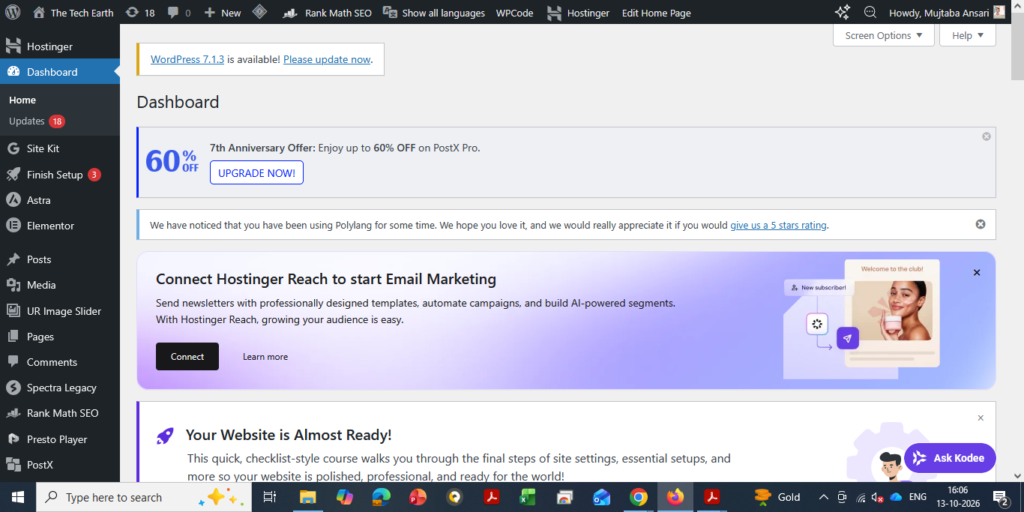
WordPresss – Dashboard
2. Blogger
Blogger is a blogging service provided by Google.
It allows beginners to create and publish blog posts without purchasing web hosting separately. You can start with a free Blogger address and connect a custom domain if you want to use one later.
Blogger is a reasonable choice if you want to learn the basics of blogging without making an initial hosting investment.
However, it generally offers less flexibility than a self-hosted WordPress website for advanced customization and certain website features.
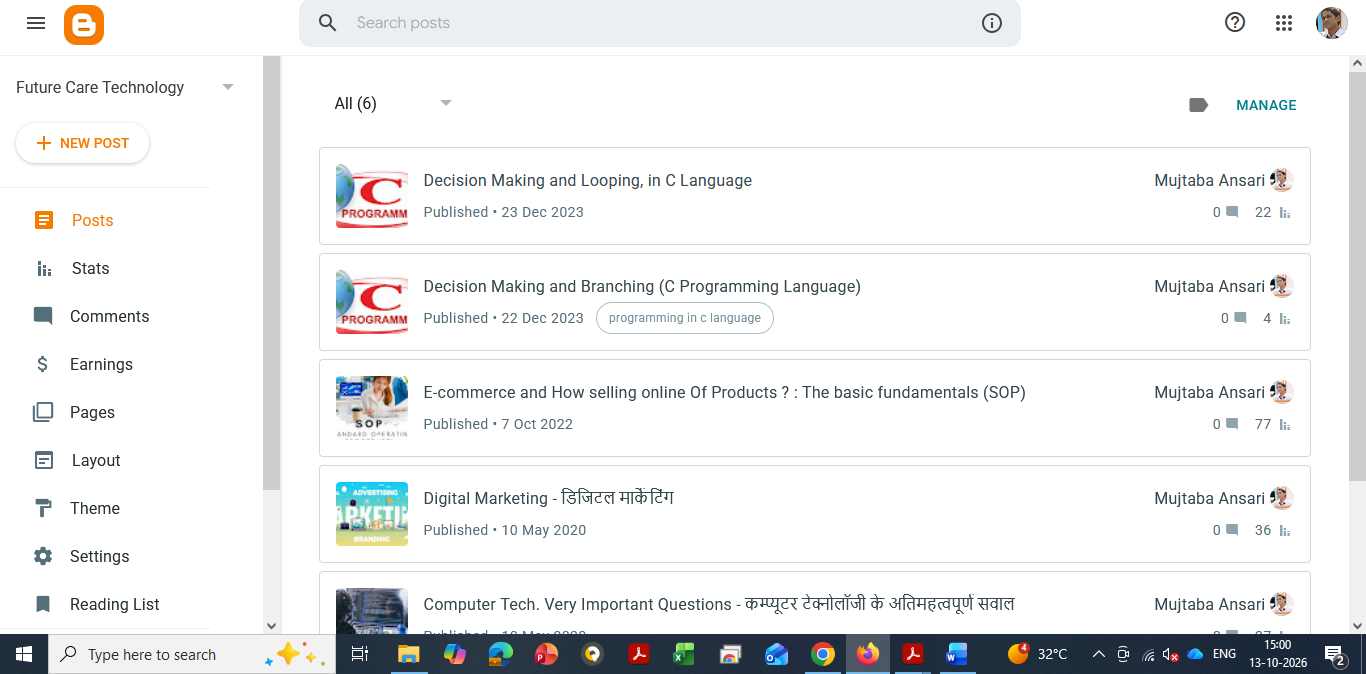
Blogger – Dashboard
Which Platform Should You Choose?
If you want to experiment with blogging at no initial hosting cost, Blogger can be a good starting point.
If your goal is to build a professional website, develop a recognizable brand, and expand your content business over time, self-hosted WordPress is worth considering.
Choose a platform that suits your budget, technical comfort, and long-term goals.
Step 15: Publish Your Article and Bring Readers to Your Website
Publishing an article is only the beginning. You also need to help the right readers discover it.
Here are practical ways to promote your blog.
1. Set Up Google Search Console
Google Search Console helps you understand how your website performs in Google Search.
After publishing a new article, you can use the URL Inspection tool to check its indexing status and request indexing when appropriate.
Requesting indexing does not guarantee that Google will index or immediately rank your article.
You can learn how to set up Google Search Console in a separate beginner-friendly guide.
Google Search Console – Dashboard
2. Share Your Article on Social Media
Share your published articles on platforms where your target audience is active.
Depending on your topic, useful platforms may include:
Facebook
Instagram
LinkedIn
YouTube
Pinterest
X (formerly Twitter)
Reddit
WhatsApp
Telegram
Medium
You do not need to post the same message everywhere. Adapt your promotion to each platform.
For example, you can share a short tip from your article on Instagram, a professional summary on LinkedIn, a relevant discussion on Reddit, or a short explanatory video on YouTube.
Always follow each platform’s rules and community guidelines. On discussion-based platforms, contribute genuinely rather than repeatedly posting promotional links.
3. Add Internal Links
Whenever you publish a new article, look for older articles that are related to the same subject.
Link between these articles where it makes sense.
For example, a blog about AI tools could link to related articles about AI applications, AI career skills, and productivity software.
Internal links help readers discover more of your content and help search engines understand the relationships between your pages.
4. Organize Your Articles into Categories
Use clear and relevant categories to organize your website.
For a technology blog, categories might include AI, Computer Fundamentals, Programming, Software and Apps, Cybersecurity, and Technology News.
A clear structure makes it easier for readers to find related information.
5. Update Older Articles
Do not focus only on publishing new content.
Review your existing articles and update them when information becomes outdated, important details are missing, or readers would benefit from clearer explanations.
For example, if an AI tool changes its features or pricing, update the relevant section and verify the new information.
Avoid changing content unnecessarily just to make it appear fresh. Updates should improve accuracy, usefulness, or the reader experience.
6. Monitor Your Results
Use Google Search Console to check impressions, clicks, search queries, and indexing information.
Look for articles that are attracting attention and identify opportunities to improve pages that are not performing as expected.
You can also review which topics attract readers and use those insights when planning future content.
Remember that organic traffic takes time to develop. A newly published article may take days, weeks, or longer to gain visibility, and some articles may never receive significant search traffic.
Stay consistent, learn from your results, and continue improving your website.
Step 16: How to Build Your Brand and Earn Passive Income Through Blogging
One of the biggest advantages of blogging is that it can become more than a place to publish articles. Over time, it can help you build a recognizable personal brand and create different sources of income.
However, passive income is not automatic. You must first create valuable content, attract an audience, and build a sustainable way to earn revenue.
Here are some common ways bloggers make money.
1. Display Advertising
You can apply to advertising programs such as Google AdSense once your website is ready and meets the relevant eligibility requirements.
If approved, ads may appear on your website, and you may earn revenue from eligible ad impressions or interactions, depending on the program.
Your earnings depend on several factors, including traffic volume, audience location, topic, advertiser demand, and ad performance.
Approval and income are not guaranteed.
2. Affiliate Marketing
Affiliate marketing allows you to earn a commission when readers purchase products or services through your affiliate links, subject to the program’s terms.
For example, a technology blogger might review software, website hosting services, computer accessories, or useful online tools.
Your recommendations should be honest and relevant. Disclose affiliate relationships clearly and follow applicable advertising rules.
3. Sponsored Articles
Companies may pay you to publish sponsored content or collaborate on relevant campaigns once your website has developed an audience and established credibility.
Only work with brands that fit your niche and audience. Clearly identify sponsored content and maintain editorial transparency.
4. Sell Digital Products
You can create and sell digital products related to your expertise, such as:
For example, a C programming blogger could create a beginner’s guide containing explanations, code examples, exercises, and practice questions.
Once a digital product is created, it can be sold repeatedly. However, you may still need to handle marketing, customer support, updates, and other ongoing work.
5. Offer Services
A blog can also help you attract clients who need your professional skills.
Depending on your expertise, you could offer website development, consulting, writing, training, software support, or other services.
Useful articles demonstrate your knowledge and give potential customers a reason to trust your work.
How Does Blogging Become Passive Income?
Imagine that you publish a helpful article explaining how to choose website hosting.
Several months later, people may still discover that article through Google. Some may click relevant affiliate links or explore other articles on your website.
If the article continues attracting readers and generating eligible revenue, it may keep earning without requiring you to rewrite it every day.
That is the basic idea behind blogging-related passive income.
However, articles may lose traffic, affiliate programs may change their terms, and advertising revenue can fluctuate. You may need to update content, maintain your website, and continue promoting your work.
The best long-term approach is to create a collection of useful articles that attract the right audience and support several relevant income streams.
Start with helping people. Build trust through your content. Then choose monetization methods that genuinely fit your audience.
Conclusion: How to Write a Good Blog Article and Build a Successful Blogging Career
Writing a good blog article does not require perfect English or years of professional writing experience.
You can start with the knowledge you already have and improve your writing through regular practice.
Choose a useful topic, research it carefully, understand your readers, and explain the information in simple language. Organize your article with clear headings, include practical examples, and make sure your content provides genuine value.
Before publishing, review your article for accuracy, originality, readability, and basic SEO. After publishing, share it with the right audience, monitor its performance, and update it when necessary.
Most importantly, do not focus only on getting visitors. Focus on creating content that readers find useful enough to remember and revisit.
Over time, consistent effort can help you build an audience, develop a personal brand, and explore different ways to earn money online.
Your first article may not be perfect, and your website may not receive much traffic immediately. That is normal.
Start with one useful article. Learn from the experience. Publish more helpful content and improve your website step by step.
Your blogging journey begins when you stop waiting for the perfect moment and start sharing what you know.
Frequently Asked Questions (FAQs)
1. How long should a blog article be?
There is no fixed word count for every blog article. Write enough to explain the topic clearly and answer the reader’s main questions. Focus on usefulness rather than adding unnecessary words.
2. Can I write a blog in simple English?
Yes. Simple English is suitable for blogging and can help readers understand your content more easily. Clear explanations are more important than complicated vocabulary.
3. Can I use AI to write blog articles?
Yes, you can use AI tools to brainstorm ideas, prepare outlines, improve grammar, and review your writing. However, verify facts, add meaningful value, and ensure that the final article is accurate and useful.
4. How many blog articles should I publish each week?
You can begin with two or three well-researched articles per week if your schedule allows. If you have less time, publishing one high-quality article consistently is also a reasonable approach.
5. How can I increase traffic to my blog?
Create useful content, follow good SEO practices, link related articles, share your work on relevant platforms, and monitor performance through Google Search Console. Traffic growth takes time and is not guaranteed.
6. Should every blog article have a featured image?
A relevant featured image can make your article more attractive and help readers understand the topic. Use clear, appropriate images and make sure you have permission to use them.
7. What is the most important rule of blogging?
Provide accurate, original, and useful information. Understand your readers’ needs, answer their questions, and work consistently to earn their trust.
8. Can blogging become a full-time career?
Yes, blogging can become a full-time business for some people. However, success depends on factors such as audience growth, content quality, monetization, competition, and consistent work. Income is not guaranteed.
9. How long does it take to earn money from blogging?
There is no fixed timeline. Some blogs begin earning relatively early, while others take many months or longer to develop meaningful traffic and revenue. Your results depend on your niche, content, audience, monetization strategy, and competition.
10. Is WordPress better than Blogger for beginners?
Both platforms can work for beginners. Blogger is useful for learning blogging without paying for hosting, while self-hosted WordPress offers greater flexibility for building and expanding a professional website. The best choice depends on your goals and budget.
Freelancing Jobs: Complete Guide for Beginners
Freelancing has become a popular way to build a your career, earn money online, and work with clients from different parts of the world. Unlike a traditional full-time job, freelancing gives you the freedom to choose your projects, clients, working hours, and sometimes even your location.
Today, businesses need skilled professionals for everything from content writing and graphic design to e-commerce management, web development, SEO, digital marketing, AI automation, and cybersecurity.
Whether you are a beginner or an experienced professional, freelancing can help you turn your existing skills into a source of income. However, success usually depends on your skills, portfolio, communication, consistency, and ability to deliver quality work on time.
In this guide, we will understand what freelancing is, popular freelance services, its benefits, how to get started, the best freelancing platforms, and the future of freelancing in 2027.
What Is Freelancing?
Freelancing is a form of self-employment where a person provides services to clients on a project, contract, monthly, weekly or hourly basis instead of working as a permanent employee for one company.
A freelancer can work with one or multiple clients at the same time. Depending on the project, they may charge per hour, per project, or according to a fixed contract.
For example, a business may hire a freelance web developer to build a website, a content writer to create blog posts, or an e-commerce specialist to manage online marketplaces.
One of the biggest advantages of freelancing is flexibility or freedom. You can often choose the type of work you want to do and decide which projects match your skills and interests.
Most In-Demand Freelancing Services
The freelance market includes a wide range of digital and professional services. Some of the popular freelance skills include:
The demand for each skill can change over time. Therefore, it is a good idea to learn skills that have practical business value and continue improving them as technology changes.
Benefits of Freelancing
1. Work From Anywhere
One of the biggest advantages of freelancing is location flexibility. Many freelance jobs can be completed remotely using a laptop, internet connection, and the required software or tools.
You may be able to work from home, a coworking space, or while travelling, depending on your profession and client requirements.
2. Flexible Working Hours
Freelancers generally have more control over their schedules than traditional employees.
You can organize your working hours around your projects, deadlines, meetings, and personal responsibilities. However, flexibility does not mean there are no deadlines. Professional freelancers still need to manage their time carefully.
3. Better Earning Potential
Freelancing does not usually come with a fixed salary structure. Your income can depend on your skills, experience, pricing, number of clients, project complexity, and the market you serve.
As you gain experience and build a strong reputation, you may be able to charge higher rates for specialized services.
However, income is not guaranteed, especially when you are starting. Building a stable freelance income usually takes time and consistent effort.
4. Global Client Opportunities
Freelancing platforms and professional networks make it possible to work with clients outside your city or country.
A skilled professional in India, for example, can work with businesses in the US, UK, Canada, Australia, Europe, or other markets.
Working with international clients can also help freelancers gain experience with different business requirements and professional standards.
5. Continuous Learning
Freelancers often work on different projects for different businesses. This exposure can help them learn new tools, technologies, industries, and working methods.
Continuous learning is especially important in technology-related fields because tools and market requirements change quickly.
How to Start Freelancing as a Beginner
Starting freelancing does not require you to master dozens of skills. It is usually better to choose one practical skill, learn it properly, and gradually build experience.
Here is a simple approach:
Step 1: Choose a Skill
Start with a skill that matches your interests and abilities.
For example:
Writing → Content Writing
Designing → Graphic Design
Technology → Web Development
Marketing → Digital Marketing or SEO
E-commerce → Marketplace Management
AI → AI Automation or AI-assisted Services
Step 2: Learn the Basics
Use reliable courses, documentation, tutorials, and practical projects to develop your skills.
Do not focus only on watching tutorials. Try to create real projects because practical experience is important when building a freelance portfolio.
Step 3: Build a Portfolio
A portfolio shows potential clients what you can actually do.
If you do not have paid client work yet, create sample projects. For example, a beginner content writer can create sample blog posts, while a graphic designer can create sample banners, social media designs, or brand concepts.
Step 4: Create a Professional Profile
Create a clear profile that explains:
What service you provide
Who you help
What type of projects you handle
Your skills and experience
Examples of your work
How clients can contact or hire you
Step 5: Start Applying for Projects
Initially, focus on relevant projects rather than applying for every available job.
Read the project requirements carefully and write a short, personalized proposal explaining how you can help.
Step 6: Build Your Reputation
Deliver quality work, communicate clearly, respect deadlines, and ask satisfied clients for reviews when appropriate.
A strong reputation can help you attract better projects over time.
Tips for Freelancing Success
Here are some practical habits that can help you build a long-term freelance career:
Deliver high-quality work consistently
Understand the client’s requirements before starting
Set realistic deadlines
Communicate professionally
Keep clients updated about project progress
Keep learning new tools and skills
Maintain a strong portfolio
Avoid taking projects you cannot realistically complete
Build long-term relationships with good clients
Develop a professional online presence
Keep proper records of projects, payments, and expenses
Why Is Freelancing Growing in 2026?
The nature of work is changing rapidly. Remote collaboration, digital businesses, cloud-based tools, artificial intelligence, and online marketplaces have made it easier for companies to work with independent professionals.
Businesses may prefer freelancers when they need specialized expertise for a particular project without hiring a permanent employee.
Some major factors supporting the growth of freelancing include:
Growth of remote work
Increasing demand for digital services
Global access to skilled professionals
Growth of online businesses
Increasing use of AI and automation
Demand for specialized technical skills
Flexible hiring models
Expansion of the creator and digital economy
AI is also changing the freelance industry. Instead of simply replacing freelance work, AI tools are becoming part of many freelancers’ workflows. Professionals who know how to use AI effectively alongside their existing skills may be able to work faster and provide more valuable services.
Which Freelancing Platforms Are Best for Beginners?
Several online platforms can help beginners find freelance projects and build their first client relationships.
Popular options include:
Fiverr – Suitable for offering predefined services or “gigs”
Upwork – Offers projects across many professional categories
Freelancer – Includes a wide range of freelance projects
Truelancer – Popular among freelancers and businesses in different markets
PeoplePerHour – Focuses on freelance services and project-based work
Each platform has different rules, fees, competition, and types of clients. Before choosing one, compare the platform’s current policies and determine whether your particular skill is in demand there.
Which Freelancing Platforms Can Be Useful for Experienced Professionals?
Experienced freelancers with specialized skills may also explore platforms and professional networks such as:
Toptal
Upwork
Contra
LinkedIn Services
Guru
Premium platforms may have stricter requirements or different types of clients. Your experience, portfolio, specialization, and ability to demonstrate results can make a significant difference.
How Much Can a Freelancer Earn?
There is no single fixed income for freelancers.
A beginner may earn relatively little while building skills, finding clients, and developing a portfolio. With experience, specialized skills, repeat clients, and better pricing, income can increase significantly.
Some experienced freelancers earn several lakhs of rupees per month, but this should not be treated as a guaranteed result. Freelance income can vary considerably from month to month.
Your earning potential generally depends on factors such as:
Skill level
Experience
Type of service
Client location
Project complexity
Number of active clients
Pricing strategy
Portfolio quality
Professional reputation
Ability to retain long-term clients
Instead of focusing only on a specific monthly income target, beginners should first focus on developing a valuable skill and getting their first few successful projects.
Future of Freelancing
The future of freelancing looks closely connected with technology, remote work, AI, automation, and the growth of digital businesses.
Companies will continue to need professionals who can solve specific problems and deliver specialized results.
At the same time, freelancers will need to adapt. Skills that are valuable today may change as new technologies become widely available.
Professionals who combine technical knowledge, creativity, communication, business understanding, and AI tools can be better positioned for the changing freelance market.
What Are AI Tools?
Artificial Intelligence (AI) tools are smart software applications or website that make our daily work easier, faster and more efficient. They use AI technology to understand human instructions, analyze information, generate content and provide useful results based on the user’s input or prompt.
In simple words, AI tools can perform many tasks that normally require human effort, but they can often do them much faster. They can understand your questions or instructions and generate relevant answers, content or solutions.
Today, AI is not limited to technology experts. Students, professionals, business owners, content creators and everyday users are using AI tools to save time, improve productivity and complete their tasks more easily.
In this article, we will look at the Top 10 AI Tools and how they can make your study, daily work, business, Designing, Coding and content creation easier.
🤖 Manus AI is an advanced AI agent that goes beyond simply providing answers—it can help with research, analysis, planning, and completing complex multi-step tasks with minimal human input.
DeepSeek
🤖 DeepSeek is an AI tool that can help you find answers, understand complex topics, write content, solve problems, and assist with coding and research. It can be useful for students, developers, professionals, and everyday users.
Grammarly
📝 English Writing, grammar, rewriting aur professional communication
(1) ChatGPT
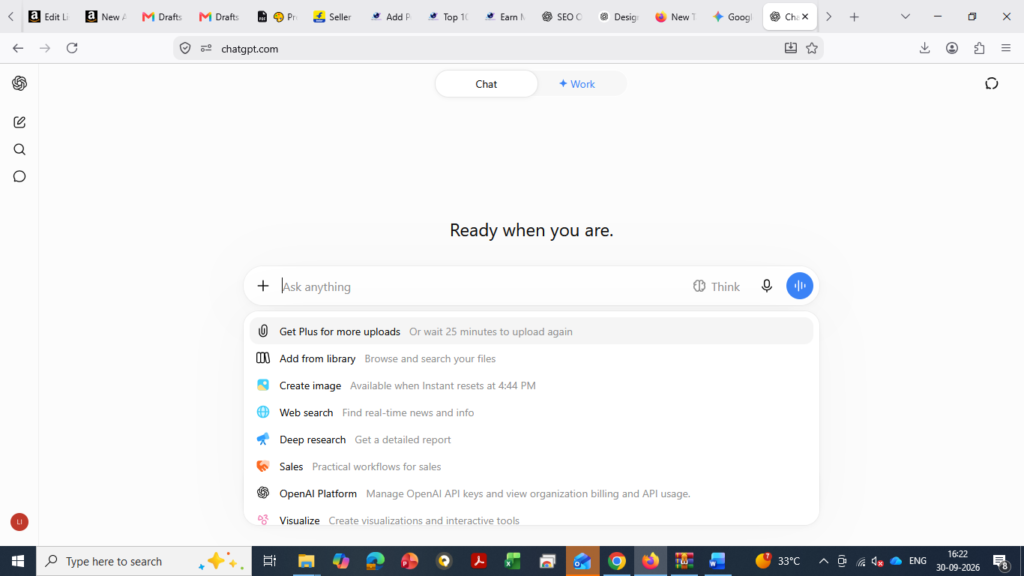
ChatGPT is an AI chatbot developed by OpenAI. It understands your questions and instructions and gives useful answers, ideas, and solutions in simple language.
Launch: November 2022
Developer: OpenAI
Type: AI Chatbot / Large Language Model
Works For: Answering questions, writing content, coding, research, learning, and problem-solving.
ChatGPT is fast, easy to use, and useful for students, bloggers, developers, professionals, and businesses.
(2) Gemini
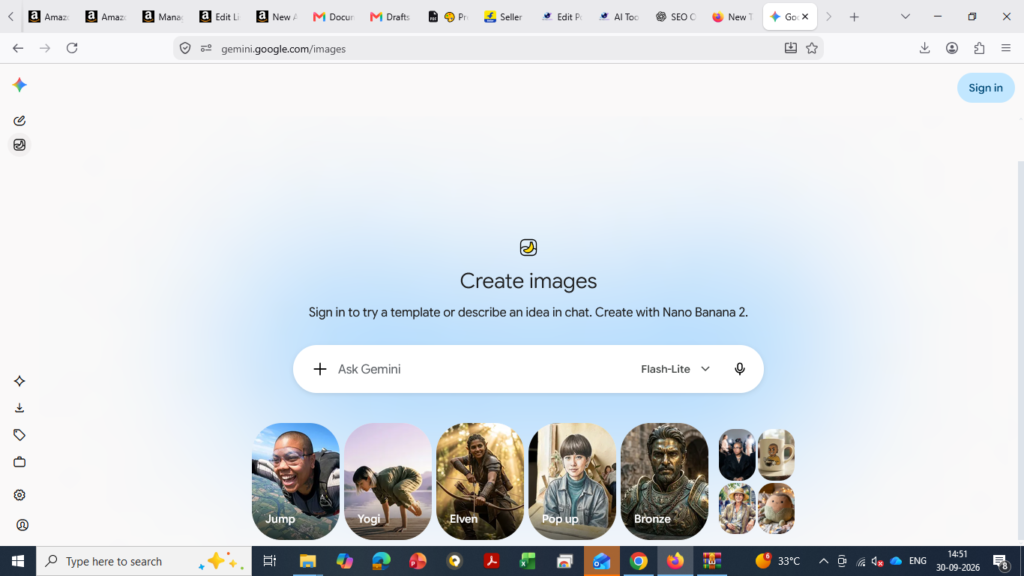
Gemini is an AI assistant developed by Google. It can understand questions, generate content, analyze information, help with coding, and support everyday tasks.
Launch: December 2023
Developer: Google
Type: AI Assistant / Generative AI
Works For: Answering questions, writing, research, learning, coding, and creating content.
Gemini is easy to use and useful for students, professionals, creators, and businesses for everyday work and learning.
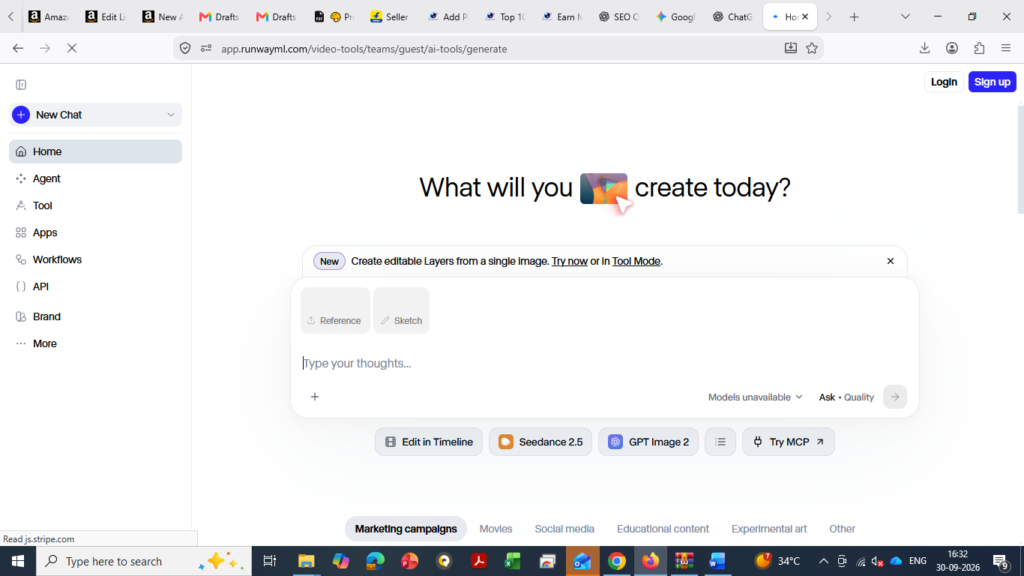
(3) Runway
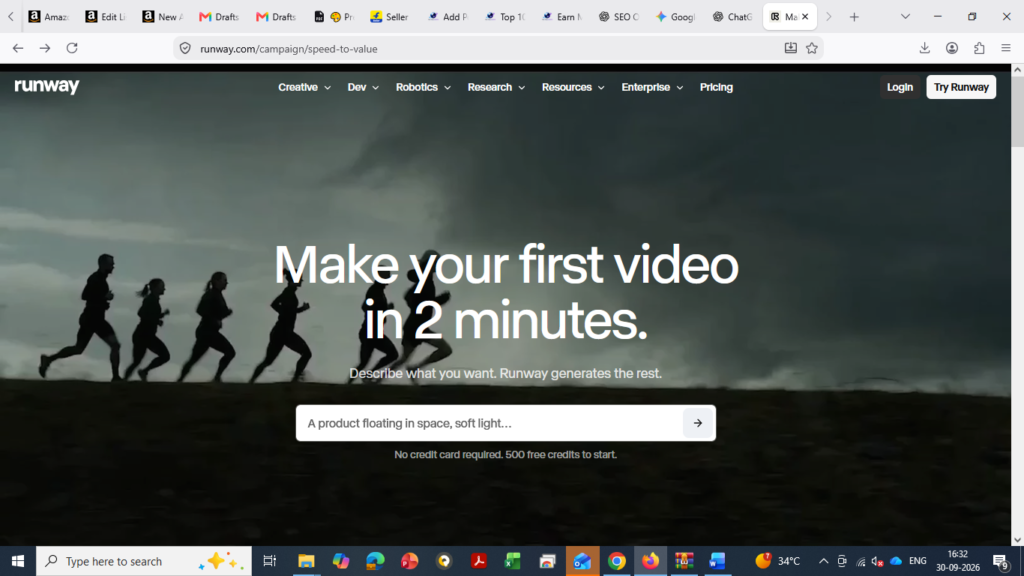
Runway is an AI-powered creative tool that helps users create and edit videos using simple text prompts and AI. It is useful for content creators, designers, marketers, and video editors.
Launch: 2018
Developer: Runway AI
Type: AI Video Generation & Editing Tool
Works For: Creating videos, editing videos, generating visual effects, and turning ideas into visuals.
• Uses
🎬 AI video generation
✨ Video editing and effects
📝 Text-to-video creation
🖼️ Image-to-video generation
📱 Social media content
🎥 Marketing and creative videos
• Why Use Runway?
Runway makes video creation easier by using AI to turn ideas, text, and images into creative videos.
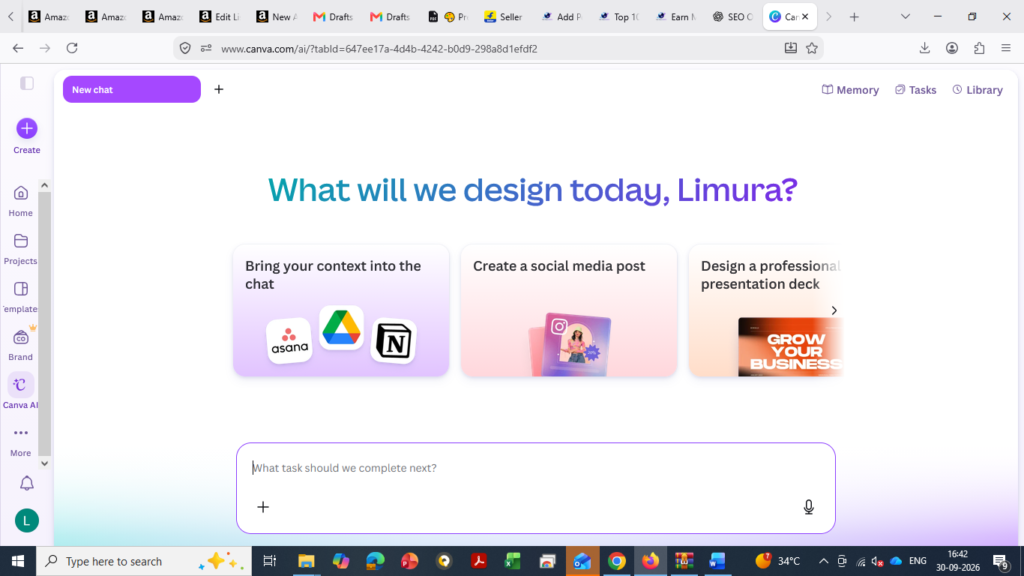
(4) Canva AI
Canva AI is an AI-powered design tool from Canva that helps users create designs, images, presentations, social media posts, and other visual content quickly and easily.
Launch: 2023
Developer: Canva
Type: AI Design & Content Creation Tool
Works For: Creating designs, presentations, images, social media content, and marketing materials.
• Uses
🎨 Graphic design
🖼️ AI image creation
📊 Presentations
📱 Social media posts
✍️ Content and copywriting
🎥 Videos and marketing content
• Why Use Canva AI?
Canva AI makes design easier and faster, even for people without professional design skills.
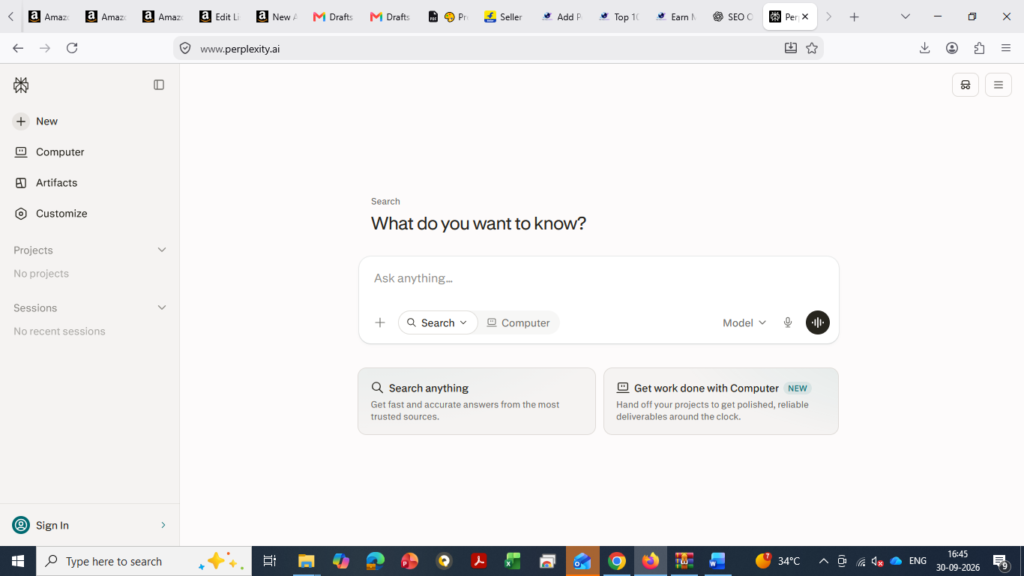
(5) Perplexity
Perplexity is an AI-powered search and research tool that helps users find information, understand topics, and get answers with sources.
Launch: 2022
Developer: Perplexity AI
Type: AI Search & Research Tool
Works For: Searching information, research, answering questions, summarizing topics, and finding sources.
• Uses
🔎 Online research
📚 Study and learning
📝 Finding and summarizing information
🌐 Searching the web
📊 Researching topics and data
💡 Getting quick answers with sources
• Why Use Perplexity?
Perplexity combines AI with web search to provide quick, easy-to-understand answers along with sources for further reading.
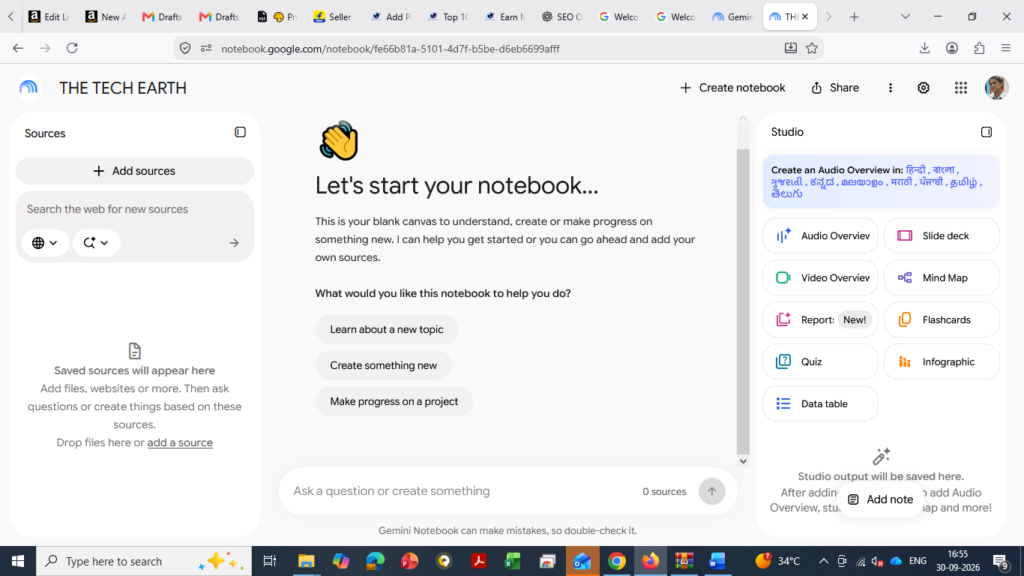
(6) Google NotebookLM
Google NotebookLM is an AI-powered research and study tool from Google that helps you understand and work with your own documents, PDFs, notes, and other sources.
Launch: 2023
Developer: Google
Type: AI Research & Study Tool
Works For: Understanding documents, summarizing information, taking notes, research, and learning.
• Uses
📄 Understanding and summarizing PDFs
📚 Study and learning
📝 Summarizing notes and documents
🔎 Research from your own sources
💡 Asking questions about documents
🎧 Creating AI-generated audio overviews
• Why Use NotebookLM?
NotebookLM makes it easier to understand large amounts of information by using your own documents and sources.
(7) Claude
Claude is an AI assistant developed by Anthropic. It can understand questions, analyze information, write content, help with coding, and work with documents.
Launch: March 2023
Developer: Anthropic
Type: AI Assistant / Large Language Model
Works For: Writing, research, document analysis, coding, learning, and problem-solving.
• Uses
✍️ Content writing and editing
📚 Research and learning
📄 Understanding and summarizing documents
💻 Coding and programming
💡 Ideas and problem-solving
📧 Writing emails and professional content
• Why Use Claude?
Claude is useful for writing, analyzing documents, coding, research, and handling complex tasks in a simple way.
(8) Manus AI
Manus AI is an advanced AI agent that can do more than just answer questions. It can research information, analyze data, plan tasks, and complete multi-step work with less human effort.
Launch: 2025
Developer: Manus AI
Type: AI Agent / Autonomous AI
Works For: Research, data analysis, content creation, coding, planning, and task automation.
• Uses
🔎 Research and information gathering
📊 Data analysis
✍️ Content creation
💻 Coding and programming
📋 Planning and task management
⚙️ Automating multi-step tasks
• Why Use Manus AI?
Manus AI can handle multiple steps of a task and help complete work with less manual effort, making it useful for research, business, content creation, and productivity.
(9) DeepSeek
DeepSeek is an AI tool that can answer questions, explain difficult topics, solve problems, help with coding, and support research and learning.
Launch: 2025
Developer: DeepSeek
Type: AI Assistant / Large Language Model
Works For: Question answering, coding, research, learning, writing, and problem-solving.
• Uses
💡 Problem-solving and ideas
💻 Coding and programming
📚 Research and learning
✍️ Writing and content creation
🧮 Math and logical problems
📄 Understanding and summarizing information
• Why Use DeepSeek?
DeepSeek is useful for students, developers, researchers, and everyday users who need help with coding, learning, research, and problem-solving.
(10) Grammarly
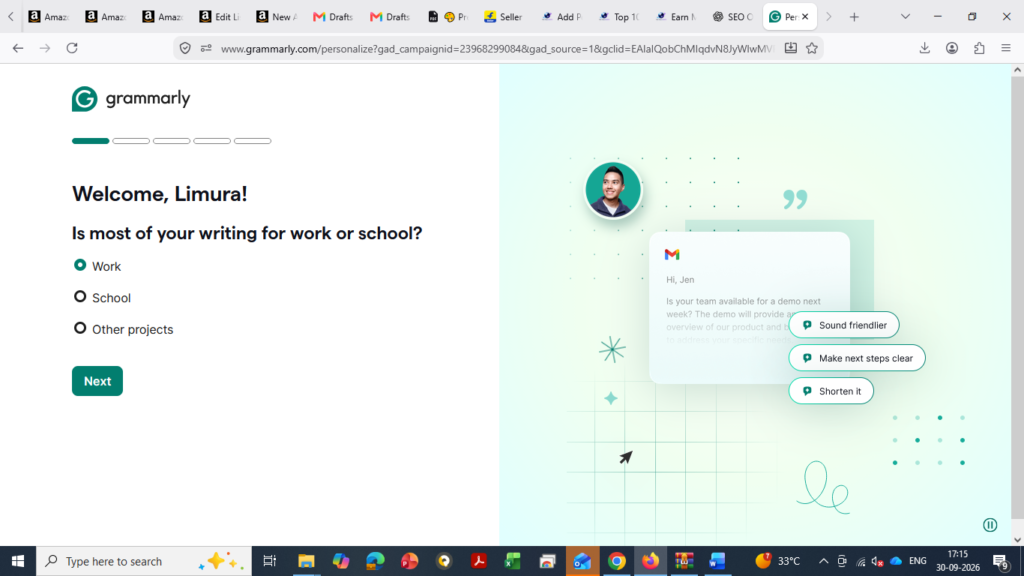
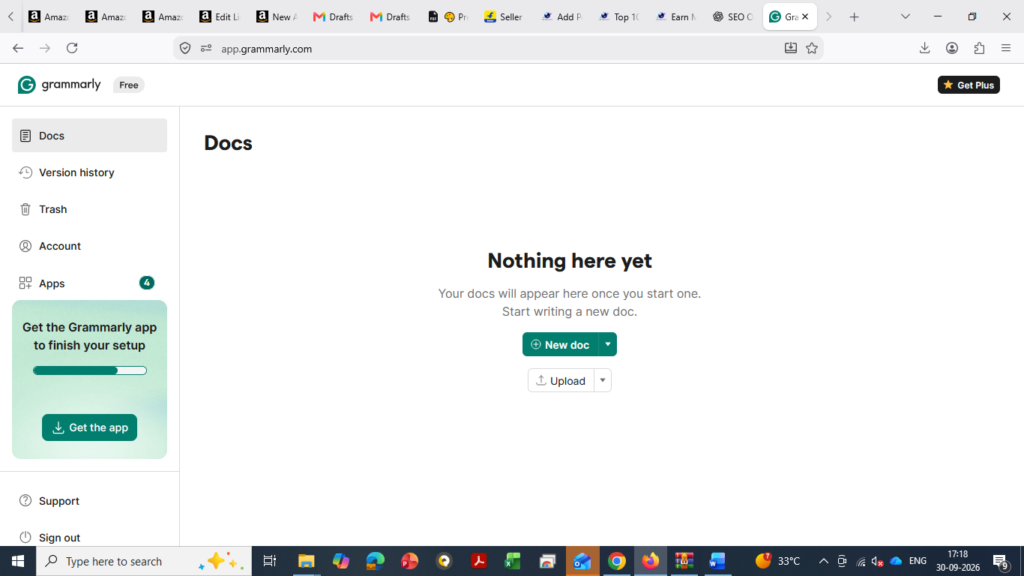
Grammarly is an AI-powered writing tool that helps you write clear, correct, and professional English. It can check grammar, spelling, punctuation, tone, and improve your writing.
Launch: 2009
Developer: Grammarly
Type: AI Writing & Grammar Tool
Works For: Grammar checking, rewriting, proofreading, emails, and professional writing.
• Uses
✍️ Improving English writing
✅ Grammar and spelling checking
📧 Writing professional emails
📝 Rewriting and proofreading
💼 Improving business communication
🎯 Checking writing tone
• Why Use Grammarly?
Grammarly makes English writing easier, clearer, and more professional, making it useful for students, professionals, bloggers, and businesses.
Top 10 FAQs
1. What are the best AI tools for daily life? ChatGPT, Gemini, Copilot and Canva are useful for everyday tasks.
2. What are the best AI tools for students? ChatGPT, Gemini and NotebookLM can help with learning and study.
3. Which AI tools are useful for studying? AI tools can help with notes, summaries, explanations and practice questions.
4. What are the best AI tools for work? ChatGPT, Copilot, Gemini and Notion AI can improve work and productivity.
5. Which AI tools are useful for business? AI tools can help with marketing, research, writing, customer support and planning.
6. What are the best free AI tools? ChatGPT, Gemini, Copilot, Canva and Perplexity offer free options.
7. How can AI tools save time? They can quickly help with writing, research, summaries and repetitive tasks.
8. Which AI tools are best for content creation? ChatGPT, Gemini and Canva can help create text, ideas and visual content.
9. Are AI tools safe to use? Yes, but avoid sharing sensitive information and always verify important answers.
10. How can beginners start using AI tools? Start with simple tasks like asking questions, writing, research and summarizing.
⬅ Previous Chapter| Current Chapter: Structures and Unions |Next Chapter ➜
Author: Mujtaba Ansari
File Handling in C Programming: Complete Guide with Syntax, Functions, Examples & Programs
Want to store, read, and manage data beyond your program’s runtime? Learn File Handling in C and discover how files make your programs more powerful and practical.
In C programming, data stored in variables is generally available only while the program is running. Once the program ends, that data is lost. File Handling provides a way to store data permanently in files so that it can be accessed and processed later.
In this complete guide, you will learn File Handling in C, file types, file opening modes, important file functions, sequential and random access, and practical C programs with examples.
Key Benefits:
Store data permanently
Read and write files easily
Update and manage existing data
Handle large amounts of information
Build practical, real-world C applications
What is File Handling in C?
A file is a collection of data stored on a storage device such as a hard disk, SSD, or other secondary storage.
File Handling in C is the process of creating, opening, reading, writing, updating, appending, and closing files using C programs.
Unlike temporary data stored in variables, data written to a file can remain available even after the program terminates. This is known as persistent data storage.
Why is File Handling Important?
File Handling is useful when a program needs to:
Store data permanently
Read previously stored information
Add new data to an existing file
Update or process stored records
Manage large amounts of information
Transfer or copy data between files
Build practical applications such as student records, billing systems, employee databases, and inventory systems
File Handling Functions in C
C provides several functions through the standard <stdio.h> library for working with files.
Function
Purpose
fopen()
Opens or creates a file
fclose()
Closes an opened file
fgetc()
Reads a single character from a file
fputc()
Writes a single character to a file
fprintf()
Writes formatted data to a file
fscanf()
Reads formatted data from a file
fread()
Reads blocks of binary data
fwrite()
Writes blocks of binary data
fseek()
Moves the file position indicator
ftell()
Returns the current file position
rewind()
Moves the file position to the beginning
feof()
Checks whether the end of a file has been reached
Note: Older C textbooks sometimes discuss getw() and putw(). They are not part of the modern standard C approach and are generally better avoided in new programs. Use fread(), fwrite(), fprintf(), and fscanf() according to the type of data being processed.
File Pointer in C
Before performing file operations, we generally use a file pointer.
Syntax
FILE *fp;
Here:
FILE is a type defined in <stdio.h>.
fp is a file pointer.
The pointer is used by C file functions to work with the opened file.
For example:
FILE *fp;

fp = fopen("student.txt", "r");
Opening a File Using fopen()
The fopen() function is used to open an existing file or create a new file depending on the selected mode.
fprintf() works similarly to printf(), but instead of displaying the formatted output on the screen, it writes it to a file.
Syntax
fprintf(fp, "format", values);
Example:
fprintf(fp, "Name: %s\nAge: %d\n", name, age);
This is useful for storing structured text data.
Reading Formatted Data Using fscanf()
fscanf() reads formatted data from a file.
Syntax
fscanf(fp, "format", &variables);
Example:
fscanf(fp, "%d %s", &roll, name);
It is particularly useful when the file contains data in a predictable format.
Example 1: Create a File and Store Student Names
The following program creates stud.txt, accepts student names from the user, and then displays the contents of the file.
#include <stdio.h>

int main(void)
{
    FILE *fp;
    int ch;

    fp = fopen("stud.txt", "w");

    if (fp == NULL)
    {
        printf("Unable to create file.\n");
        return 1;
    }

    printf("Enter student names.\n");
    printf("Press Ctrl+D on Linux/macOS or Ctrl+Z followed by Enter on Windows to finish.\n");

    while ((ch = getchar()) != EOF)
    {
        fputc(ch, fp);
    }

    fclose(fp);

    fp = fopen("stud.txt", "r");

    if (fp == NULL)
    {
        printf("Unable to open file.\n");
        return 1;
    }

    printf("\nContents of stud.txt:\n");

    while ((ch = fgetc(fp)) != EOF)
    {
        putchar(ch);
    }

    fclose(fp);

    return 0;
}
How this program works
The file stud.txt is opened in "w" mode.
Student names are entered from the keyboard.
fputc() writes the characters to the file.
The file is closed.
The same file is opened in "r" mode.
fgetc() reads the contents character by character.
putchar() displays the contents on the screen.
Finally, the file is closed.
Example 2: Count Uppercase and Lowercase Letters in a File
This program reads stud.txt and counts the total uppercase and lowercase letters.
#include <stdio.h>

int main(void)
{
    FILE *fp;
    int ch;
    int uppercase = 0;
    int lowercase = 0;

    fp = fopen("stud.txt", "r");

    if (fp == NULL)
    {
        printf("File does not exist or cannot be opened.\n");
        return 1;
    }

    printf("Contents of stud.txt:\n");

    while ((ch = fgetc(fp)) != EOF)
    {
        putchar(ch);

        if (ch >= 'A' && ch <= 'Z')
        {
            uppercase++;
        }
        else if (ch >= 'a' && ch <= 'z')
        {
            lowercase++;
        }
    }

    printf("\n\nTotal uppercase letters = %d\n", uppercase);
    printf("Total lowercase letters = %d\n", lowercase);

    fclose(fp);

    return 0;
}
Example Output
Contents of stud.txt:
Rahul
AMIT
Neha

Total uppercase letters = 5
Total lowercase letters = 9
The exact count depends on the contents of the file.
Example 3: Copy One File into Another File
File Handling can also be used to copy the contents of one file into another.
The following program copies stud.txt into copy.txt.
#include <stdio.h>

int main(void)
{
    FILE *source;
    FILE *destination;
    int ch;

    source = fopen("stud.txt", "r");

    if (source == NULL)
    {
        printf("Source file cannot be opened.\n");
        return 1;
    }

    destination = fopen("copy.txt", "w");

    if (destination == NULL)
    {
        printf("Destination file cannot be created.\n");
        fclose(source);
        return 1;
    }

    while ((ch = fgetc(source)) != EOF)
    {
        fputc(ch, destination);
    }

    fclose(source);
    fclose(destination);

    printf("File copied successfully.\n");

    return 0;
}
Key Concept
Here:
source points to stud.txt.
destination points to copy.txt.
fgetc() reads each character.
fputc() writes each character into the destination file.
Example 4: Store Even and Odd Numbers in Separate Files
The following program accepts numbers, stores them in numbers.txt, and then separates them into even.txt and odd.txt.
#include <stdio.h>

int main(void)
{
    FILE *input;
    FILE *evenFile;
    FILE *oddFile;
    int number;

    input = fopen("numbers.txt", "w");

    if (input == NULL)
    {
        printf("Unable to create numbers.txt\n");
        return 1;
    }

    printf("Enter numbers (enter 0 to stop):\n");

    while (1)
    {
        scanf("%d", &number);

        if (number == 0)
        {
            break;
        }

        fprintf(input, "%d\n", number);
    }

    fclose(input);

    input = fopen("numbers.txt", "r");
    evenFile = fopen("even.txt", "w");
    oddFile = fopen("odd.txt", "w");

    if (input == NULL || evenFile == NULL || oddFile == NULL)
    {
        printf("Error opening files.\n");

        if (input != NULL)
            fclose(input);

        if (evenFile != NULL)
            fclose(evenFile);

        if (oddFile != NULL)
            fclose(oddFile);

        return 1;
    }

    while (fscanf(input, "%d", &number) == 1)
    {
        if (number % 2 == 0)
        {
            fprintf(evenFile, "%d\n", number);
        }
        else
        {
            fprintf(oddFile, "%d\n", number);
        }
    }

    fclose(input);
    fclose(evenFile);
    fclose(oddFile);

    printf("Even and odd numbers have been stored successfully.\n");

    return 0;
}
Why this version is better
The original notes used getw() and putw(). For a modern C tutorial, using fprintf() and fscanf() makes the example easier to understand and avoids relying on older/non-standard functions.
Storing Structures in a File
File Handling becomes especially useful when working with structures.
For example, a student record can contain:
Roll number
Name
Marks
A structure can group these values together.
struct Student
{
    int roll;
    char name[50];
    float marks;
};
Example 5: Store and Display Student Records
The following program stores five student records in a text file and then reads them back.
#include <stdio.h>

struct Student
{
    int roll;
    char name[50];
    float marks;
};

int main(void)
{
    FILE *fp;
    struct Student student;
    int i;

    fp = fopen("student_records.txt", "w");

    if (fp == NULL)
    {
        printf("Unable to create file.\n");
        return 1;
    }

    for (i = 1; i <= 5; i++)
    {
        printf("\nEnter details of Student %d\n", i);

        printf("Roll Number: ");
        scanf("%d", &student.roll);

        printf("Name: ");
        scanf("%49s", student.name);

        printf("Marks: ");
        scanf("%f", &student.marks);

        fprintf(fp, "%d %s %.2f\n",
                student.roll,
                student.name,
                student.marks);
    }

    fclose(fp);

    fp = fopen("student_records.txt", "r");

    if (fp == NULL)
    {
        printf("Unable to open file.\n");
        return 1;
    }

    printf("\n--- Student Records ---\n");

    while (fscanf(fp, "%d %49s %f",
                  &student.roll,
                  student.name,
                  &student.marks) == 3)
    {
        printf("\nRoll Number: %d", student.roll);
        printf("\nName: %s", student.name);
        printf("\nMarks: %.2f\n", student.marks);
    }

    fclose(fp);

    return 0;
}
Note:scanf("%49s", student.name) reads a single-word name. If you want to accept names containing spaces, such as Rahul Kumar, a different input approach such as fgets() should be used.
Sequential File Access
In sequential access, data is generally processed from the beginning of the file toward the required position.
For example, if you want to read the fifth record, the program normally processes the earlier records first.
Functions such as:
fgetc()
fscanf()
are commonly used for sequential reading.
Example
Record 1 → Record 2 → Record 3 → Record 4 → Record 5
This approach is simple and useful for many text-file operations.
Random Access in C
Random access allows the file position indicator to be moved directly to a particular location in a file.
Instead of always starting from the beginning, a program can move the file position using functions such as:
fseek()
ftell()
rewind()
This can be useful when working with files where specific positions need to be accessed.
fseek() Function in C
The fseek() function changes the current position of the file position indicator.
Syntax
fseek(fp, offset, origin);
Where:
fp = file pointer
offset = number of bytes to move
origin = reference position
The standard constants used for origin are:
SEEK_SET
SEEK_CUR
SEEK_END
They represent:
Constant
Meaning
SEEK_SET
Beginning of the file
SEEK_CUR
Current position
SEEK_END
End of the file
Example
fseek(fp, 50L, SEEK_SET);
This moves the file position to an offset of 50 bytes from the beginning.
Another example:
fseek(fp, -7L, SEEK_CUR);
This attempts to move the position 7 bytes backward from the current position.
Important: The meaning of byte offsets can be more complicated for text streams. For portable random access, binary files are generally easier to reason about.
ftell() Function in C
The ftell() function returns the current position of the file position indicator.
Syntax
long position;

position = ftell(fp);
Example
#include <stdio.h>

int main(void)
{
    FILE *fp;
    long position;

    fp = fopen("book.txt", "r");

    if (fp == NULL)
    {
        printf("Unable to open file.\n");
        return 1;
    }

    fseek(fp, 50L, SEEK_SET);

    position = ftell(fp);

    printf("Current file position: %ld\n", position);

    fclose(fp);

    return 0;
}
rewind() Function in C
The rewind() function moves the file position indicator back to the beginning of the file.
Syntax
rewind(fp);
It is conceptually similar to:
fseek(fp, 0L, SEEK_SET);
Example
rewind(fp);
After this statement, reading from the file starts again from the beginning.
Text Files vs Binary Files
C programs can work with both text files and binary files.
Text File
A text file stores information in a form that can generally be viewed using a text editor.
Examples:
students.txt
employees.csv
data.txt
Functions such as:
fprintf()
fscanf()
fgetc()
fputc()
are commonly used with text files.
Binary File
Binary files store data as bytes rather than human-readable text.
Functions such as:
fread()
fwrite()
are commonly used for binary data.
Example:
fwrite(&student, sizeof(student), 1, fp);
and:
fread(&student, sizeof(student), 1, fp);
Binary files can be useful when storing structures or other data in a compact machine-readable format.
Here, fwrite() writes the structure directly to the binary file.
Important Points to Remember in File Handling
While working with files in C, keep these points in mind:
Always include the <stdio.h> header.
Declare a file pointer using FILE *.
Use fopen() to open or create a file.
Always check whether fopen() returned NULL.
Select the correct file mode.
Use fgetc() and fputc() for character-based operations.
Use fprintf() and fscanf() for formatted text data.
Use fread() and fwrite() for binary data.
Close files using fclose() after completing operations.
Use fseek(), ftell(), and rewind() when file-position control is required.
Use int when storing the result of fgetc() because it must be able to represent EOF.
Be careful with "w" mode because it can overwrite an existing file.
Common File Handling Errors in C
Beginners often make these mistakes:
1. Using fclosed() Instead of fclose()
Incorrect:
fclosed(fp);
Correct:
fclose(fp);
2. Not Checking fopen()
Always check:
if (fp == NULL)
{
    printf("Unable to open file.\n");
}
3. Using char for fgetc() Result
Avoid:
char ch;

while ((ch = fgetc(fp)) != EOF)
Prefer:
int ch;

while ((ch = fgetc(fp)) != EOF)
4. Forgetting to Close the File
Always close the file after use:
fclose(fp);
5. Accidentally Overwriting a File
Opening a file using:
fopen("data.txt", "w");
can erase the previous contents.
If you want to add data at the end, use:
fopen("data.txt", "a");
File Handling vs Normal Variables
Normal Variable
File
Usually stores temporary program data
Stores data persistently
Data generally exists during program execution
Data remains after program termination
Suitable for temporary calculations
Suitable for permanent records
Limited by program memory
Can store much larger datasets
Data is lost when the program ends unless saved elsewhere
Data can be reopened and processed later
Real-World Applications of File Handling
File Handling is an important concept because many real-world programs need persistent data.
Examples include:
Student Management Systems
Employee Management Systems
Library Management Systems
Billing Software
Inventory Management Systems
Banking Applications
Customer Record Systems
Result Management Systems
Log Files
Configuration Files
Data Export and Import Systems
Frequently Asked Questions (FAQ)
What is File Handling in C?
File Handling in C is the process of creating, opening, reading, writing, updating, and closing files using C programming functions.
Which header file is used for File Handling in C?
The standard <stdio.h> header provides the main file-handling functions.
What is a file pointer?
A file pointer is a pointer of type FILE * used to access and perform operations on an opened file.
Example:
FILE *fp;
What is the use of fopen()?
fopen() opens an existing file or creates a file depending on the selected mode.
What is the use of fclose()?
fclose() closes an opened file and releases associated resources.
What is the difference between r, w, and a modes?
r → Read an existing file
w → Write to a file and potentially overwrite existing contents
a → Add data at the end of a file
What is random access in C?
Random access allows the file position indicator to be moved to a specific location using functions such as fseek().
Which functions are used for random file access?
The main functions are:
fseek()
ftell()
rewind()
Conclusion:
File Handling in C is an essential concept for storing and managing data beyond the lifetime of a program. With functions such as fopen(), fclose(), fgetc(), fputc(), fprintf(), fscanf(), fseek(), ftell(), and rewind(), you can create practical programs that work with persistent data.
Once you understand file modes, file pointers, text and binary files, sequential access, and random access, you can build more practical C applications such as student management systems, billing programs, employee records, and inventory systems.
Want to organize different types of data in C? Structures and Unions make it simple, organized, and memory-efficient.
Real-Life Benefits
🎓 Manage student records
🛒 Manage product information
🏦 Store banking details
🏥 Organize patient records
💾 Use memory efficiently
⚙️ Build system and embedded applications
Structures and Unions in C Programming: Complete Guide with Examples
When a C program becomes larger, working with individual variables can quickly become difficult. Imagine storing the details of a student: their roll number, name, marks, course, and contact information. Creating separate variables for every piece of information works, but it is not an efficient way to organize related data.
This is where Structures and Unions in C Programming become useful.
A Structure allows you to combine different types of related data under one name, while a Union allows multiple members to share the same memory location.
In this guide or article, you will learn Structure and Union in C from the basics, including syntax, declaration, initialization, arrays, functions, nested structures, memory allocation, typedef, enum, practical programs, and the difference between Structure and Union.
What is a Structure in C?
A Structure in C is a user-defined data type that allows you to group multiple variables, even when they have different data types, under a single name.
For example, consider a student record:
Roll Number → int
Name → char
Marks → float
Instead of maintaining these values as unrelated variables, we can combine them into one Student structure.
Very Simple Definition
A structure is a user-defined data type used to group related variables of different or similar data types into a single unit.
A member can be accessed through the pointer using the arrow (->) operator:
ptr->roll = 101;
ptr->marks = 90.5;
This is equivalent to:
(*ptr).roll = 101;
(*ptr).marks = 90.5;
Understanding this becomes particularly important when learning Structures with Pointers and Dynamic Memory Allocation.
Real-Life Applications of Structures and Unions
Structures and Unions are not limited to classroom programs. They are useful for representing data in many types of software.
1. Student Management Systems
A Student structure can contain:
Roll Number
Name
Course
Marks
Contact Details
2. Banking Applications
A customer or account record can contain:
Account Number
Customer Name
Balance
Account Type
3. E-Commerce Systems
Product information can be represented using:
Product ID
Product Name
Price
Quantity
Category
4. Employee Management
An employee record can contain:
Employee ID
Name
Salary
Department
Address
5. Hospital Management
Patient information can be grouped into a single structure:
Patient ID
Name
Age
Doctor
Medical Record Information
6. Games and Applications
A game can use structures to represent player information such as:
Player Name
Score
Level
Position
Health
7. Embedded and System Programming
Unions can be useful when a program needs to represent alternative data formats while sharing storage. Structures are also widely useful for organizing groups of fields that represent system or hardware-related data.
Why Should You Learn Structures and Unions in C?
Structures and Unions are important because they introduce a more organized way of handling data.
By learning them, you can:
Build programs around real-world objects.
Group related information together.
Manage multiple records efficiently.
Work with arrays of complex records.
Pass structured data to functions.
Return structured results from functions.
Build nested data models.
Understand shared memory through unions.
Write cleaner code using typedef.
Represent named constants using enum.
Prepare for advanced concepts such as pointers and dynamic memory.
Common Mistakes Beginners Make
1. Forgetting the semicolon
A structure definition must end with a semicolon:
struct Student
{
    int roll;
};
2. Using the wrong member access operator
For a normal structure variable:
student.roll
For a pointer to a structure:
studentPtr->roll
3. Assuming Union members have separate storage
They do not. Union members share the same storage.
4. Using unsafe gets()
Older C examples often contain:
gets(name);
You should avoid gets() because it cannot safely limit the amount of input read. Modern C programs should use safer input techniques such as fgets() where appropriate.
5. Assuming sizeof(struct) is always the sum of member sizes
Compiler-added padding and alignment can make the actual structure size larger than the simple sum.
Structure and Union: Quick Revision for YOU
Concept
Description
Structure
Groups related data into one type
Structure Member
Variable declared inside a structure
. Operator
Accesses a member through a structure object
-> Operator
Accesses a member through a structure pointer
Array of Structures
Stores multiple structure records
Nested Structure
Structure used inside another structure
Union
Members share the same storage
typedef
Creates an alias for an existing type
enum
Defines named integer constants
Conclusion
Structures and Unions in C Programming provide an important way to organize and manage data beyond simple variables and arrays.
A Structure is particularly useful when several related values need to exist together, even when those values have different data types. An array of structures can then be used to manage multiple records, while nested structures help model more complex relationships.
A Union follows a different memory model: its members share storage. This makes it useful when different data representations need to occupy the same memory area.
Along with typedef and enum, these concepts form an important part of C’s user-defined data type system and provide a strong foundation for more advanced topics such as Pointers, Dynamic Memory Allocation, File Handling, and Data Structures.
Frequently Asked Questions
What is a Structure in C?
A Structure is a user-defined data type that groups related variables, including variables of different data types, under one name.
What is a Union in C?
A Union is a user-defined data type in which all members share the same storage area.
What is the main difference between Structure and Union?
The main difference is memory organization. Structure members have separate storage within the object, while Union members share the same storage.
Can a Structure contain an Array?
Yes. An array can be declared as a member of a Structure.
Can a Structure be passed to a function?
Yes. A Structure can be passed to a function by value or through a pointer.
Pointers allow C programs to work directly with memory for faster and more efficient programming.
Real-Life Uses:
Pointers are widely used in operating systems, embedded systems, dynamic memory management, data structures, arrays, and performance-critical applications.
What is a Pointer in C Programming?
A pointer is a variable that stores the memory address of another variable or object.
A normal variable stores a value, while a pointer stores the address where a value is located in memory.
Example
int x = 10;
int *p;

p = &x;
Here:
x is an integer variable that stores 10.
&x gives the memory address of x.
p is an integer pointer.
p stores the address of x.
Conceptually:
x = 10

p
|
|-----> x
        10
Therefore, a simple definition is:
A pointer is a variable used to store the memory address of another variable or object.
Build data structures such as linked lists and trees
Perform low-level memory operations
Pointer Declaration in C
A pointer is declared using the * symbol.
Syntax
data_type *pointer_name;
Example
int *p;
Here, p is a pointer that can store the address of an int object.
Other examples:
float *fp;
char *cp;
double *dp;
Here:
fp can store the address of a float
cp can store the address of a char
dp can store the address of a double
Important Note for YOU
Declaring a pointer does not automatically make it point to a valid variable.
For example:
int *p;
At this point, p should not be dereferenced until it is assigned a valid address.
Address-of Operator (&)
The & operator is called the address-of operator.
It is used to get the memory address of a variable.
Example
int x = 10;

printf("%p", (void *)&x);
Here, &x gives the address of x.
We can store this address in a pointer:
int x = 10;
int *p;

p = &x;
Now, p contains the address of x.
Dereference Operator (*)
The * symbol is also called the dereference operator when it is used with a pointer expression.
Dereferencing a pointer means accessing the value stored in the object to which the pointer points.
Example
#include <stdio.h>

int main(void)
{
    int x = 9;
    int *p = &x;

    printf("Value of x = %d\n", x);
    printf("Value using pointer = %d\n", *p);

    return 0;
}
Output
Value of x = 9
Value using pointer = 9
Here:
p = &x;
stores the address of x in p.
And:
*p
accesses the value of x.
Understanding & and * Together
Suppose:
int x = 9;
int *p = &x;
Then:
&x
means:
Address of x
And:
*p
means:
Value stored in the object pointed to by p
Therefore:
x   → 9
&x  → Address of x
p   → Address of x
*p  → 9
Initializing a Pointer
A pointer should be initialized before it is used.
Example
int x = 25;
int *p = &x;
Now p points to x.
We can access the value using:
printf("%d", *p);
Output:
25
Wild Pointer in C
A pointer that has not been initialized to a valid address is commonly called a wild pointer.
For example:
int *p;
The pointer has been declared, but it does not point to a valid object that we can safely use.
This is dangerous:
*p = 10;
because the program may access an invalid memory location.
A safer approach is:
int x = 10;
int *p = &x;
Or, if the pointer currently has no target:
int *p = NULL;
NULL Pointer
A NULL pointer is a pointer that does not currently point to a valid object.
Example:
int *p = NULL;
Before dereferencing a pointer, we can check whether it is NULL.
if (p != NULL)
{
    printf("%d", *p);
}
Never dereference a NULL pointer.
Changing a Variable Using a Pointer
A pointer can be used to change the value of the variable it points to.
Example
#include <stdio.h>

int main(void)
{
    int x = 10;
    int *p = &x;

    printf("Before: %d\n", x);

    *p = 25;

    printf("After: %d\n", x);

    return 0;
}
Output
Before: 10
After: 25
The statement:
*p = 25;
changes the value of x because p points to x.
Pointers and Functions in C
Pointers are very useful when working with functions.
They are commonly used for:
Passing addresses to functions
Modifying original variables inside functions
Returning pointers from functions when the pointed object remains valid
Pointer as a Function Argument
When we pass the address of a variable to a function, the function can modify the original variable through the pointer.
This technique is commonly called call by address.
Important Note for YOU
C does not have true call-by-reference parameters. C always passes arguments by value. When we pass a pointer, the function receives a copy of the address, and that pointer can be used to modify the original object.
Swap Two Numbers Using Pointers
The following program swaps two numbers using pointers.
#include <stdio.h>

void swap(int *p, int *q);

int main(void)
{
    int a, b;

    printf("Enter two numbers: ");
    scanf("%d %d", &a, &b);

    printf("Before swap: a = %d, b = %d\n", a, b);

    swap(&a, &b);

    printf("After swap: a = %d, b = %d\n", a, b);

    return 0;
}

void swap(int *p, int *q)
{
    int temp;

    temp = *p;
    *p = *q;
    *q = temp;
}
Example Output
Enter two numbers: 5 4
Before swap: a = 5, b = 4
After swap: a = 4, b = 5
Here:
swap(&a, &b);
passes the addresses of a and b.
Inside the function:
*p
and:
*q
are used to access the original variables.
Find the Largest of Two Numbers Using Pointer and Function
We can also use a pointer as the return value of a function.
Program: C Program to Find the Largest of Two Numbers Using Pointers and Functions
#include <stdio.h>

int *largest(int *p, int *q);

int main(void)
{
    int a, b;
    int *big;

    printf("Enter two numbers: ");
    scanf("%d %d", &a, &b);

    big = largest(&a, &b);

    printf("Largest number = %d\n", *big);

    return 0;
}

int *largest(int *p, int *q)
{
    if (*p > *q)
        return p;
    else
        return q;
}
Example
Input:
5 9
Output:
Largest number = 9
The function returns the pointer to the larger variable.
Important Point for YOU
Do not return the address of a local variable.
Incorrect:
int *getValue(void)
{
    int x = 10;

    return &x;
}
The local variable x stops existing when the function returns, so returning its address creates an invalid pointer.
Pointer and Structure in C
Pointers can also be used with structures.
Consider the following structure:
struct Complex
{
    int real;
    int imag;
};
We can create a structure pointer:
struct Complex c;
struct Complex *p = &c;
Now p points to structure c.
Arrow Operator (->)
The -> operator is used to access structure members through a structure pointer.
For example:
p->real
is equivalent to:
(*p).real
Similarly:
p->imag
is equivalent to:
(*p).imag
Add Two Complex Numbers Using Structure Pointers
#include <stdio.h>

struct Complex
{
    int real;
    int imag;
};

int main(void)
{
    struct Complex a, b, c;

    struct Complex *p = &a;
    struct Complex *q = &b;
    struct Complex *r = &c;

    printf("Enter real and imaginary parts of first number: ");
    scanf("%d %d", &p->real, &p->imag);

    printf("Enter real and imaginary parts of second number: ");
    scanf("%d %d", &q->real, &q->imag);

    r->real = p->real + q->real;
    r->imag = p->imag + q->imag;

    printf("Result = %d + %di\n", r->real, r->imag);

    return 0;
}
Here, the structure members are accessed using the arrow operator.
Pointer Inside a Structure
A structure can also contain a pointer as one of its members.
Example
struct Student
{
    int roll;
    char name[20];
    int *marks;
};
Now:
struct Student student;
int marks = 95;

student.marks = &marks;
The structure member marks is a pointer that stores the address of the variable marks.
We can access the value using:
*student.marks
Example: C Program to Use a Pointer as a Structure Member
#include <stdio.h>

struct Student
{
    int roll;
    char name[20];
    int *marks;
};

int main(void)
{
    struct Student student;
    int marks = 95;

    student.roll = 7;
    student.marks = &marks;

    printf("Roll = %d\n", student.roll);
    printf("Marks = %d\n", *student.marks);

    return 0;
}
Pointer and Array in C
Pointers and arrays are closely related in C.
Consider:
int a[5] = {20, 8, 91, 12, 9};
The first element is:
a[0]
and its address is:
&a[0]
In most expressions, the array name a is converted to a pointer to its first element.
Therefore:
a
corresponds to:
&a[0]
We can write:
int *p = a;
or:
int *p = &a[0];
Both initialize p to point to the first element.
Important Correction
It is common to hear:
“An array name is a constant pointer.”
This is a useful beginner shortcut, but it is not technically accurate.
An array is not a pointer. In most expressions, the array name decays to a pointer to its first element.
For example:
a = a + 1;
is invalid.
But:
p = p + 1;
is valid when p is a pointer variable.
Accessing Array Elements Using a Pointer
Suppose:
int a[5] = {20, 8, 91, 12, 9};
int *p = a;
The following expressions can access array elements:
a[0]
*(a + 0)
p[0]
*(p + 0)
All of them access the first element.
Similarly:
a[2]
p[2]
*(a + 2)
*(p + 2)
access the third element.
Pointer Arithmetic
Pointer arithmetic is commonly used with arrays.
Suppose:
int *p = a;
Then:
p + 1
points to the next int element.
Conceptually:
p       → a[0]
p + 1   → a[1]
p + 2   → a[2]
p + 3   → a[3]
p + 4   → a[4]
Pointer arithmetic is scaled according to the size of the pointed-to type. It does not simply mean adding one byte.
*(p + i) vs *p + i
This is an important concept for beginners.
Suppose:
int a[5] = {20, 8, 91, 12, 9};
int *p = a;
Then:
*(p + 4)
accesses the fifth element:
9
But:
*p + 4
means:
20 + 4
which gives:
24
Therefore:
*(p + 4)   // 9
*p + 4     // 24
The parentheses make a major difference.
Find the Largest Element in an Array Using Pointer
#include <stdio.h>

int main(void)
{
    int a[100];
    int n;
    int i;
    int largest;
    int *p;

    printf("Enter array size: ");
    scanf("%d", &n);

    if (n <= 0 || n > 100)
    {
        printf("Invalid array size.\n");
        return 1;
    }

    printf("Enter array elements: ");

    for (i = 0; i < n; i++)
    {
        scanf("%d", &a[i]);
    }

    p = a;
    largest = *p;

    for (i = 1; i < n; i++)
    {
        if (*(p + i) > largest)
        {
            largest = *(p + i);
        }
    }

    printf("Largest element = %d\n", largest);

    return 0;
}
Find the Largest and Second Largest Elements Using Pointer
The following program finds the largest and second-largest distinct elements.
#include <stdio.h>
#include <limits.h>

int main(void)
{
    int a[100];
    int n, i;
    int largest = INT_MIN;
    int secondLargest = INT_MIN;
    int *p = a;

    printf("Enter array size: ");
    scanf("%d", &n);

    if (n < 2 || n > 100)
    {
        printf("Array must contain at least two elements.\n");
        return 1;
    }

    printf("Enter array elements: ");

    for (i = 0; i < n; i++)
    {
        scanf("%d", &a[i]);
    }

    for (i = 0; i < n; i++)
    {
        if (*p > largest)
        {
            secondLargest = largest;
            largest = *p;
        }
        else if (*p > secondLargest && *p < largest)
        {
            secondLargest = *p;
        }

        p++;
    }

    if (secondLargest == INT_MIN)
    {
        printf("No distinct second largest element exists.\n");
    }
    else
    {
        printf("Largest element = %d\n", largest);
        printf("Second largest element = %d\n", secondLargest);
    }

    return 0;
}
Pointer and String in C
In C, a string is a sequence of characters terminated by the null character '\0'.
Example:
char city[10] = "Pune";
It is stored conceptually as:
P u n e \0
We can create a pointer to the first character:
char *p = city;
Now:
printf("%s", p);
prints:
Pune
And:
printf("%c", p[2]);
prints:
n
Character Array vs Pointer to String Literal
These two declarations are different:
Character Array
char city[] = "Pune";
This creates a character array that can be modified.
For example:
city[0] = 'D';
is valid.
Pointer to String Literal
const char *city = "Pune";
Here, city points to a string literal. The string should not be modified through this pointer.
Using const clearly indicates that the pointed characters are not intended to be changed.
Array of Pointers to Strings
An array can contain pointers to different strings.
Program: C Program to Store and Display Strings Using an Array of Pointers
#include <stdio.h>
int main(void)
{
const char *city[] =
{
    "Gaya",
    "Delhi",
    "Ranchi",
    "Bangalore"
};
int i;
for (i = 0; i < 4; i++)
{
printf("%s\n", city[i]);
}
return 0;
}
Output
Gaya
Delhi
Ranchi
Bangalore
Pointer to Pointer in C
A pointer can also store the address of another pointer.
This is called a pointer to pointer.
Example:
int x = 10;
int *p = &x;
int **q = &p;
The relationship is:
q → p → x
Here:
*p
gives the value of x.
And:
**q
also gives the value of x.
Example: C Program to Demonstrate Pointer to Pointer (Double Pointer)
#include <stdio.h>

int main(void)
{
    int x = 10;
    int *p = &x;
    int **q = &p;

    printf("x = %d\n", x);
    printf("*p = %d\n", *p);
    printf("**q = %d\n", **q);

    return 0;
}
Output
x = 10
*p = 10
**q = 10
Pointers and Dynamic Memory Allocation
Pointers are essential for dynamic memory allocation in C.
Dynamic memory can be allocated during program execution using functions such as:
malloc()
calloc()
realloc()
free()
These functions are declared in:
#include <stdlib.h>
Example Using malloc()
#include <stdio.h>
#include <stdlib.h>

int main(void)
{
    int n;
    int *p;

    printf("Enter number of elements: ");
    scanf("%d", &n);

    if (n <= 0)
    {
        printf("Invalid number of elements.\n");
        return 1;
    }

    p = malloc((size_t)n * sizeof *p);

    if (p == NULL)
    {
        printf("Memory allocation failed.\n");
        return 1;
    }

    for (int i = 0; i < n; i++)
    {
        p[i] = (i + 1) * 10;
    }

    for (int i = 0; i < n; i++)
    {
        printf("%d ", p[i]);
    }

    free(p);

    return 0;
}
Here:
malloc()
allocates memory dynamically.
After using the allocated memory:
free(p);
releases it.
Common Pointer Mistakes in C
Pointers are powerful, but incorrect use can lead to undefined behavior, crashes, or memory-related bugs.
1. Using an Uninitialized Pointer
Incorrect:
int *p;

*p = 10;
The pointer does not point to a valid object.
Correct:
int x = 10;
int *p = &x;
2. Dereferencing a NULL Pointer
Incorrect:
int *p = NULL;

printf("%d", *p);
A NULL pointer must not be dereferenced.
3. Returning the Address of a Local Variable
Incorrect:
int *getValue(void)
{
    int x = 10;
    return &x;
}
The local variable no longer exists after the function returns.
4. Accessing Memory After free()
Incorrect:
free(p);

printf("%d", *p);
After free(p), the allocated object must no longer be accessed through p.
A common practice is:
free(p);
p = NULL;
when the pointer remains in scope and will not immediately be reused.
5. Going Outside an Array
If:
int a[5];
valid element indexes are:
0 to 4
Accessing:
a[5]
is outside the array and causes undefined behavior.
The same rule applies to pointer arithmetic.
Pointer and Normal Variable: Difference
Feature
Normal Variable
Pointer
Stores
A value
An address
Example
int x = 10;
int *p = &x;
Access
Direct
Indirect
Address
&x
p
Access pointed value
Not applicable
*p
Common use
Store data
Work with addresses and indirect access
Important Pointer Operators
Operator
Name
Purpose
&
Address-of operator
Gets the address of an object
*
Dereference operator
Accesses the object pointed to
->
Arrow operator
Accesses a structure member through a pointer
Important Pointer and Array Expressions
Suppose:
int a[5] = {10, 20, 30, 40, 50};
int *p = a;
Then:
a[0]       → 10
*p         → 10
p[0]       → 10
*(p + 0)   → 10
For the third element:
a[2]       → 30
p[2]       → 30
*(a + 2)   → 30
*(p + 2)   → 30
Some Key Points to Remember About Pointers
Before moving to advanced C Programming, remember these important points:
A pointer stores an address.
& is used to obtain an object’s address.
* is used to dereference a pointer.
A pointer should be initialized before it is dereferenced.
NULL represents a pointer that does not point to a valid object.
Pointer arithmetic is commonly used with arrays.
p[i] is equivalent to *(p + i) for a pointer p.
Structure pointers commonly use the -> operator.
Pointers allow functions to modify caller-owned objects.
Pointers are essential for dynamic memory allocation.
Invalid pointer operations can cause undefined behavior.
Memory allocated with malloc(), calloc(), or realloc() should eventually be released with free() when it is no longer needed.
Frequently Asked Questions (FAQs)
What is a pointer in C?
A pointer is a variable that stores the memory address of another variable or object.
What is the use of & in C?
The & operator returns the address of an object.
Example:
int x = 10;
int *p = &x;
What is dereferencing?
Dereferencing means accessing the object stored at the address held by a pointer.
Example:
*p
accesses the value of the object pointed to by p.
What is a wild pointer?
A wild pointer is an uninitialized pointer that has not been assigned a valid address before being used.
What is a NULL pointer?
A NULL pointer is a pointer that does not currently point to a valid object.
Example:
int *p = NULL;
Does C support call by reference?
C uses pass-by-value. However, pointers can be passed to functions so that the function can modify the original object. This technique is commonly called call by address.
What is pointer arithmetic?
Pointer arithmetic allows operations such as incrementing or decrementing a pointer, particularly when working with arrays.
What is a structure pointer?
A structure pointer is a pointer that stores the address of a structure object.
Example:
struct Student s;
struct Student *p = &s;
What is the -> operator?
The -> operator is used to access a structure member through a structure pointer.
Example:
p->roll
Why are pointers important in C?
Pointers are important because they provide direct and indirect access to memory and are widely used with functions, arrays, strings, structures, dynamic memory, and data structures.
Conclusion
Pointers are one of the most powerful and important features of C Programming. A pointer stores the memory address of an object and allows the program to access that object indirectly.
The basic pointer concept can be remembered with this simple example:
int x = 10;
int *p = &x;

printf("%d", *p);
Here:
x   → stores 10
&x  → gives the address of x
p   → stores the address of x
*p  → accesses the value of x
Once you understand this relationship, concepts such as pointer arithmetic, functions, arrays, strings, structures, pointer to pointer, and dynamic memory allocation become much easier to understand.
Pointers are not just an advanced topic in C. They are a fundamental part of the language and form the foundation for many important programming concepts and data structures.
Functions make C programs very simple, organized, reusable, readable, and easier to maintain.
Real-Life Uses: Functions are used in operating systems, banking software, games, embedded systems, calculators, automation, and mobile applications to perform specific tasks efficiently.
Functions in C Programming: Complete Guide from Beginners to Advanced
Introduction:
Functions are one of the most important concepts in C programming. They help us divide a large program into smaller, logical, and reusable blocks of code.
Using functions, a program becomes easier to understand, write, test, debug, reuse, and maintain.
In this chapter, you will learn functions in C from basic concepts to advanced topics, including function declaration, definition, calling, parameters, arrays, strings, recursion, nested function calls, and passing values using pointers.
What is a Function in C?
A function is a block or group of statements that are logically related and perform a specific task.
A function can also return a value after performing its operation.
Simple Example
Suppose you want to calculate the sum of two numbers.
Instead of writing the same calculation repeatedly, you can create a function:
int sum(int a, int b)
{
    return a + b;
}
You can then call this function whenever you need to calculate a sum.
Benefits of Functions
Functions make programs:
Simple and organized
Easy to understand
Reusable
Easier to debug
Easier to maintain
Less repetitive
Types of Functions in C
Functions in C are mainly divided into two types:
1. Predefined or Library Functions
These functions are already provided by the C standard library.
Examples:
printf()
scanf()
strlen()
strcpy()
sqrt()
For example:
printf("Hello World");
Here, printf() is a library function.
2. User-Defined Functions
A function created and defined by the programmer is called a user-defined function.
Example:
int sum(int a, int b)
{
    return a + b;
}
Here, sum() is a user-defined function.
Three Important Steps of a User-Defined Function
A user-defined function generally involves three main steps:
Function Declaration or Prototype
Function Definition
Function Call
1. Function Declaration / Prototype
A function prototype tells the compiler about the function before it is used.
It specifies:
Function name
Return type
Number of parameters
Type of parameters
Syntax
return_type function_name(parameter_list);
Example
int sum(int x, int y);
This tells the compiler that:
Function name is sum
It returns an int
It accepts two int parameters
2. Function Definition
The function definition contains the actual statements that perform the required task.
Syntax
return_type function_name(parameter_list)
{
    // Function body

    return value;
}
Example
int sum(int x, int y)
{
    int result;

    result = x + y;

    return result;
}
3. Function Call
A function call is used to execute a function.
Example:
result = sum(10, 20);
Here, sum() is called with two arguments.
Complete Example of a Function
#include <stdio.h>

int sum(int x, int y);

int main(void)
{
    int result;

    result = sum(10, 20);

    printf("Sum = %d\n", result);

    return 0;
}

int sum(int x, int y)
{
    return x + y;
}
Output
Sum = 30
Parameters and Arguments
The values passed to a function are called arguments.
The variables that receive those values inside the function are called parameters.
Example:
sum(10, 20);
Here, 10 and 20 are arguments.
In:
int sum(int x, int y)
x and y are parameters.
Factorial of a Number Using a Function
The factorial of a positive integer N is:
N! = N × (N-1) × (N-2) × ... × 1
For example:
3! = 3 × 2 × 1 = 6
Program: C Program to Find Factorial of a Number Using a Function
#include <stdio.h>

unsigned long long factorial(int n);

int main(void)
{
    int n;
    unsigned long long result;

    printf("Enter a number: ");
    scanf("%d", &n);

    if (n < 0)
    {
        printf("Factorial is not defined for negative numbers.\n");
        return 0;
    }

    result = factorial(n);

    printf("Factorial = %llu\n", result);

    return 0;
}

unsigned long long factorial(int n)
{
    unsigned long long fact = 1;
    int i;

    for (i = 1; i <= n; i++)
    {
        fact = fact * i;
    }

    return fact;
}
Example
For:
N = 3
Calculation:
1 × 2 × 3 = 6
Output:
Factorial = 6
Sum of a Series Using a Function
A function can also be used to calculate the sum of a mathematical series.
For example:
1 + X + X² + X³ + ... + Xᴺ
Program: C Program to Calculate the Sum of a Series Using a Function
#include <stdio.h>

long long seriesSum(int n, int x);

int main(void)
{
    int n, x;
    long long result;

    printf("Enter N: ");
    scanf("%d", &n);

    printf("Enter X: ");
    scanf("%d", &x);

    result = seriesSum(n, x);

    printf("Series Sum = %lld\n", result);

    return 0;
}

long long seriesSum(int n, int x)
{
    long long sum = 0;
    long long term = 1;
    int i;

    for (i = 0; i <= n; i++)
    {
        sum += term;
        term *= x;
    }

    return sum;
}
For:
N = 3
X = 4
The series is:
1 + 4 + 16 + 64 = 85
So:
Series Sum = 85
Note: If your intended series is X + X² + ... + Xᴺ, the starting term should be changed accordingly.
Passing Arrays to Functions
Arrays can be passed to functions.
This is useful when we want a function to process multiple values.
For example, we can create a function to find the largest element in an array.
Find the Largest Element in an Array Using a Function
Program: C Program to Find the Largest Element in an Array Using a Function
#include <stdio.h>

int largest(int arr[], int n);

int main(void)
{
    int arr[20];
    int n, i, result;

    printf("Enter number of elements: ");
    scanf("%d", &n);

    if (n <= 0 || n > 20)
    {
        printf("Invalid number of elements.\n");
        return 0;
    }

    printf("Enter %d elements:\n", n);

    for (i = 0; i < n; i++)
    {
        scanf("%d", &arr[i]);
    }

    result = largest(arr, n);

    printf("Largest element = %d\n", result);

    return 0;
}

int largest(int arr[], int n)
{
    int i;
    int max = arr[0];

    for (i = 1; i < n; i++)
    {
        if (arr[i] > max)
        {
            max = arr[i];
        }
    }

    return max;
}
Important Point for YOU:
Array indexing starts from 0.
Therefore, if an array contains n elements, the valid indexes are:
0 to n-1
So the loop should use:
i < n
not:
i <= n
Passing a 2D Array to a Function
Two-dimensional arrays can also be passed to functions.
For example, consider a 3 × 3 matrix.
We can create a function to print its lower triangular portion.
Write a Program to Print the Lower Triangle of a 3×3 Matrix
#include <stdio.h>

void lower(int arr[][3]);

int main(void)
{
    int arr[3][3];
    int i, j;

    printf("Enter 9 elements of the matrix:\n");

    for (i = 0; i < 3; i++)
    {
        for (j = 0; j < 3; j++)
        {
            scanf("%d", &arr[i][j]);
        }
    }

    printf("\nLower triangular matrix:\n");

    lower(arr);

    return 0;
}

void lower(int arr[][3])
{
    int i, j;

    for (i = 0; i < 3; i++)
    {
        for (j = 0; j < 3; j++)
        {
            if (j <= i)
            {
                printf("%d ", arr[i][j]);
            }
            else
            {
                printf("  ");
            }
        }

        printf("\n");
    }
}
Example
For:
1 2 3
4 5 6
7 8 9
The lower triangular portion is:
1
4 5
7 8 9
Concatenate Two Strings Using a Function
String concatenation means joining two strings together.
For example:
Hello + World
becomes:
HelloWorld
Program: C Program to Concatenate Two Strings Using a User-Defined Function
When one function calls another function, it is commonly described as a nested function call.
Example:
main()
   ↓
sum()
   ↓
square()
or:
main()
   ↓
sum()
   ↓
cube()
Important Technical Point for YOU:
Standard C does not allow defining one function inside another function.
However, one function can call another function.
Example: Sum of Square and Cube
Program: C Program to Calculate the Sum of Square and Cube Using Functions
#include <stdio.h>

int square(int n);
int cube(int n);
int sum(int n);

int main(void)
{
    int n;
    int result;

    printf("Enter a number: ");
    scanf("%d", &n);

    result = sum(n);

    printf("Sum of square and cube = %d\n", result);

    return 0;
}

int square(int n)
{
    return n * n;
}

int cube(int n)
{
    return n * n * n;
}

int sum(int n)
{
    return square(n) + cube(n);
}
For:
N = 3
Calculation:
Square = 3² = 9
Cube = 3³ = 27

Sum = 9 + 27 = 36
Recursion in C
Recursion is a programming technique in which a function calls itself.
A recursive function must have a condition that stops further function calls.
A recursive function normally contains two important parts:
Program: C Program to Find Factorial of a Number Using Recursion
#include <stdio.h>

unsigned long long factorial(int n);

int main(void)
{
    int n;

    printf("Enter a number: ");
    scanf("%d", &n);

    if (n < 0)
    {
        printf("Factorial is not defined for negative numbers.\n");
        return 0;
    }

    printf("Factorial = %llu\n", factorial(n));

    return 0;
}

unsigned long long factorial(int n)
{
    if (n == 0 || n == 1)
    {
        return 1;
    }

    return (unsigned long long)n * factorial(n - 1);
}
Working
For:
factorial(3)
The calls are:
3 × factorial(2)
        ↓
      2 × factorial(1)
              ↓
                1
Therefore:
3 × 2 × 1 = 6
GCD / HCF and LCM Using Recursion
The GCD or HCF is the greatest number that divides two numbers without leaving a remainder.
The Euclidean algorithm uses:
GCD(a, b) = GCD(b, a % b)
until the remainder becomes zero.
Program: C Program to Find GCD (HCF) and LCM of Two Numbers Using Recursion
#include <stdio.h>
#include <stdlib.h>

long long gcd(long long a, long long b);

int main(void)
{
    long long x, y;
    long long g, lcm;

    printf("Enter two numbers: ");
    scanf("%lld %lld", &x, &y);

    if (x == 0 && y == 0)
    {
        printf("GCD and LCM are undefined for 0 and 0.\n");
        return 0;
    }

    g = gcd(llabs(x), llabs(y));

    if (x == 0 || y == 0)
    {
        lcm = 0;
    }
    else
    {
        lcm = llabs((x / g) * y);
    }

    printf("GCD/HCF = %lld\n", g);
    printf("LCM = %lld\n", lcm);

    return 0;
}

long long gcd(long long a, long long b)
{
    if (b == 0)
    {
        return a;
    }

    return gcd(b, a % b);
}
Sum of Squares of First N Natural Numbers Using Recursion
The sum of squares is:
1² + 2² + 3² + ... + N²
Program: C Program to Find the Sum of Squares of First N Natural Numbers Using Recursion
#include <stdio.h>

long long sumSquares(int n);

int main(void)
{
    int n;

    printf("Enter N: ");
    scanf("%d", &n);

    if (n < 0)
    {
        printf("Please enter a non-negative number.\n");
        return 0;
    }

    printf("Sum of squares = %lld\n", sumSquares(n));

    return 0;
}

long long sumSquares(int n)
{
    if (n == 0)
    {
        return 0;
    }

    return (long long)n * n + sumSquares(n - 1);
}
For:
N = 3
Calculation:
1² + 2² + 3²
= 1 + 4 + 9
= 14
Fibonacci Series Using Recursion
The Fibonacci sequence is commonly defined as:
0 1 1 2 3 5 8 13 ...
The formula is:
F(n) = F(n-1) + F(n-2)
with:
F(0) = 0
F(1) = 1
Program: C Program to Print Fibonacci Series Using Recursion
#include <stdio.h>

int fibonacci(int n);

int main(void)
{
    int n, i;

    printf("Enter number of terms: ");
    scanf("%d", &n);

    if (n <= 0)
    {
        printf("Please enter a positive number.\n");
        return 0;
    }

    printf("Fibonacci Series: ");

    for (i = 0; i < n; i++)
    {
        printf("%d ", fibonacci(i));
    }

    printf("\n");

    return 0;
}

int fibonacci(int n)
{
    if (n == 0)
    {
        return 0;
    }

    if (n == 1)
    {
        return 1;
    }

    return fibonacci(n - 1) + fibonacci(n - 2);
}
Example
For 7 terms:
0 1 1 2 3 5 8
Note: Some textbooks start the Fibonacci series with 1 1 2 3 5.... Both conventions are used, but the program above follows the standard programming definition starting with 0, 1.
Passing Values to Functions
Arguments can be passed to functions in different ways.
Two commonly discussed methods are:
Pass by Value
Pass by Address using Pointers
Call by Value
In call by value, a copy of the actual value is passed to the function.
Changes made to the parameter inside the function do not change the original variable.
Example:
void change(int x)
{
    x = 100;
}
If we call:
int a = 10;

change(a);
The value of a remains:
10
because only a copy of a was passed.
Swap Two Numbers Using Call by Value
Program: C Program to Swap Two Numbers Using a Function and Call by Value
#include <stdio.h>

void swap(int p, int q);

int main(void)
{
    int a = 10;
    int b = 20;

    printf("Before function call:\n");
    printf("A = %d, B = %d\n", a, b);

    swap(a, b);

    printf("\nAfter function call:\n");
    printf("A = %d, B = %d\n", a, b);

    return 0;
}

void swap(int p, int q)
{
    int temp;

    temp = p;
    p = q;
    q = temp;

    printf("\nInside function:\n");
    printf("P = %d, Q = %d\n", p, q);
}
Output Concept:
Inside the function, the values are swapped.
However, the original variables in main() remain unchanged.
This happens because C passes arguments by value.
Call by Address Using Pointers
C does not have true call-by-reference parameters like some other programming languages.
Instead, C passes arguments by value, but we can pass the address of a variable using a pointer.
This allows the function to modify the original variable.
This is commonly called:
Call by Address
Passing by Address
Pointer-based parameter passing
Write a Program to Swap Two Numbers Using Pointers
#include <stdio.h>

void swap(int *p, int *q);

int main(void)
{
    int a = 10;
    int b = 20;

    printf("Before swapping:\n");
    printf("A = %d, B = %d\n", a, b);

    swap(&a, &b);

    printf("\nAfter swapping:\n");
    printf("A = %d, B = %d\n", a, b);

    return 0;
}

void swap(int *p, int *q)
{
    int temp;

    temp = *p;
    *p = *q;
    *q = temp;
}
Output
Before swapping:
A = 10, B = 20

After swapping:
A = 20, B = 10
Here:
&a
means the address of a.
And:
*p
means the value stored at the address held by p.
Four Common Forms of Functions in C
Functions can commonly be classified according to whether they accept arguments and return a value.
1. No Arguments and No Return Value
void display(void)
{
    printf("Hello");
}
2. Arguments but No Return Value
void display(int n)
{
    printf("%d", n);
}
3. No Arguments but Returns a Value
int getNumber(void)
{
    return 10;
}
4. Arguments and Returns a Value
int sum(int a, int b)
{
    return a + b;
}
The fourth type is very commonly used in real programs.
Local Variables and Global Variables
Local Variable
A variable declared inside a function or block is called a local variable.
Example:
void test(void)
{
    int x = 10;
}
x can normally be accessed only within its scope.
Global Variable
A variable declared outside all functions is called a global variable.
Example:
int count = 0;

int main(void)
{
    printf("%d", count);
    return 0;
}
Global variables can be accessed by multiple functions within their scope.
Best Practice for YOU:
Prefer local variables whenever possible because they make programs easier to understand and maintain.
memory management
file operations
process management
device handling
Embedded Systems
Functions are used for:
sensor reading
motor control
display control
communication
Advantages of Functions
Functions provide several important advantages:
Code Reusability Write once and use multiple times.
Modularity Large programs can be divided into smaller parts.
Easy Debugging Individual functions can be tested separately.
Better Readability Functions make code easier to understand.
Easy Maintenance Changes can often be made in one function instead of many places.
Reduced Code Duplication Repeated logic can be placed inside a function.
For Best Programmer – Quick Revision
What is a Function?
A function is a reusable block of code designed to perform a specific task.
Types of Functions
1. Library Functions
2. User-Defined Functions
Three Main Steps
1. Declaration
2. Definition
3. Function Call
Recursion
A function calling itself is called recursion.
Two Important Cases in Recursion
1. Base Case
2. Recursive Case
Passing Arguments
Call by Value
Call by Address using Pointers
Four Common Function Forms
1. No arguments, no return value
2. Arguments, no return value
3. No arguments, return value
4. Arguments, return value
Important Practice Programs
writing the following programs using functions:
Find the sum of two numbers.
Find the largest of three numbers.
Find the smallest element in an array.
Calculate factorial using a function.
Calculate factorial using recursion.
Check whether a number is prime.
Print prime numbers within a range.
Find the GCD of two numbers.
Find the LCM of two numbers.
Generate the Fibonacci series.
Find the sum of squares of the first N natural numbers.
Reverse a string using a function.
Check whether a string is a palindrome.
Copy one string to another.
Concatenate two strings.
Find the length of a string without using strlen().
Find the largest element of an array.
Sort an array using a function.
Add two matrices using a function.
Swap two numbers using pointers.
Frequently Asked Questions (FAQs)
What is a function in C?
A function is a reusable block of statements that performs a specific task.
Why are functions used in C?
Functions make programs modular, reusable, readable, and easier to maintain.
What is a user-defined function?
A function created and defined by the programmer is called a user-defined function.
What is a function prototype?
A function prototype informs the compiler about the function’s name, return type, and parameters.
What is recursion?
Recursion is a technique where a function calls itself.
What is a base case?
A base case is the condition that stops recursive function calls.
Does C support call by reference?
C does not provide true call-by-reference parameters. C uses pass-by-value. However, pointers can be used to pass addresses and modify the original variables.
Can arrays be passed to functions?
Yes. Arrays can be passed to functions, allowing the function to process their elements.
Can strings be passed to functions?
Yes. Since strings are character arrays in C, they can be passed to functions using character-array parameters or pointers.
Chapter 12:
Strings
Author:Er. Mujtaba Ansari
Imagine a program that needs to store your name, email address, phone number, or even a complete message. How would you handle all this text data in C? This is where Strings come into play.
💡 Real-Life Benefits of Strings in C
Strings are an essential part of programming because they allow programs to store, process, compare, search, and manipulate text-based data.
🔐 Login Systems — Handle usernames, passwords, and authentication-related text.
👤 User Information — Store names, usernames, addresses, and other personal details.
💬 Chat & Messaging Apps — Store and process messages and conversations.
📱 Contact Applications — Manage contact names, phone numbers, and other text information.
📧 Email Applications — Process email addresses, subjects, and message content.
🌐Web & Software Applications — Handle user input, commands, labels, and text data.
📄 File Handling — Read, write, and process text stored in files.
🔎 Search Systems — Find specific words, characters, or patterns within text.
📚 C Programming Complete Course Structure
🧑💻 Chapter 1: C Programming Fundamentals 📜 Chapter 2: History and Evolution of C Language ⚙️ Chapter 3: Installing a C Compiler 💻 Chapter 4: Writing Your First C Program 🏗️ Chapter 5: Structure of a C Program 📦 Chapter 6: Variables and Data Types 🔢 Chapter 7: Operators in C ⌨️ Chapter 8: Input and Output Functions 🔀 Chapter 9: Decision Making and Branching – Conditional Statements 🔄 Chapter 10: Decision Making and Loops in C Programming 📊 Chapter 11: Arrays 🔤 Chapter 12: Strings – Current Chapter 🛠️ Chapter 13: Functions 👉 Chapter 14: Pointers 🏛️ Chapter 15: Structures and Unions 📁 Chapter 16: File Handling
Strings in C Programming: Declaration, Initialization, Input, Functions & Examples
Introduction:
In C programming, a string is a sequence of characters used to represent text, such as a name, sentence, message, or word.
Unlike some modern programming languages, C does not have a separate built-in string data type. Instead, strings are stored as arrays of characters (char) and are terminated by a special null character '\0'.
For example:
char name[] = "Mujtaba";
Internally, C stores this string approximately as:
M u j t a b a \0
The '\0' tells C where the string ends.
What is a String in C?
A string is a sequence or collection of characters terminated by the null character '\0'.
Example
char city[] = "Delhi";
It is stored as:
'D' 'e' 'l' 'h' 'i' '\0'
Therefore, although "Delhi" contains 5 visible characters, the array requires 6 characters of storage because of the terminating '\0'.
For example:
char c[] = "C String";
The string looks like this in memory:
C S t r i n g \0
The '\0' marks the end of the string.
It is important to understand that '\0' is not the same as the character '0'.
'\0' → Null character
'0' → Character zero
When we initialize a character array using a string literal enclosed in double quotation marks, the compiler automatically adds the null character at the end.
For example:
char city[] = "Delhi";
is stored conceptually as:
D e l h i \0
Therefore, the array requires 6 characters of storage, not 5.
String Declaration in C
A string is generally declared using a char array.
Syntax
char string_name[size];
Example
char name[20];
This creates a character array capable of storing a string of up to 19 characters plus '\0'.
Another example:
char message[100];
Character Array and String
A string in C is generally stored inside a character array.
A character array is an array whose elements are of type char.
For example:
char city[10];
This creates a character array capable of storing up to 9 characters as a C string, because one position is needed for '\0'.
The strcmp() function is used to compare two strings.
Syntax
strcmp(string1, string2);
The function returns:
0 → Both strings are equal
A value less than 0 → First string is smaller according to the comparison
A value greater than 0 → First string is greater according to the comparison
For checking equality, the most important condition is:
strcmp(x, y) == 0
Example: Write a C program to compare two strings using strcmp().
int result;
result = strcmp(x, y);
if (result == 0)
{
printf("Strings are equal");
}
else
{
printf("Strings are not equal");
}
Output Explanation:
strcmp() compares the two strings. If the strings are the same, it returns 0 and displays “Strings are equal”. Otherwise, it displays “Strings are not equal”.
Important Correction
It is better not to describe the return value as specifically being the ASCII difference of the first mismatching characters. The C standard guarantees only whether the result is less than, equal to, or greater than zero.
Practice Program: Compare Two Strings
#include <stdio.h>
#include <string.h>
int main(void)
{
char x[50];
char y[50];
printf("Enter first string: ");
fgets(x, sizeof(x), stdin);
printf("Enter second string: ");
fgets(y, sizeof(y), stdin);
x[strcspn(x, "\n")] = '\0';
y[strcspn(y, "\n")] = '\0';
if (strcmp(x, y) == 0)
{
printf("Strings are equal.\n");
}
else
{
printf("Strings are not equal.\n");
}
return 0;
}
Reversing a String
Reversing a string means arranging its characters in the opposite order.
For example:
Original:  Future
Reversed:  erutuF
We can reverse a string by using two indexes:
i → Starts from the beginning
j → Starts from the end
For:
Future
the indexes are:
F   u   t   u   r   e
0   1   2   3   4   5
So:
i = 0
j = 5
We swap (Exchange):
F ↔ e
u ↔ r
t ↔ u
until the two indexes meet.
Palindrome String
A palindrome is a string that reads the same forward and backward.
Examples:
madam
level
radar
For example:
Original: madam
Reverse: madam
Because both are the same, madam is a palindrome.
Practice Program: Reverse a String and Check for Palindrome
Original string: madam
Reversed string: madam
Palindrome string
For:
Future
Output:
Original string: Future
Reversed string: erutuF
Not a palindrome string
How the Reversal Works
For a string with indexes:
0 1 2 3 4 5
the two pointers move like this:
i → ← j
0 5
i → ← j
1 4
i j
2 3
The swapping stops when i becomes greater than or equal to j.
Counting Uppercase Letters, Lowercase Letters and Digits
A string can contain different types of characters, such as:
Uppercase letters: A-Z
Lowercase letters: a-z
Digits: 0-9
For example:
Hello123
contains:
Uppercase letters → 1
Lowercase letters → 4
Digits → 3
We can examine each character using a loop.
Practice Program: Count Uppercase, Lowercase and Digits
#include <stdio.h>
#include <ctype.h>
int main(void)
{
char x[100];
int i;
int upper = 0;
int lower = 0;
int digit = 0;
printf("Enter the string: ");
fgets(x, sizeof(x), stdin);
for (i = 0; x[i] != '\0'; i++)
{
if (isupper((unsigned char)x[i]))
{
upper++;
}
else if (islower((unsigned char)x[i]))
{
lower++;
}
else if (isdigit((unsigned char)x[i]))
{
digit++;
}
}
printf("Total uppercase letters = %d\n", upper);
printf("Total lowercase letters = %d\n", lower);
printf("Total digits = %d\n", digit);
return 0;
}
Example
Input:
Hello123WORLD
Output:
Total uppercase letters = 6
Total lowercase letters = 4
Total digits = 3
Why Use ctype.h?
The <ctype.h> header provides useful functions such as:
isupper()
islower()
isdigit()
These functions make character checking easier and clearer.
Converting Uppercase to Lowercase and Lowercase to Uppercase
We can also convert characters between uppercase and lowercase.
For example:
Hello World
can become:
hELLO wORLD
We can use functions from <ctype.h>:
toupper()
tolower()
This is safer and clearer than manually adding or subtracting 32 from ASCII values.
Practice Program: Convert Uppercase to Lowercase and Lowercase to Uppercase
#include <stdio.h>
#include <ctype.h>
int main(void)
{
char x[100];
int i;
printf("Enter the string: ");
fgets(x, sizeof(x), stdin);
printf("Original string: %s", x);
for (i = 0; x[i] != '\0'; i++)
{
if (isupper((unsigned char)x[i]))
{
x[i] = (char)tolower((unsigned char)x[i]);
}
else if (islower((unsigned char)x[i]))
{
x[i] = (char)toupper((unsigned char)x[i]);
}
}
printf("Modified string: %s", x);
return 0;
}
Output
Enter the string: Hello World
Original string: Hello World
Modified string: hELLO wORLD
Counting Vowels in a String
The vowels in the English alphabet are:
A, E, I, O, U
and their lowercase forms:
a, e, i, o, u
We can check every character in a string and count how many vowels it contains.
A switch statement is a good way to perform this task.
Practice Program: Count Total Vowels in a String
#include <stdio.h>
int main(void)
{
char x[100];
int i;
int vowels = 0;
printf("Enter the string: ");
fgets(x, sizeof(x), stdin);
for (i = 0; x[i] != '\0'; i++)
{
switch (x[i])
{
case 'A':
case 'a':
case 'E':
case 'e':
case 'I':
case 'i':
case 'O':
case 'o':
case 'U':
case 'u':
vowels++;
break;
}
}
printf("Total vowels present = %d\n", vowels);
return 0;
}
Output
Enter the string: Programming
Total vowels present = 3
Common Mistakes While Working with Strings
Beginners often make a few common mistakes when working with strings in C.
Mistake 1: Forgetting '\0'
A C string must end with a null character.
Incorrect:
char x[4] = {'C', 'o', 'd', 'e'};
Correct:
char x[5] = {'C', 'o', 'd', 'e', '\0'};
Mistake 2: Using & with a Character Array in scanf()
Incorrect:
scanf("%s", &name);
Correct:
scanf("%49s", name);
Mistake 3: Using gets()
Avoid:
gets(name);
gets() is unsafe and has been removed from modern C standards.
Use:
fgets(name, sizeof(name), stdin);
Mistake 4: Comparing Strings Using ==
This is not the correct way to compare the contents of two C strings:
if (x == y)
Use:
if (strcmp(x, y) == 0)
Mistake 5: Insufficient Array Size
Suppose:
char name[5] = "Mujtaba";
This is not large enough.
A string requires space for all its characters plus one extra position for '\0'.
Character Array vs String – Quick Difference
Character Array
String
Array of characters
Sequence of characters ending with '\0'
May or may not contain '\0'
Must contain '\0'
Can store individual characters
Used to represent text
Example: {'A','B','C'}
Example: "ABC"
Important String Functions – For Quick Revision
Function
Purpose
Example
strcat()
Joins two strings
strcat(x, y)
strcpy()
Copies one string to another
strcpy(y, x)
strlen()
Finds string length
strlen(x)
strcmp()
Compares two strings
strcmp(x, y)
Remember to include:
#include <string.h>
when using these standard string functions.
Real-Life Applications of Strings
Strings are used almost everywhere in software applications.
1. Login Systems
Usernames and other text-based information are handled using strings.
Username: admin123
2. Contact Applications
Names, addresses, and other text information are stored as strings.
3. Messaging Applications
Messages such as:
Hello, how are you?
are strings.
4. Search Features
When you search for a product or article, the search query is usually text data.
5. E-Commerce Applications
Product names, categories, descriptions, and search keywords involve strings.
6. File Processing
Text files contain characters and strings that programs can read and process.
7. Password and Authentication Systems
Text-based credentials and identifiers are processed using character data.
8. User Input
Names, cities, commands, messages, and many other forms of user input are represented as strings.
Very Important Key Points to Remember
Let’s quickly revise the most important concepts:
A string in C is a sequence of characters ending with '\0'.
Strings are stored using character arrays.
Array indexing starts from 0.
A string requires one extra character of storage for '\0'.
The null character marks the end of a C string.
String literals are written inside double quotation marks.
Individual characters are written inside single quotation marks.
strlen() returns the number of characters before '\0'.
strcat() joins one string to another.
strcpy() copies one string into another.
strcmp() compares two strings.
fgets() is the safer modern choice for reading a line of text.
gets() should not be used.
<string.h> provides many standard string functions.
<ctype.h> provides useful functions for character classification and conversion.
Practice Programs Covered Complete Strings Chapter
To strengthen your understanding of Strings in C Programming, practice these programs yourself:
Basic String Programs
Declare and initialize a character array.
Read and display a string.
Display every character of a string.
Find the length of a string.
String Function Programs
Concatenate two strings using strcat().
Copy one string into another using strcpy().
Compare two strings using strcmp().
String Logic Programs
Reverse a string.
Check whether a string is a palindrome.
Count uppercase letters.
Count lowercase letters.
Count digits.
Convert uppercase letters to lowercase and lowercase letters to uppercase.
Count the total vowels in a string.
These programs will help you move from basic string concepts to practical problem-solving.
Frequently Asked Questions (FAQs)
1. What is a string in C programming?
A string in C is a sequence of characters stored in a character array and terminated with a null character ('\0').
2. How do you declare a string in C?
A string can be declared using a character array, for example:
char name[50];
3. How do you initialize a string in C?
You can initialize a string like this:
char name[] = "Future";
4. What is the use of the null character ('\0') in C strings?
The null character marks the end of a string. C uses it to know where the string ends.
5. How do you take a string as input in C?
You can use fgets() to safely read a string:
fgets(name, sizeof(name), stdin);
6. What is the use of strlen() in C?
strlen() is used to find the length of a string, excluding the null character ('\0').
7. What is the use of strcpy() in C?
strcpy() copies the contents of one string into another string.
8. What is the use of strcat() in C?
strcat() joins or concatenates two strings into a single string.
9. What is the use of strcmp() in C?
strcmp() compares two strings. It returns 0 when both strings are equal.
10. What is the difference between a character array and a string in C?
A character array can store characters, while a C string is a character array that ends with a null character ('\0').
11. Does C have a string data type?
No. C uses character arrays to represent strings.
12. What is '\0' in C?
'\0' is the null character that marks the end of a C string.
13. How do you declare a string in C?
char name[50];
14. How do you initialize a string?
char name[] = "Mujtaba";
15. Which function is used to find string length?
strlen()
16. Which function is used to compare strings?
strcmp()
17. Which function is used to copy strings?
strcpy()
18. Which function is used to join strings?
strcat()
19. How can you input a string containing spaces?
Use:
fgets()
20. What is the difference between scanf() and fgets() for string input in C?
scanf() typically reads a string only up to the first whitespace, while fgets() can read an entire line, including spaces, and allows you to limit the number of characters read.
⭐ Most Important for Exams & Interviews
What is a string in C?
How is a string different from a character array in C?
What is the purpose of the null character '\0'?
How do you declare and initialize a string in C?
How are strings stored in memory in C?
How do you take string input using scanf()?
What is the difference between scanf() and fgets()?
How do you print a string in C?
What is the use of the %s format specifier?
What is the strlen() function and how does it work?
What is the difference between strlen() and sizeof() for strings?
What is the use of the strcpy() function?
What is the use of the strcat() function?
How does the strcmp() function compare two strings?
Why can’t strings be compared using == in C?
How do you reverse a string in C?
How do you check whether a string is a palindrome?
How do you count vowels, consonants, digits, and spaces in a string?
What is an array of strings in C?
What are the commonly used string-handling functions in C?