

CHAPTER- 04 :
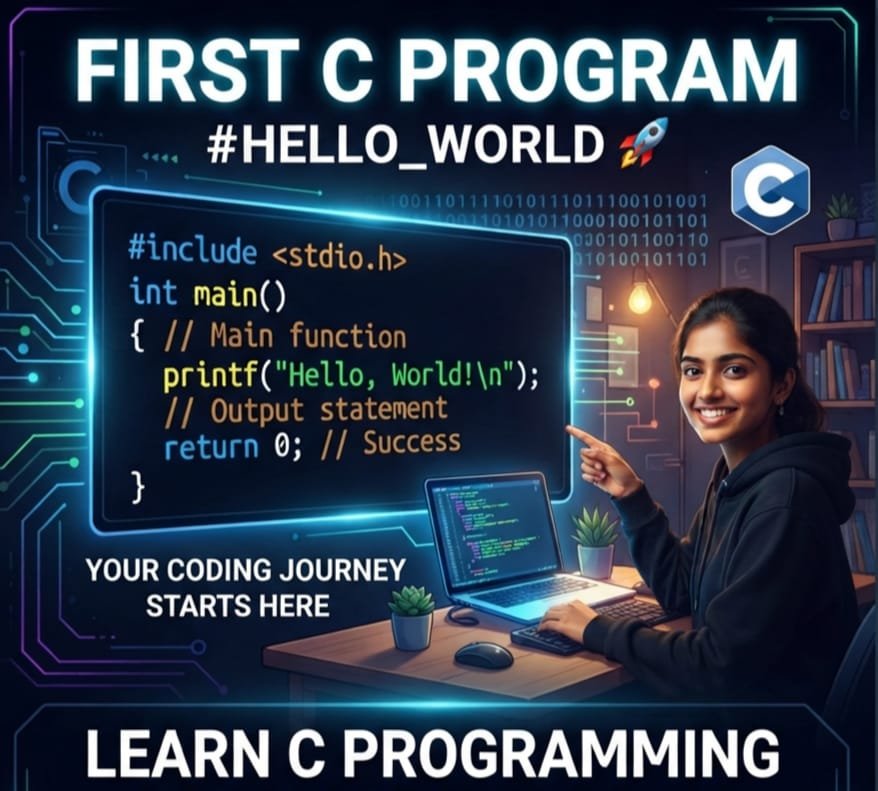
Writing Your First C Program
Author: Er. Mujtaba Ansari
Writing your first C program is the first step toward becoming a programmer. In this beginner-friendly guide, you’ll learn how to write, compile, and run the “Hello, World!” program with clear, step-by-step explanations that make every line of code easy to understand.
This article is written by Er. Mujtaba Ansari, who aims to make C programming simple, practical, and easy to learn for students, beginners, and aspiring developers. Whether you’re starting from scratch or building a strong programming foundation, this guide will help you begin your coding journey with confidence.
Career Options After Learning C Programming:
Software Engineer
Robotics Engineer
Cybersecurity Engineer
Embedded Systems Engineer
Firmware Engineer
IoT Developer
Automotive Software Engineer
System Programmer
Linux Developer
Device Driver Developer
📚 C Programming Complete Course Structure
✅ Chapter 1: C Programming Fundamentals
✅ Chapter 2: History and Evolution of C Language
✅ Chapter 3: Installing a C Compiler
✅ Chapter 4: Writing Your First C Program (Current Chapter)
🔜 Chapter 5: Structure of a C Program
🔜 Chapter 6: Variables and Data Types
🔜 Chapter 7: Operators in C
🔜 Chapter 8: Input and Output Functions
🔜 Chapter 9: Conditional Statements
🔜 Chapter 10: Loops in C
🔜 Chapter 11: Arrays
🔜 Chapter 12: Strings
🔜 Chapter 13: Functions
🔜 Chapter 14: Pointers
🔜 Chapter 15: Structures and Unions
🔜 Chapter 16: File Handling
Writing Your First C Program (Hello World) – Complete Beginner’s Guide
Introduction
Every programmer starts their coding journey by writing a simple program called the Hello World Program. Although it is a very small program, it teaches the most important concepts of C programming.
When you write your first C program, you learn:
- How to write C code.
- How to save a C program.
- How to compile the program.
- How to run the program.
- How a C program is executed by the computer.
Think of it as learning the alphabet before writing sentences. Once you understand this program, learning advanced topics like variables, loops, functions, arrays, and pointers becomes much easier.
What is a C Program?
A C Program is a collection of instructions written in the C programming language. These instructions tell the computer what task to perform.
Examples:
- Display a message
- Add two numbers
- Calculate marks
- Build software
- Develop games
- Create operating systems
A C program always starts from the main() function.
What is the Hello World Program?
The Hello World Program is the first and simplest program that beginners write.
Its purpose is to display the message:
Hello, World!
This program helps you understand the basic structure of every C program.
Hello World Program in C
#include <stdio.h>

int main()
{
    printf("Hello, World!");
    return 0;
}
Output
Hello, World!
Explanation of Each Line of the Program
Let’s understand each line one by one.
Line 1
#include <stdio.h>
What is it?
This is called a Preprocessor Directive.
It tells the compiler to include the Standard Input Output Library before compiling the program.
The library contains many useful functions like:
- printf()
- scanf()
Without this library, the compiler will not recognize the printf() function.
Example
Imagine you want to cook food.
Before cooking, you need utensils.
Similarly,
Before using printf(), the program needs stdio.h.
Line 2
int main()
What is main()?
The main() function is the heart of every C program.
Every C program starts executing from this function.
No matter how many functions your program contains, execution always begins with main().
What does “int” mean?
int means Integer.
It tells the compiler that the function returns an integer value.
Line 3
{
This opening curly brace marks the beginning of the main function.
Everything written inside these braces belongs to the main function.
Line 4
printf("Hello, World!");
What is printf()?
printf() is a built-in output function.
It prints text or values on the screen.
Syntax
printf("Text");
Example
printf("Welcome");
Output
Welcome
You can print numbers too.
Example
printf("100");
Output
100
Line 5
return 0;
What does it mean?
This statement tells the operating system:
“The program has finished successfully.”
Most C programs end with
return 0;
Line 6
}
This closing brace marks the end of the main function.
Flow of Program Execution
The computer executes the program in this order:
- Include the
stdio.hlibrary. - Start executing the
main()function. - Execute the
printf()statement. - Display the output.
- Execute
return 0;. - End the program.
How Does a C Program Work?
A C program goes through several stages before producing output.
Step 1: Write the Source Code
Write your code in a text editor or IDE.
Example:
#include <stdio.h>
int main()
{
    printf("Hello, World!");
    return 0;
}
Save the file as:
hello.c
Step 2: Compile the Program
The compiler checks your code for errors and converts it into machine language.
If there are mistakes, the compiler displays error messages.
Step 3: Linking
The linker connects your program with required library files.
Step 4: Execution
The computer executes the machine code.
Finally, the output appears on the screen.

Hello, World!
Steps to Write Your First C Program
Step 1
Open your C Compiler or IDE.
Examples:
- Code::Blocks
- Dev-C++
- Visual Studio Code
- GCC Terminal
Step 2
Create a New File.
Step 3
Write the Hello World Program.
Step 4
Save the file.
Example
hello.c
Always use the .c extension.
Step 5
Compile the Program.
If there are no errors, compilation is successful.
Step 6
Run the Program.
The compiler executes your program.
Step 7
View the Output.
Hello, World!
Congratulations!
You have successfully written your first C program.
Why Do Beginners Learn the Hello World Program?
There are many reasons.
- It introduces the syntax of C.
- It teaches the structure of a C program.
- It explains how output is displayed.
- It helps you understand the compilation process.
- It builds confidence for writing larger programs.
Structure of Every C Program
Almost every C program contains these parts:
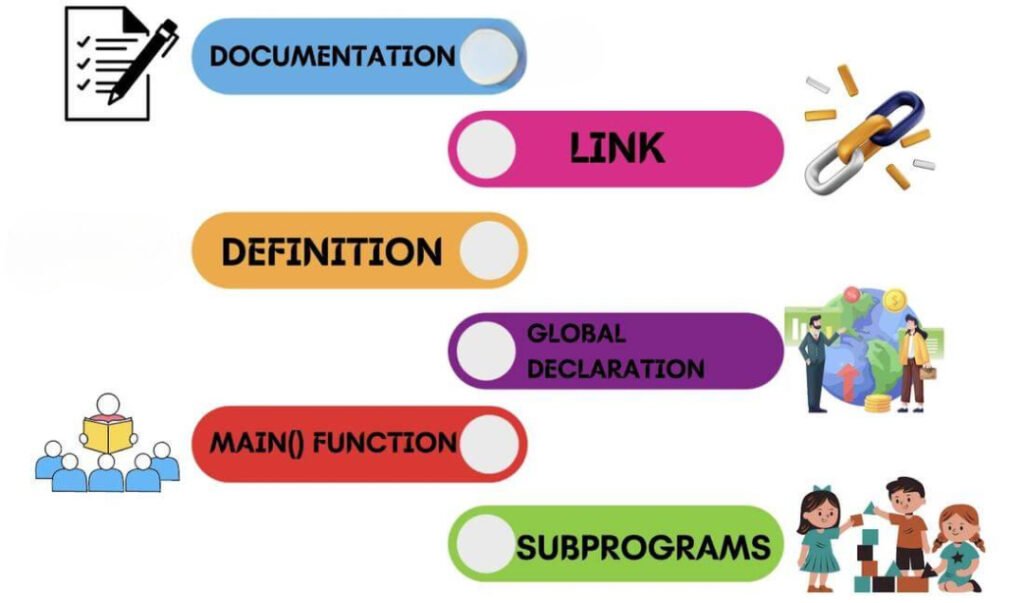
Header Files
Provide built-in functions.
Example
#include <stdio.h>
Main Function
Starting point of the program.
int main()
Statements
Instructions written inside the program.
Example
printf("Hello");
Return Statement
Ends the program successfully.
return 0;
Common Errors Made by Beginners
Missing Semicolon
Wrong
printf("Hello")
Correct
printf("Hello");
Wrong Spelling
Wrong
print()
Correct
printf()
Missing Header File
Wrong
int main()
{
printf("Hello");
}
Correct
#include <stdio.h>
Missing Curly Braces
Always use opening and closing braces correctly.
Wrong File Extension
Correct
hello.c
Wrong
hello.txt
Best Practices
- Use meaningful file names.
- Save your work frequently.
- Write clean and properly indented code.
- Read compiler error messages carefully.
- Practice daily.
- Understand the logic instead of memorizing code.
Key Points to Remember
- Every C program starts from main().
#include <stdio.h>provides input/output functions.printf()displays text on the screen.- Curly braces define the function body.
return 0;ends the program successfully.- Save every C file with the .c extension.
- Compile before running the program.
Important:
The Hello World Program is the first milestone in learning C programming. It teaches the basic syntax, structure, and execution process of a C program. By understanding each line of this simple program, you build a strong foundation for learning variables, operators, loops, functions, arrays, pointers, file handling, and other advanced C concepts.
Real-Life Applications of C Programming
C Programming is widely used in many industries and technologies. Some of its most common real-life applications are listed below.
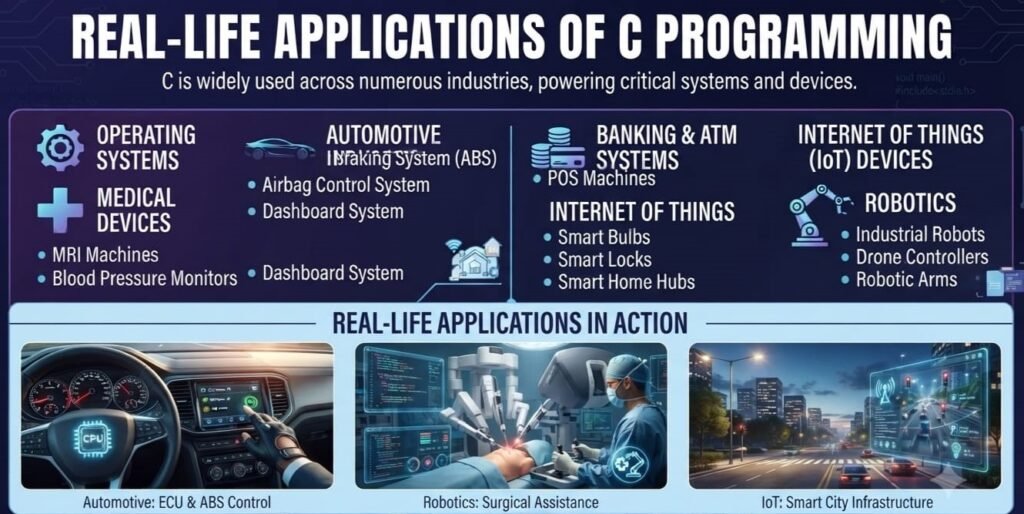
1. Operating Systems
C is used to develop the core components of operating systems, including:
- Linux
- Windows
- Unix
2. Medical Devices
C Programming is widely used in healthcare equipment, including:
Patient Monitoring Systems
ECG Machines
Blood Pressure Monitors
Glucose Meters
3. Automotive Industry
C Programming is used to develop software for various automotive systems, including:
- Engine Control Unit (ECU)
- Anti-lock Braking System (ABS)
- Airbag Control System
- Dashboard System
4. Embedded Systems
Many electronic devices are powered by software developed in C, such as:
Digital Cameras
Washing Machines
Microwave Ovens
Smart TVs
Air Conditioners
Printers
5. Banking & ATM Systems
C is widely used in banking and payment technologies, including:
- ATM Software
- Card Readers
- POS (Point of Sale) Machines
6. Networking
C Programming is used in many networking devices, such as:
- Routers
- Switches
- Modems
- Firewalls
7. IoT (Internet of Things) Devices
C is commonly used to develop software for smart devices, including:
- Smart Bulbs
- Smart Locks
- Smart Home Devices
- Wearable Devices
8. Robotics
C Programming is widely used in robotics for hardware control and automation, including:
- Industrial Robots
- Drone Controllers
- Robotic Arms
9. Game Development
Many popular game engines and graphics libraries have their core components developed using C and C++.
10. Database Systems
The core components of many database systems are developed using C to provide high performance, speed, and reliability.
11. Compilers
Many programming language compilers and interpreters are developed using C Programming because of its efficiency and low-level system access.
12. Cybersecurity
C Programming is widely used to develop cybersecurity tools, including:
- Security Tools
- Network Analysis Tools
- Malware Analysis Tools
- Penetration Testing Tools
Frequently Asked Questions (FAQs)
1. Why is “Hello, World!” the first program?
Because it is the simplest program that demonstrates the basic structure and execution of a C program.
2. What is the purpose of #include <stdio.h>?
It includes the Standard Input Output library, allowing you to use functions such as printf() and scanf().
3. Why do we use main()?
The main() function is the entry point of every C program. Program execution always starts here.
4. What does printf() do?
It displays text, numbers, or formatted output on the screen.
5. Why is return 0; important?
It indicates that the program has completed successfully and returns control to the operating system.
6. What is the correct extension for a C program?
A C source file should always be saved with the .c extension.
7. What happens if I forget a semicolon?
The compiler will generate a syntax error, and the program will not compile until the mistake is corrected.
8. Why is the Hello World program important?
Answer: It helps beginners understand the basic structure, syntax, compilation, and execution of a C program.
9. Which function is the starting point of a C program?
Answer: The main() function is the starting point of every C program.
10. Which function is used to display output in C?
Answer: The printf() function is used to display output on the screen.

Mujtaba Ansari is a Software Engineer, Founder & CEO of The Tech Earth. He writes about technology, AI, software, cybersecurity, blogging, Health tech, Agri Tech and digital trends to help readers stay updated with the latest innovations.