

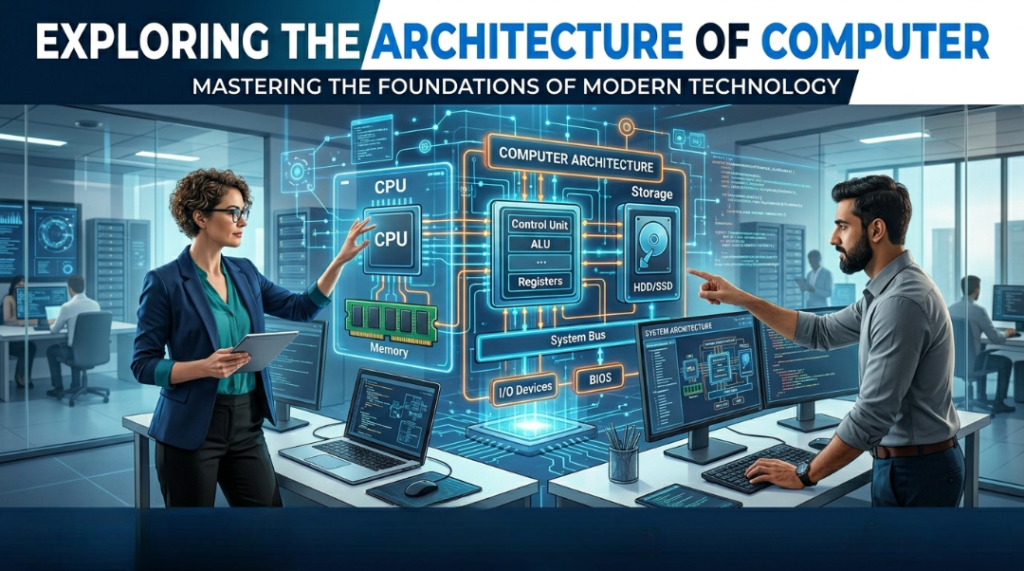
Architecture of Computer :
The overall design, structure, and operation of a computer is called computer architecture.
Computer architecture describes:
• How input and output devices are connected
• How the CPU works
• How memory is used
• How all the components work together to process data
Computer architecture is a framework design that defines the structure and organization of a computer system’s components (memory, I/O devices, CPU), and how these components interact with each other to process data and perform tasks.
Main Components of Computer :
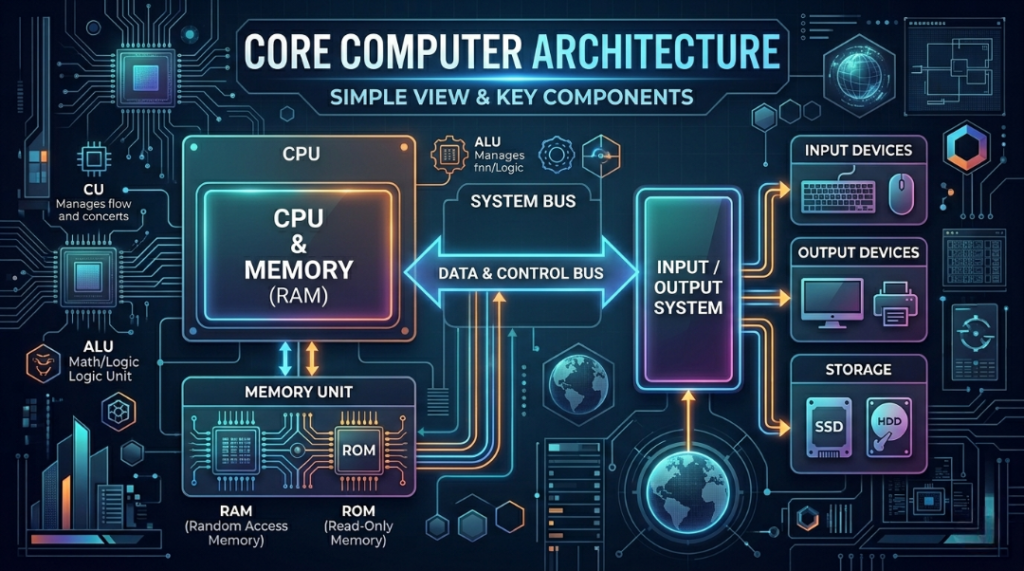
The main components of a computer can be divided into 5 parts, which are as follows:
1. Input Devices (Input Unit) :
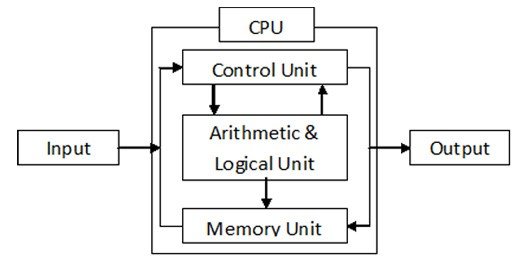
The input unit receives data and instructions from the user, converts them into digital form, and presents them for processing.
• Purpose: To enter instructions or data into computer.
• Examples: Keyboard, Mouse, Microphone, Scanner etc.
• Explanation: These devices convert human instructions into understandable format for computers.
________________________________________
2. Output Devices (Output Unit) :
The units used to display data and instructions as output are called Output Units.
• Purpose: To show processed information in human-readable form.
• Examples: Monitor, Printer, Speakers etc.
• Explanation: It displays the results of the computer.
________________________________________
3. Central Processing Unit (CPU) :
The CPU (Central Processing Unit) is called the brain or heart of the computer.
It is the CPU that processes data according to instructions.
The CPU’s processing unit is the part of the computer where arithmetic and logical operations are performed, and instructions are decoded and executed.
From a hardware perspective, the CPU is divided into three main parts:
(a) Control Unit (CU)
(b) Arithmetic Logic Unit (ALU)
(c) Registers
• Purpose: It is called the “brain” of the computer, processing data.
• Parts:
1. CU (Control Unit): Sends signals to fetch and execute instructions. OR
Control Unit is called the nerve system of the computer.
The Control Unit (CU) of the CPU controls all the operations of the computer and establishes coordination between software and hardware.
2. ALU (Arithmetic Logic Unit): Performs arithmetic and logical operations in a computer’s CPU. OR
The part of the CPU (Central Processing Unit) where arithmetic and logical operations are performed is called the ALU (Arithmetic Logic Unit).
These operations include arithmetic operations such as (+ , − , × , ÷) and logical operations such as (AND, OR, NOT) as well as comparison operations like (< , > , = , ≤ , ≥).
The actual work of data processing is performed by the ALU.
3. Registers: To store temporary data. OR
It is a very high-speed primary memory built inside the CPU (Central Processing Unit).
The CPU can process only the data that is stored in the registers.
Before processing, data and instructions are transferred to the registers.
________________________________________
4. Memory / Storage Unit :
The Memory Unit is also called the Storage Unit.
Data and instructions are stored in memory before processing, and the final result obtained after processing is also stored in memory permanently.
The classification of the Memory Unit is as follows:
1. Primary Memory or Main Memory –
a) ROM (Read Only Memory)
b) Cache
c) RAM (Random Access Memory)
2. Secondary Memory or Auxilliary Memory –
• Purpose: To store data and programs.
• Types:
o Primary Memory (RAM, ROM): Fast access, temporary or permanent memory.
o Secondary Memory (HDD, SSD): Permanent storage memory.
• Explanation: The CPU retrieves data for its work.
________________________________________
5. Communication / I/O Devices :
• Purpose: Connects the computer to the network or other devices.
• Examples: USB devices, modems, network cards, etc.
• Explanation: Shares data and is used for internet or network communication.
Motherboard :-
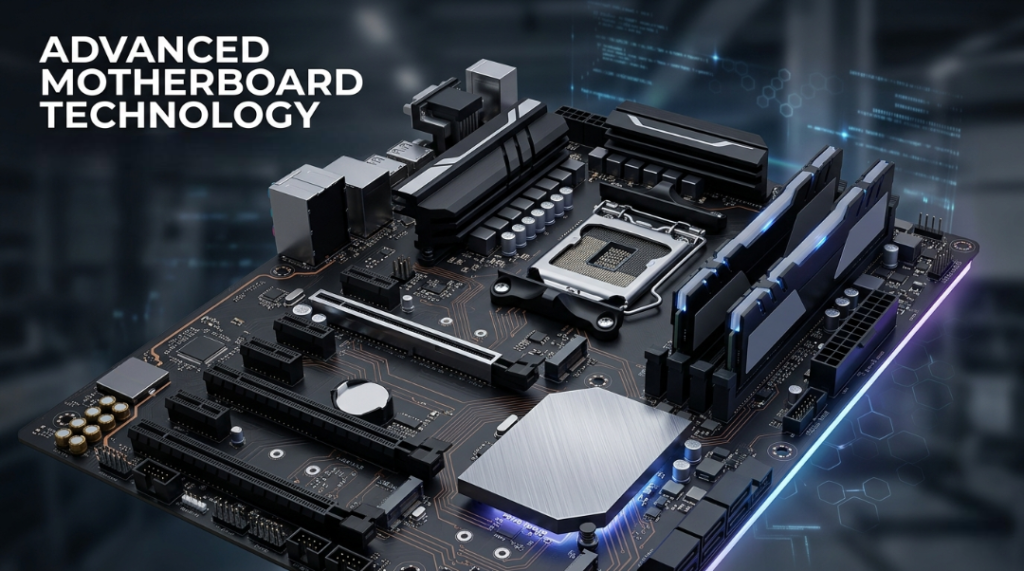
The Motherboard is the main circuit board of any computer. The entire computer system operates around the motherboard. Components such as the CPU (Central Processing Unit), ROM (Read Only Memory), and RAM (Random Access Memory) are installed on the motherboard.
Other computer devices, such as the Input Unit, Output Unit, CD Drive, Hard Disk, Video Card, and Sound Card, are also connected to the motherboard.
BIOS – Basic Input Output System :-
When the computer is turned ON, the BIOS software runs first. BIOS checks the hardware connected to the computer, which is called the Power On Self Test (POST).
BIOS is a software program that is stored permanently in the ROM memory chip and installed on the computer’s motherboard by the motherboard manufacturer.
Key functions of BIOS: Checking hardware – As soon as the computer starts, it checks the RAM, keyboard, hard disk, etc., which is called POST – Power On Self Test. Loading the operating system – BIOS helps in starting the operating system like Windows, Linux from the hard disk or SSD. Controlling and connecting hardware – It helps in making all the different hardware parts of the computer work together.
Chip :-
A chip is also called an Integrated Circuit (IC). It is generally a small and thin piece of silicon. The chip was developed by J. S. Kilby. In this technology, a large number of ICs or transistors are used on a single silicon chip.
A chip is a small electronic component made of silicon. It contains many transistors and electronic circuits integrated into a single unit. Chips are used to perform processing and control functions, such as in smartphones, computers, and other digital devices.
UPS – Un- interrupted Power Supply :-
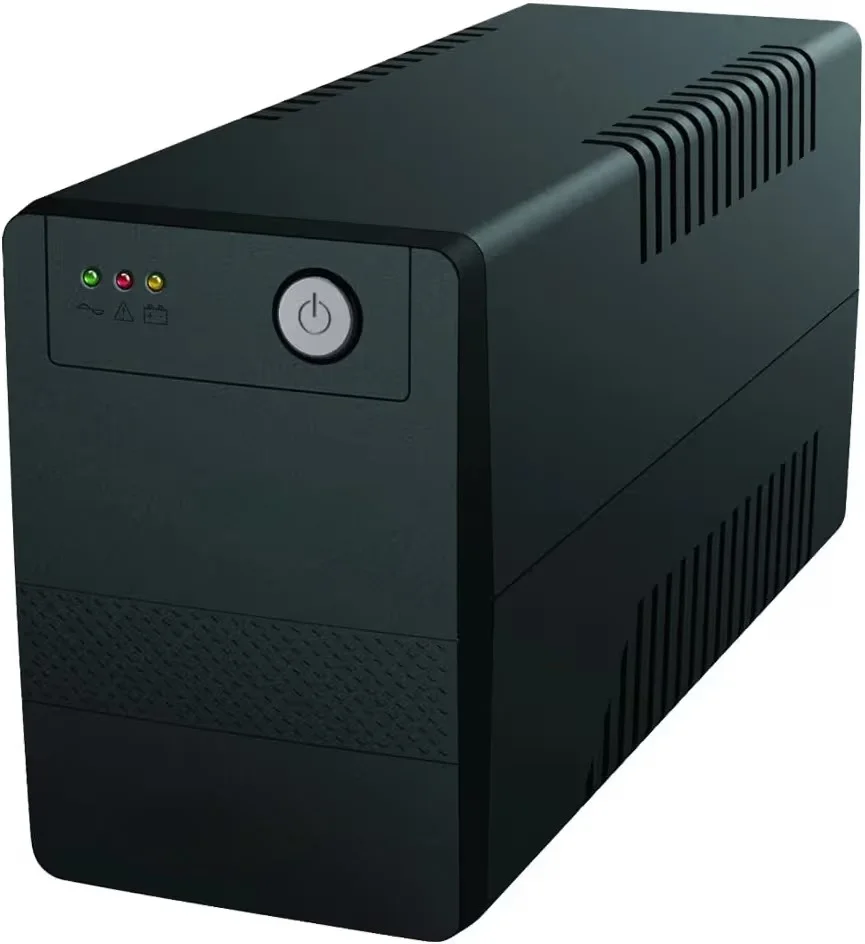
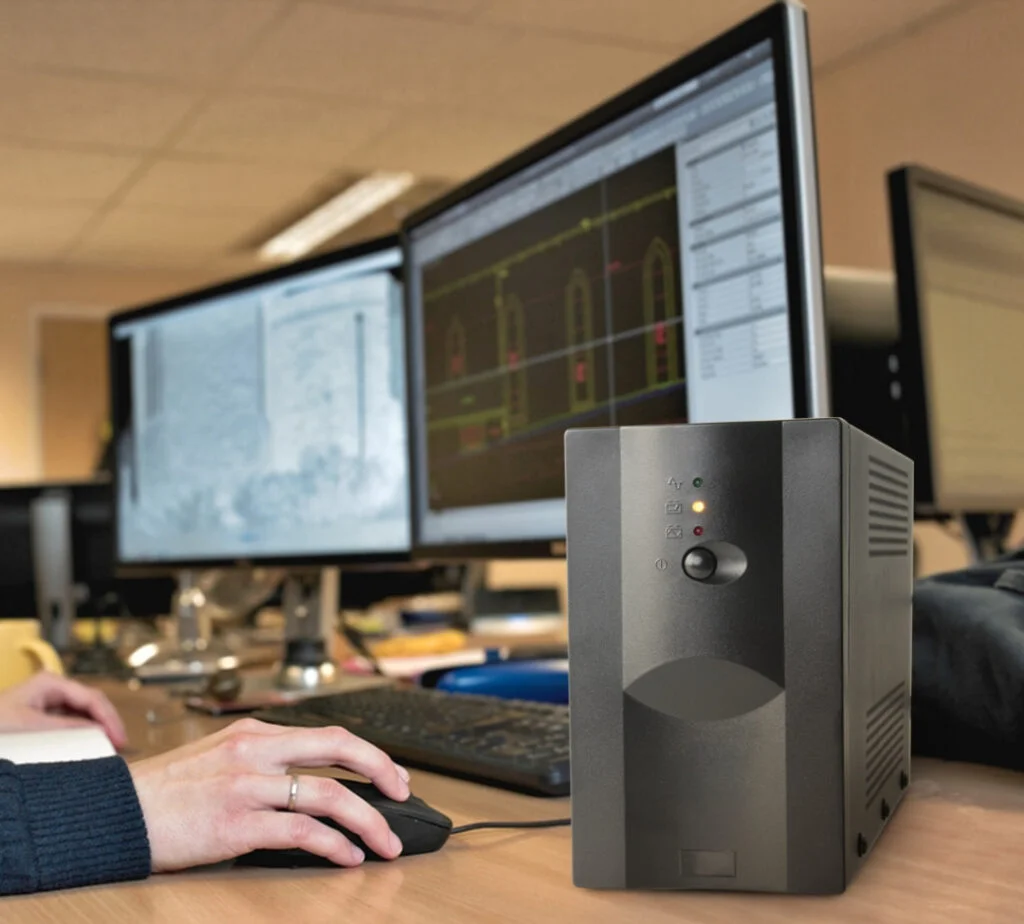
The full form of UPS is Un-interrupted Power Supply. This means that you can use UPS as an Alternative Power Source, which can provide continuous interruption-free power supply to the load. UPS always keeps on supplying power to the load continuously, whether the main supply is OFF or ON. The special thing about UPS is that it supplies power in the absence of main power supply, so that the device does not face any issues. Batteries are the source of energy of UPS. The back-up time of any UPS, i.e., for how long the UPS can provide power to the load in the absence of main power supply, depends on the type and quantity of batteries used in it.
Important Parts of UPS :
Rectifier – Converts AC to DC power.
Static Bypass / Switch / Contactor – Provides direct mains power supply in case of emergency.
Battery – Provides backup power in case of power cut.
Inverter – Converts the battery’s DC power back to AC power.
Control Unit / Controller – Controls and monitors all functions of the UPS.
Charger – Charges the battery when mains power is available.
BUS :-
A bus is a collection of wires or connections through which signals are transmitted from one device to another. In fact, a bus acts as a transmission medium that allows communication between different components of a computer system.
Types of Bus :
There are many buses in a computer system, which can be divided into two main types:
Internal Bus
External Bus
- Internal Bus –
The internal bus connects the internal components of the motherboard, such as the CPU and system memory. Therefore, it is also called the system bus.
Examples: Control Bus, Address Bus, etc. - External Bus –
The external bus connects various external components to the computer system.
Examples: Peripherals, Ports, Expansion Slots, etc.
Pipe Lining:-
Pipe-lining is a process in which the CPU hardware is arranged in such a way that the overall execution and performance of the CPU increase. It shows that a pipe-lining system improves the working efficiency of the computer.
(3.9.1) Stages of Pipe-Lining :
In pipe-lining, an instruction is executed in five stages, which are as follows:
Stage 1: Instruction Fetch –
In this stage, the CPU reads the instruction from memory using its address.
Stage 2: Instruction Decode –
In this stage, the instruction is decoded and the value from the registers used in the instruction is obtained.
Stage 3: Execution –
In the third stage, all ALU operations are performed. Any calculations are carried out by the ALU (Arithmetic Logic Unit).
Stage 4: Memory / Input-Output –
In this stage, the memory operands specified in the instruction are read from or written to memory. It is also responsible for input and output operations of the processor.
Stage 5: Write Back –
In this stage, the value fetched or processed by the computer is written back to the register in memory.
Advantages of Pipe-Lining –
The advantages of pipe-lining are as follows:
It reduces the time required for processing.
It increases the reliability of the system.
It improves the throughput (flow capacity) of the system.
SMPS – Switch Mode Power Supply :-
The full form of SMPS is Switch Mode Power Supply. It is an electronic circuit that converts AC power into DC power using switching devices and supplies the required power to different parts of a computer according to their needs.
SMPS is also used in many other electronic devices such as refrigerators, DVD players, and DTH systems. These devices usually operate on 220 to 240 volts of power.
If 240 volts were supplied directly to the computer board, it would burn and get damaged. Therefore, a system was developed that divides the 220 or 240 volts supply into different voltage levels and distributes them to various components. This system is known as SMPS.
Von – Neuman Architecture) :-
This is a computer architecture developed by John Von Neumann in 1945. He was a mathematician and physicist.
In this architecture, programs are stored in memory. It is based on the stored-program computer concept. The CPU fetches only one instruction at a time from memory and then executes it. Most modern computers are based on this design.
Units of Von Neumann Architecture –
The following units are included in Von Neumann Architecture:
Control Unit
Arithmetic and Logic Unit (ALU)
Registers (Main Memory Units)
Input / Output Devices
CPU (Central Processing Unit)
Buses
::Objective Questions)::
(1) The brain of the computer is called:
(a) Monitor
(b) CPU (Central Processing Unit)
(c) Memory
(d) Hard Disk
(e) All of the above
(2) What is the most important part of a computer?
(a) Disk
(b) CPU
(c) Printer
(d) Keyboard
(e) Mouse
(3) The electronic device that processes data by converting it into information is called:
(a) Computer
(b) CD
(c) Processor
(d) Keyboard
(e) None of these
(4) The working principle of a computer is:
(a) Output
(b) Input
(c) Processor
(d) All of the above three
(e) None of these
(5) The invention of Integrated Circuits (IC) led to the development of which generation of computers?
(a) Second Generation
(b) Third Generation
(c) First Generation
(d) Fourth Generation
(e) None of these
(6) The main circuit board of the system unit is:
(a) RAM
(b) ROM
(c) Motherboard
(d) Control Unit
(e) Computer Program
(7) What is the full form of UPS?
(a) Union Power Supply
(b) Unique Pass Sure
(c) Universal Power Service
(d) Uninterruptible Power Supply
(e) None of these
(8) The basic processing cycle of a computer includes:
(a) Hardware and Software
(b) System and Application
(c) Data and Information
(d) Input, Processing, and Output
(e) All of the above
(9) What is the full form of BIOS?
(a) Basic Internal Out System
(b) Basic Internal O.S
(c) Basic Input-Output System
(d) Basic Intra Organization System
(e) None of these
(10) On the motherboard, the component that connects the CPU with other parts on the motherboard is:
(a) System Bus
(b) Input Unit
(c) Primary Memory
(d) ALU (Arithmetic Logic Unit)
(e) All of the above
(11) What is generally used to connect input–output devices to the bus structure?
(a) Mesh
(b) Multiple Bus
(c) Run Bus
(d) Single Bus
(e) None of these
(12) What is used to store the results of the ALU?
(a) Stack
(b) Queue
(c) Heap
(d) Registers
(e) Accumulators
(13) In any digital computer, input coming from an analog device must be converted into:
(a) Digital to Analog
(b) Analog to Digital
(c) Hybrid to Digital
(d) Digital to Buffering
(e) None of these
(14) How many registers are there in a common bus?
(a) 9
(b) 3
(c) 8
(d) 15
(e) 7
(15) Which circuit is used to store one bit of data?
(a) Flip-Flop
(b) Register
(c) Encoder
(d) Decoder
(e) Decode
(16) What is Von Neumann Architecture?
(a) SIMD
(b) MIMD
(c) MISD
(d) SISD
(e) All of the above
(17) Cache memory works between which of the following?
(a) RAM and ROM
(b) CPU and RAM
(c) ROM and CPU
(d) RAM and Hard Disk
(e) None of these
(18) What is the full form of MRI?
(a) Memory Reference Instruction
(b) Memory Reference Instruction
(c) Memory Registers Instruction
(d) Memory Registers Information
(e) All of the above
(19) Which of the following interrupts is Non-Maskable?
(a) 5
(b) 7
(c) 12
(d) TRAP
(e) INTR
(20) Which of the following addresses is generated by the CPU?
(a) Physical Address
(b) Real Address
(c) Logical Address
(d) Virtual Address
(e) None of these**
ANSWERS
(1)- b  (2)- b  (3)- c  (4)-d
(5)- b (6)- c  (7)- d (8)- d (9)c (10)a (11)d (12)e  (13)b  (14)c (15)a (16)-d  (17)b  (18)a  (19)d  (20)c

Mujtaba Ansari is a Software Engineer, Founder & CEO of The Tech Earth. He writes about technology, AI, software, cybersecurity, blogging, Health tech, Agri Tech and digital trends to help readers stay updated with the latest innovations.