

Chapter 8:
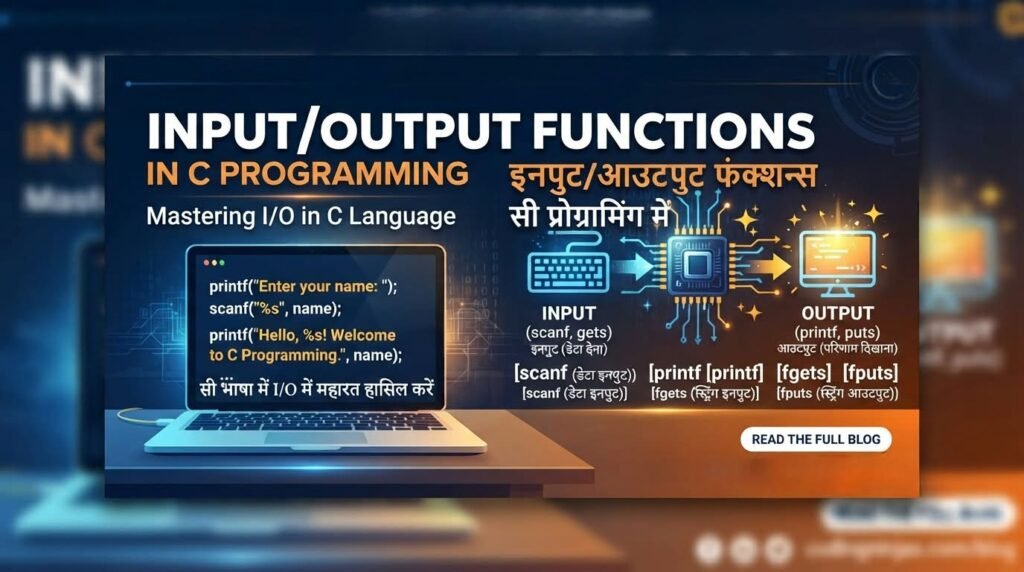
Input और Output Functions
Author: Er. Mujtaba Ansari
C में Input और Output Functions
C Programming में Input और Output (I/O) Functions बहुत महत्वपूर्ण होते हैं। इनकी मदद से हमारा program user से data लेता है और उसे screen पर result या information दिखाता है।
उदाहरण के लिए: जब कोई program आपसे आपका नाम enter करने के लिए कहता है, तो आप जो नाम देते हैं वह Input होता है। इसके बाद जब program screen पर “Hello, Mujtaba!” दिखाता है, तो यह Output कहलाता है।
अगर आप C Programming सीख रहे हैं, तो Input और Output को समझना बहुत जरूरी है, क्योंकि लगभग हर practical program में इनका इस्तेमाल होता है।
इस article में हम C में Input और Output Functions को बहुत आसान भाषा में समझेंगे। साथ ही, printf(), scanf(), getchar() जैसे important functions को simple examples और practical programs के साथ सीखेंगे।
📚 C Programming Complete Course Structure
यह C Programming Course Beginners to Advanced के लिए step-by-step तैयार किया गया है। आप हर chapter को क्रम से पढ़कर C Programming को आसानी से सीख सकते हैं।
अगर आप C Programming को अच्छे से समझ लेते हैं, तो आगे चलकर C++, Java, Python या किसी भी दूसरी Programming Language को सीखना और उसमें program बनाना आपके लिए काफी आसान हो जाता है।

C Programming को अक्सर Programming की मजबूत नींव (Foundation) माना जाता है। इसमें आप Variables, Data Types, Operators, Conditions, Loops, Functions, Arrays, Pointers जैसी महत्वपूर्ण concepts सीखते हैं, जो दूसरी programming languages में भी काम आती हैं।
इसलिए C Programming सीखते समय हर concept को ध्यान से और मन लगाकर समझें। सिर्फ code याद करने के बजाय यह समझने की कोशिश करें कि code कैसे और क्यों काम करता है। यही आपकी programming की मजबूत foundation बनाएगा।
🔹 Chapter 1: C Programming का परिचय
🔹 Chapter 2: C Language का इतिहास और विकास
🔹 Chapter 3: C Compiler को Install करना
🔹 Chapter 4: अपना पहला C Program लिखना
🔹 Chapter 5: C Program की Structure
🔹 Chapter 6: Variables और Data Types
🔹 Chapter 7: C में Operators
🔹 Chapter 8: Input और Output Functions ⭐ (Current Chapter)
🔹 Chapter 9: Conditional Statements
🔹 Chapter 10: C में Loops
🔹 Chapter 11: Arrays
🔹 Chapter 12: Strings
🔹 Chapter 13: Functions
🔹 Chapter 14: Pointers
🔹 Chapter 15: Structures और Unions
🔹 Chapter 16: File Handling
C Programming में Input और Output Functions
जब हम कोई C Program बनाते हैं, तो केवल program लिखना ही काफी नहीं होता। हमें program को user से जानकारी लेने और उसका result screen पर दिखाने की जरूरत भी होती है।
यहीं पर Input और Output Functions काम आते हैं।
👉 आसान भाषा में समझें:
Input → Program को data देना
Output → Program से result प्राप्त करना
उदाहरण के लिए, अगर program आपसे आपका नाम पूछता है और आप Mujtaba लिखते हैं, तो Mujtaba आपका Input है। इसके बाद program अगर Hello, Mujtaba! दिखाता है, तो यह Output है।
इस chapter में हम Input और Output को एकदम शुरुआत से लेकर advanced level तक, छोटे-छोटे practical examples के साथ समझेंगे।
Input और Output क्या होता है?
⌨️ Input क्या है?
जब user किसी program को कोई information देता है, उसे Input कहते हैं।
जैसे:
- अपना नाम enter करना
- Age enter करना
- Mobile number enter करना
- कोई number enter करना
- Password enter करना
उदाहरण:
Enter your age: 25
यहाँ 25 program का Input है।
🖥️ Output क्या है?
जब program किसी information या result को screen पर दिखाता है, उसे Output कहते हैं।
उदाहरण:
Your age is 25
यह program का Output है।
आसान स्टेप्स में (Step-by-Step) :
User
  ↓
Input
  ↓
C Program
  ↓
Processing
  ↓
Output
  ↓
Screen
C में Input और Output के लिए कौन-सी Header File चाहिए?
C में सामान्य Input और Output functions इस्तेमाल करने के लिए हमें लिखना होता है।:
#include <stdio.h>
यहाँ stdio.h का मतलब है:
Standard Input/Output Header
इस header file में printf(), scanf(), getchar(), putchar(), fgets(), puts() जैसे कई important functions की declarations मिलती हैं।
Basic C program:
#include <stdio.h>

int main()
{
    printf("Hello World");

    return 0;
}
Output:
Hello World
printf() क्या है?
printf() C Programming का सबसे commonly used Output Function है।
इसका इस्तेमाल screen पर यह सब दिखाने के लिए किया जाता है।:
- Text
- Numbers
- Characters
- Variables
- Calculated Results
Basic Syntax
printf("Message");
Example:
#include <stdio.h>

int main()
{
    printf("Welcome to C Programming");

    return 0;
}
Output:
Welcome to C Programming
printf() से अलग-अलग Lines में Output
अगर हमें अलग-अलग lines में output दिखाना है, तो \n का इस्तेमाल करते हैं।
\n का मतलब है New Line।
#include <stdio.h>

int main()
{
    printf("Hello\n");
    printf("Welcome to C Programming");

    return 0;
}
Output:
Hello
Welcome to C Programming
जहाँ (Where):
\n = New Line
printf() से Variable की Value दिखाना
मान लीजिए हमारे पास एक variable है:
int age = 25;
हम इसकी value screen पर दिखा सकते हैं:
#include <stdio.h>

int main()
{
    int age = 25;

    printf("My age is %d", age);

    return 0;
}
Output:
My age is 25
जहाँ पर %d बताता है कि हम integer value display कर रहे हैं।
Format Specifiers क्या हैं?
Format specifier C Programming Language में बहुत important concept है।
यह compiler को बताता है कि variable की value किस type की है।
कुछ खास format specifiers:
| Data Type | Format Specifier | Example |
|---|---|---|
int | %d | 25 |
float | %f | 25.50 |
double | %f | 25.50 |
char | %c | A |
| String | %s | Mujtaba |
long | %ld | Long integer |
long long | %lld | Large integer |
unsigned int | %u | Positive integer |
| Hexadecimal | %x | ff |
| Octal | %o | 17 |
Integer को Output करना (Integer की Value को Print करना)
#include <stdio.h>

int main()
{
    int number = 100;

    printf("Number = %d", number);

    return 0;
}
Output:
Number = 100
Float को Output करना (Float Value को Print करना)
#include <stdio.h>

int main()
{
    float price = 99.50;

    printf("Price = %f", price);

    return 0;
}
Output :
Price = 99.500000
Note: अगर हमें केवल 2 decimal places चाहिए:
printf("Price = %.2f", price);
Output:
Price = 99.50
Note: यहाँ %.2f का मतलब है decimal के बाद 2 digits दिखाना।
Character को Output करना
Character के लिए %c का इस्तेमाल किया जाता है।
#include <stdio.h>

int main()
{
    char grade = 'A';

    printf("Grade = %c", grade);

    return 0;
}
Output:
Grade = A
Note:
- String →
"Hello" - Character →
'A'
अब Input लेना सीखें
Output समझने के बाद अब सबसे important part है Input।
C में user से formatted input लेने के लिए commonly scanf() का इस्तेमाल किया जाता है।
Basic Syntax:
scanf("format", &variable);
scanf() से Integer Input लेना
#include <stdio.h>

int main()
{
    int age;

    printf("Enter your age: ");
    scanf("%d", &age);

    printf("Your age is %d", age);

    return 0;
}
अगर user enter करता है:
25
Output:
Enter your age: 25Your age is 25
scanf() में & क्यों लगाते हैं?
यह सबसे important चीजों में से एक है।
हम लिखते हैं:
scanf("%d", &age);
यहाँ &age का मतलब है age variable का address।
scanf() को उस memory location की जानकारी चाहिए जहाँ उसे user की input value store करनी है।
इसलिए सामान्य variables के साथ हम अक्सर & का इस्तेमाल करते हैं।
उदाहरण:
scanf("%d", &number);
scanf("%f", &price);
scanf("%c", &grade);
अलग-अलग Data Types का Input
Integer
int age;

scanf("%d", &age);
Float
float marks;

scanf("%f", &marks);
Double
double salary;

scanf("%lf", &salary);
Character
char grade;

scanf(" %c", &grade);
Character Input में " %c" क्यों?
Beginners को यह थोड़ा confusing लग सकता है।
हम अक्सर लिखते हैं:
scanf(" %c", &ch);
ध्यान दें %c से पहले एक space है।
यह space input stream में मौजूद whitespace, जैसे newline, को skip करने में मदद करता है।
उदाहरण:
char ch;

scanf(" %c", &ch);
यह basic interactive programs में काफी useful होता है।
एक साथ दो Numbers Input करना
आप एक ही scanf() से multiple values भी ले सकते हैं।
#include <stdio.h>

int main()
{
    int a, b;

    printf("Enter two numbers: ");
    scanf("%d %d", &a, &b);

    printf("First Number = %d\n", a);
    printf("Second Number = %d", b);

    return 0;
}
Input:
10 20
Output:
First Number = 10
Second Number = 20
Input लेकर Calculation करना
अब एक real or best example देखते हैं।
दो numbers लेकर उनका addition करते हैं।
#include <stdio.h>

int main()
{
    int a, b, sum;

    printf("Enter first number: ");
    scanf("%d", &a);

    printf("Enter second number: ");
    scanf("%d", &b);

    sum = a + b;

    printf("Sum = %d", sum);

    return 0;
}
अगर user:
10
20
enter करता है, तो:
Sum = 30
यहाँ पूरा process है:
Input
  ↓
10 + 20
  ↓
Processing
  ↓
Addition
  ↓
Output
  ↓
30
getchar() Function
अब एक और important function देखते हैं:
getchar()
इसका इस्तेमाल standard input से एक character पढ़ने के लिए किया जाता है।
Example:
#include <stdio.h>

int main()
{
    char ch;

    printf("Enter a character: ");
    ch = getchar();

    printf("You entered: %c", ch);

    return 0;
}
Input:
A
Output:
You entered: A
putchar() Function
putchar() का इस्तेमाल एक character output करने के लिए किया जाता है।
इसका मतलब है:
putchar() function का इस्तेमाल किसी एक Character को screen पर Print करने के लिए किया जाता है।
#include <stdio.h>

int main()
{
    char ch = 'A';

    putchar(ch);

    return 0;
}
Output:
A
आसान तरीके से:
getchar() → Character Input
putchar() → Character Output
puts() Function
puts() का इस्तेमाल string को output करने के लिए किया जाता है।
#include <stdio.h>

int main()
{
    char name[] = "Mujtaba";

    puts(name);

    return 0;
}
Output:
Mujtaba
Note: puts() output के बाद newline भी जोड़ता है।
String Input के लिए scanf()
String के लिए हम %s का इस्तेमाल कर सकते हैं।
#include <stdio.h>

int main()
{
    char name[50];

    printf("Enter your name: ");
    scanf("%49s", name);

    printf("Hello, %s", name);

    return 0;
}
अगर user लिखता है:
Mujtaba
Output:
Hello, Mujtaba
ध्यान दें (Note): %49s का इस्तेमाल करने से buffer overflow का risk कम होता है।
Buffer Overflow : जब किसी variable या memory में जितनी जगह दी गई है, उससे ज्यादा data store करने की कोशिश की जाती है, तो उसे Buffer Overflow कहते हैं।
scanf("%s") की Limitation
अगर user लिखता है:
Mujtaba Ansari
तो:
scanf("%s", name);
आमतौर पर केवल:
Mujtaba
पढ़ेगा, क्योंकि %s whitespace पर रुक जाता है।
इसलिए full name या पूरी line पढ़ने के लिए fgets() ज्यादा suitable है।
fgets() Function
fgets() का इस्तेमाल string या पूरी line को input करने के लिए किया जाता है।
#include <stdio.h>

int main()
{
    char name[50];

    printf("Enter your full name: ");
    fgets(name, sizeof(name), stdin);

    printf("Your name is: %s", name);

    return 0;
}
Input:
Mujtaba Ansari
Output:
Your name is: Mujtaba Ansari
Note: यहाँ fgets() spaces को भी read कर सकता है।
scanf() और fgets() में अंतर
scanf("%s") | fgets() |
|---|---|
| Whitespace पर रुकता है | पूरी line पढ़ सकता है |
| Simple input में useful | Line-based input में useful |
| Buffer limit carefully देना चाहिए | Buffer size explicitly दी जाती है |
| Beginners के लिए आसान | Robust input के लिए बेहतर |
Input Buffer क्या होता है?
यह थोड़ा advanced concept है, लेकिन इसे समझना बहुत जरूरी है।
जब हम keyboard से:
25 + Enter
दबाते हैं, तो input stream में characters उपलब्ध होते हैं:
2
5
\n
scanf("%d", &age) number 25 पढ़ सकता है, लेकिन newline \n input stream में बच सकती है।
इसी वजह से कभी-कभी:
scanf()
के बाद:
getchar()
या:
fgets()
unexpected behavior दे सकता है।
इसलिए scanf() और line-based input को mix करते समय input stream को समझना जरूरी है।
scanf() और fgets() को Mix करने में समस्या
उदाहरण:
int age;
char name[50];

scanf("%d", &age);
fgets(name, sizeof(name), stdin);
यहाँ user age enter करके Enter दबाता है।
scanf() number पढ़ सकता है और newline बाकी रह सकती है। इसके कारण fgets() कभी-कभी उस remaining newline को पढ़कर तुरंत return कर सकता है।
इसलिए बड़े programs में input handling को consistent रखना बेहतर होता है।
Input Validation
Real-world programs में user हमेशा सही input नहीं देता।
उदाहरण:
Program पूछता है:
Enter your age:
लेकिन user लिख देता है:
abc
इसलिए input को validate करना जरूरी है।
scanf() का return value इसमें मदद करता है।
int age;

if (scanf("%d", &age) == 1)
{
    printf("Valid age");
}
else
{
    printf("Invalid input");
}
अगर integer successfully read हुआ, तो scanf() 1 return करेगा।
scanf() का Return Value
यह advanced programming में काफी useful है।
अगर:
scanf("%d %d", &a, &b);
दोनों values successfully read हो गईं, तो return value 2 होगी।
अगर केवल एक value successfully read हुई:
1
तो return value 1 हो सकती है।
अगर कोई conversion नहीं हुआ, तो 0 मिल सकता है।
इससे program input की validity check कर सकता है।
EOF क्या है?
EOF का पूरा नाम है:
End Of File
यह बताता है कि input stream में अब पढ़ने के लिए data उपलब्ध नहीं है।
Example:
int ch;

while ((ch = getchar()) != EOF)
{
    putchar(ch);
}
यह program input को character-by-character पढ़ता है और output करता है जब तक EOF नहीं मिलता।
ध्यान दें कि यहाँ ch को int रखा गया है, क्योंकि getchar() character value के साथ EOF भी return कर सकता है।
stdin, stdout और stderr
C में तीन standard streams बहुत important हैं:
stdin
Standard Input.
आमतौर पर keyboard input।
stdout
Standard Output.
आमतौर पर screen पर normal output।
stderr
Standard Error.
Error messages के लिए।
उदाहरण:
fprintf(stderr, "Invalid input!\n");
यह error stream में message भेजता है।
fprintf() Function
fprintf() का इस्तेमाल किसी specific stream पर formatted output देने के लिए किया जाता है।
उदाहरण:
fprintf(stdout, "Hello World\n");
Error के लिए:
fprintf(stderr, "Something went wrong!\n");
Note: यह concept आगे File Handling में बहुत useful होगा।
fscanf() Function
fscanf() किसी specified input stream से formatted data पढ़ने के लिए इस्तेमाल किया जाता है।
fscanf() का इस्तेमाल किसी खास Input Source (जैसे File) से data पढ़ने के लिए किया जाता है।
उदाहरण:
fscanf(stdin, "%d", &age);
यह concept भी आगे File Handling में ज्यादा detail से काम आएगा।
Character और Number का Connection
C में character को numeric value के रूप में भी represent किया जा सकता है।
Example:
#include <stdio.h>

int main()
{
    char ch = 'A';

    printf("Character = %c\n", ch);
    printf("Value = %d", ch);

    return 0;
}
Output आमतौर पर:
Character = A
Value = 65
यह character representation और character sets की समझ के लिए useful है।
printf() में Formatting
printf() सिर्फ value दिखाने के लिए नहीं है। आप output को format भी कर सकते हैं।
उदाहरण:
float price = 125.5678;

printf("%.2f", price);
Output:
125.57
और:
printf("%10d", 25);
में field width दी जा सकती है।
यह आगे tables और formatted reports बनाने में useful होता है।
एक Complete Practical Program
अब तक सीखी चीजों को एक program में इस्तेमाल करते हैं।
#include <stdio.h>

int main()
{
    char name[50];
    int age;
    float marks;

    printf("Enter your name: ");
    fgets(name, sizeof(name), stdin);

    printf("Enter your age: ");
    scanf("%d", &age);

    printf("Enter your marks: ");
    scanf("%f", &marks);

    printf("\n--- Student Details ---\n");
    printf("Name: %s", name);
    printf("Age: %d\n", age);
    printf("Marks: %.2f\n", marks);

    return 0;
}
इस एक program में हमने:
fgets()scanf()printf()%d%f%.2f\n
जैसे concepts का इस्तेमाल किया।
🧠 Beginners के लिए सबसे जरूरी बातें
इस पूरे chapter में शुरुआत में आपको ये concepts अच्छी तरह समझने चाहिए:
- Input क्या है?
- Output क्या है?
#include <stdio.h>क्यों इस्तेमाल करते हैं?printf()कैसे काम करता है?scanf()कैसे काम करता है?&क्यों लगाया जाता है?- Format specifiers क्या होते हैं?
%d,%f,%c,%sमें difference\nक्या करता है?getchar()औरputchar()क्या हैं?puts()औरfgets()क्या हैं?scanf("%s")की limitation क्या है?- Input buffer/whitespace क्या है?
scanf()का return value क्या बताता है?EOF,stdin,stdout,stderrक्या हैं?
🚀 आगे Advanced Programming में इसका कहाँ उपयोग होगा?
Input और Output केवल एक chapter तक सीमित नहीं हैं। आगे C Programming के लगभग हर बड़े topic में इनका उपयोग होगा।
🔹 Conditional Statements
User से input लेकर condition check करना।
🔹 Loops
बार-बार input लेना और output देना।
🔹 Arrays
Multiple values input करके store करना।
🔹 Strings
Names, sentences और text input करना।
🔹 Functions
Functions में input pass करना और result output करना।
🔹 Pointers
Memory addresses और data manipulation के साथ input/output concepts समझना।
🔹 Structures
Student, Employee या Product की information input/output करना।
🔹 File Handling
Files से data पढ़ना और files में data लिखना।
Important FAQs (Frequently Asked Questions)
1. C Programming में Input और Output क्या है?
Input का मतलब program में data देना और Output का मतलब program द्वारा result या information दिखाना है।
2. C में Standard Input/Output के लिए कौन-सी Header File इस्तेमाल होती है?
stdio.h header file का इस्तेमाल Standard Input और Output Functions के लिए किया जाता है।
#include <stdio.h>
3. printf() Function का क्या उपयोग है?
printf() का इस्तेमाल formatted Output को screen पर display करने के लिए किया जाता है।
4. scanf() Function का क्या उपयोग है?
scanf() का इस्तेमाल formatted Input लेने के लिए किया जाता है।
5. printf() और scanf() में क्या अंतर है?
printf()→ Output दिखाता है।scanf()→ Input लेता है।
6. scanf() में & क्यों लगाया जाता है?
scanf() को सामान्य variable में Input store करने के लिए उसके memory address की जरूरत होती है। & operator variable का address देता है।
scanf("%d", &num);
7. C में Format Specifier क्या होता है?
Format Specifier compiler को बताता है कि Input या Output में किस Data Type की value इस्तेमाल हो रही है।
उदाहरण:
%d → Integer%f → Float%c → Character%s → String
8. getchar() और putchar() में क्या अंतर है?
getchar()→ एक Character को Input करता है।putchar()→ एक Character को Output करता है।
9. scanf() और fgets() में क्या अंतर है?
scanf("%s") आमतौर पर whitespace पर input पढ़ना रोक देता है, जबकि fgets() spaces सहित पूरी line पढ़ सकता है।
10. scanf() का Return Value क्या बताता है?
scanf() यह बताता है कि कितने input items successfully read और converted हुए हैं।
उदाहरण:
int a, b;

int result = scanf("%d %d", &a, &b);
अगर दोनों values successfully read होती हैं, तो scanf() 2 return करेगा।
इस लेख को अंग्रेज़ी में पढ़ें → ( Read this article in English ) →

मुजतबा अंसारी एक सॉफ्टवेयर इंजीनियर तथा The Tech Earth के संस्थापक (Founder) और CEO हैं। वे तकनीक, आर्टिफिशियल इंटेलिजेंस (AI), सॉफ्टवेयर, साइबर सुरक्षा, ब्लॉगिंग, हेल्थ टेक, एग्री टेक और डिजिटल ट्रेंड्स से जुड़े विषयों पर लेख लिखते हैं। उनका उद्देश्य पाठकों को नई तकनीकों और डिजिटल दुनिया की नवीनतम जानकारियों से अपडेट रखना है।